Category Archives: Plumbing & Heating

Installing mains water sub-meter and auto–close valve linked to Home Assistant

Updated 17 February 2026

Jump to Home Assistant Details

This blog covers the installation of a sub meter between the house and Anglian Waters boundary meter, the blog on locating this pipe can be found HERE.

The primary reason I want to monitor my water consumption in real time, is that Anglian Water supplied smart meter can’t do this as the App is typically 24 hours behind, a secondary reason is that I can take the opportunity to add an automatic shut-off valve linked to Home Assistant, so should a leak detector activate in the kitchen, the water supply to the house will close and also an alert will be sent to my mobile.

The equipment will be installed a standard size irrigation valve box.
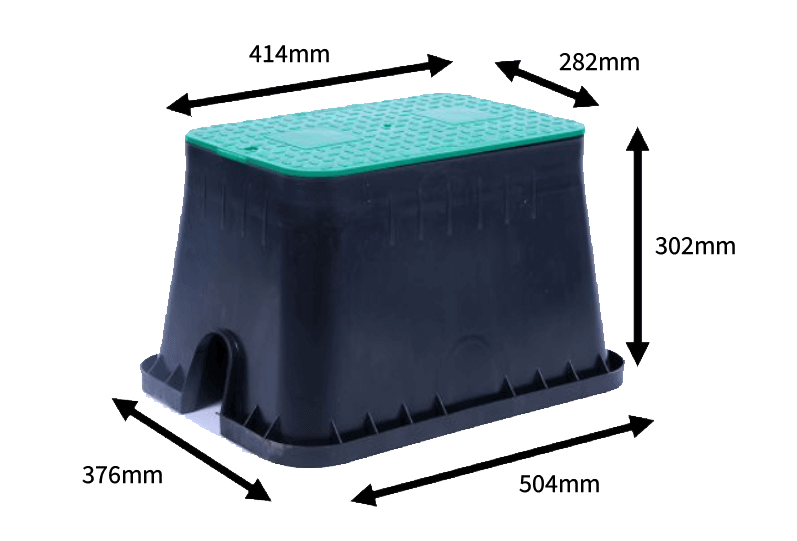
valve box

The original idea was to install the valve box as near to the house as I could in order to reduce cabling and ensure a decent Wi-Fi signal gets to the control system, this idea failed when it was discovered that the water pipe near the house id over 1.5m deep.

The next best option was to place the valve box in the hole I’ve already dug near the boundary meter which was used to trace the pipe.
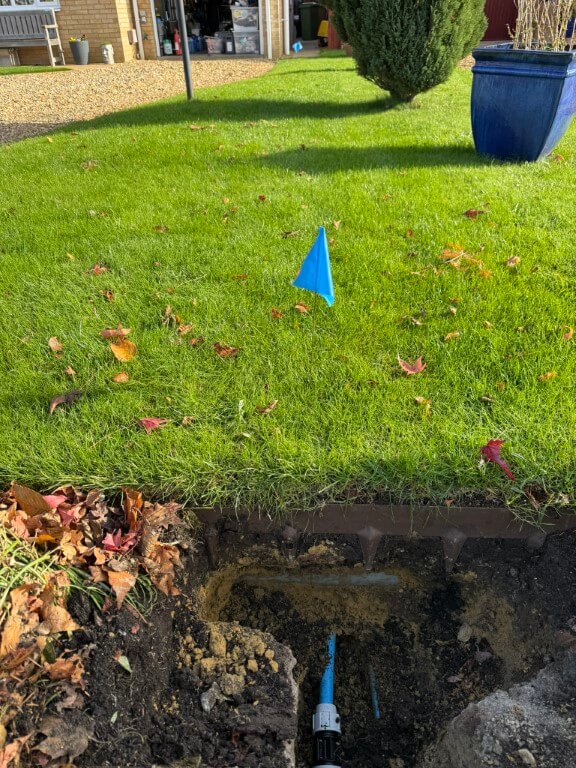
boundary dig

This plan was to install the meter and valve inline with the pipe with the valve box sitting over the top of the kit, impinging slightly into the lawn.

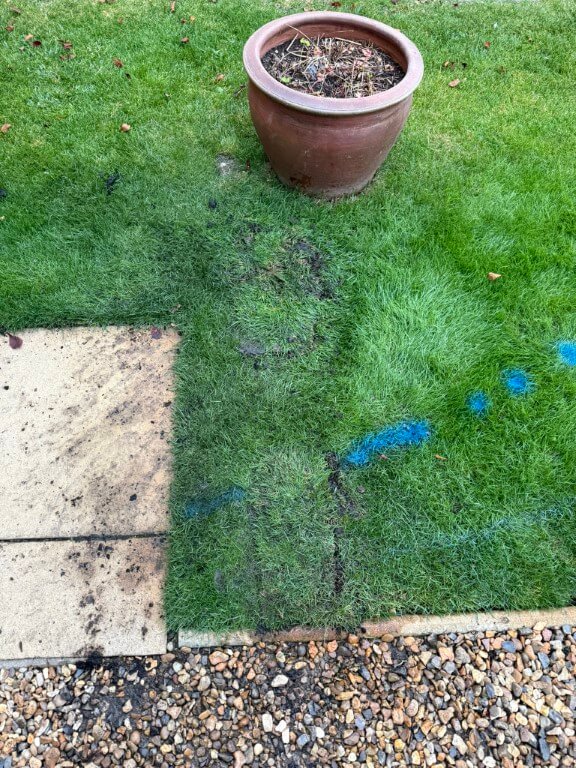
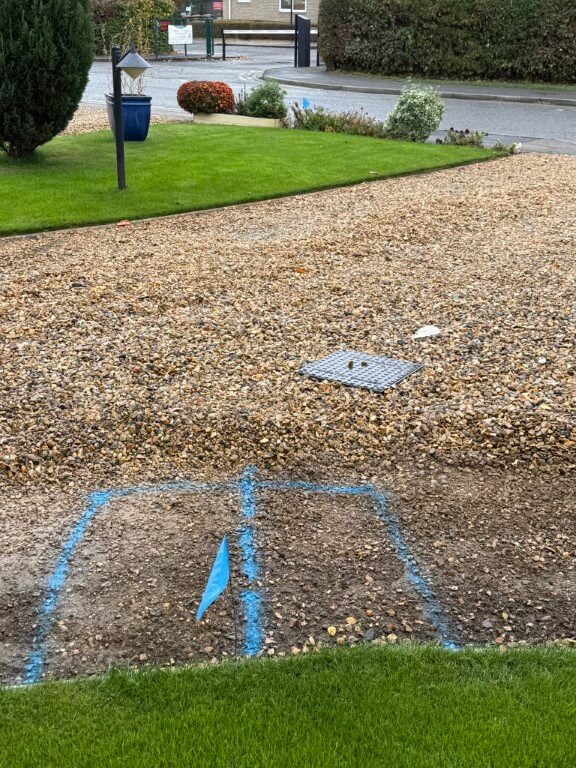
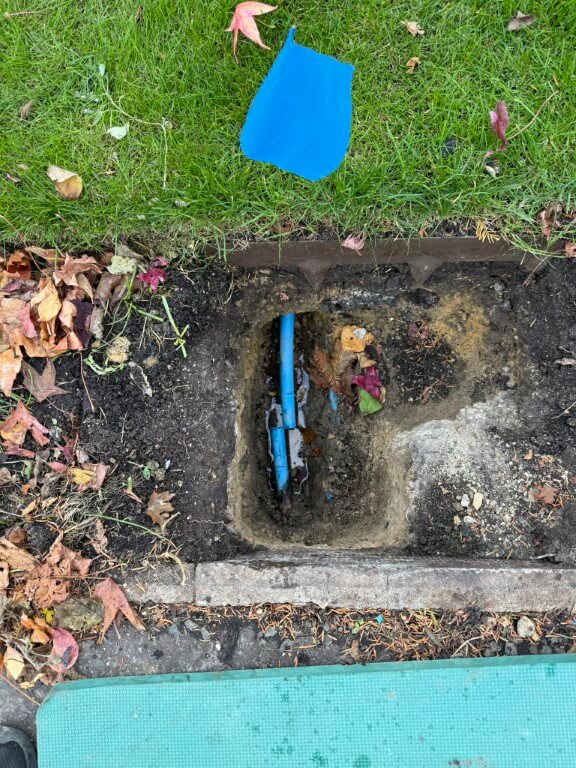
This came to a halt when I uncovered an Openreach duct under my lawn with the water pipe passing under it, so the only option left to me was to put the valve box just past the blue flag in the lawn marked in blue.
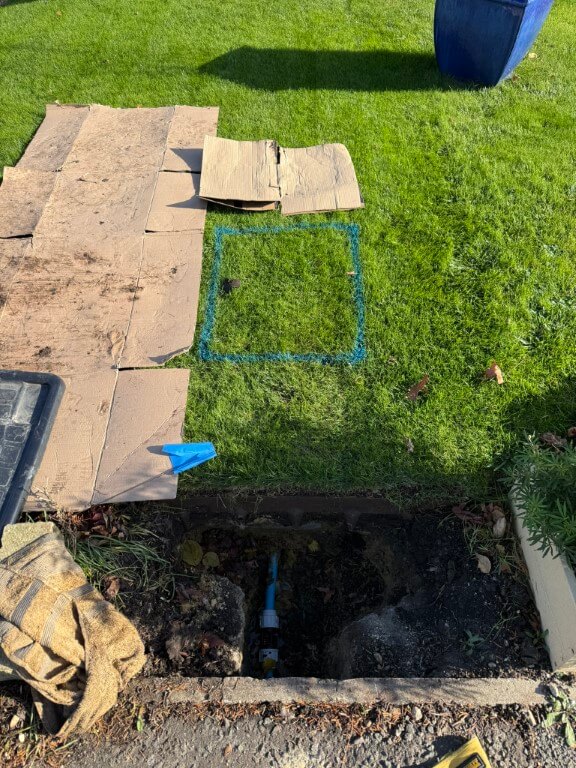
marked hole

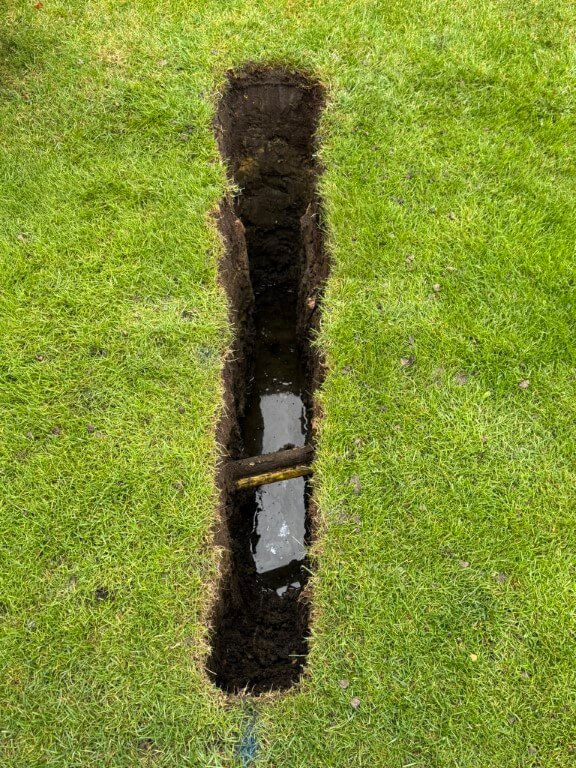
The dig went quite well, I was aware of the garden irrigation pipes which pass to the right side of the dig and also in front of the box.
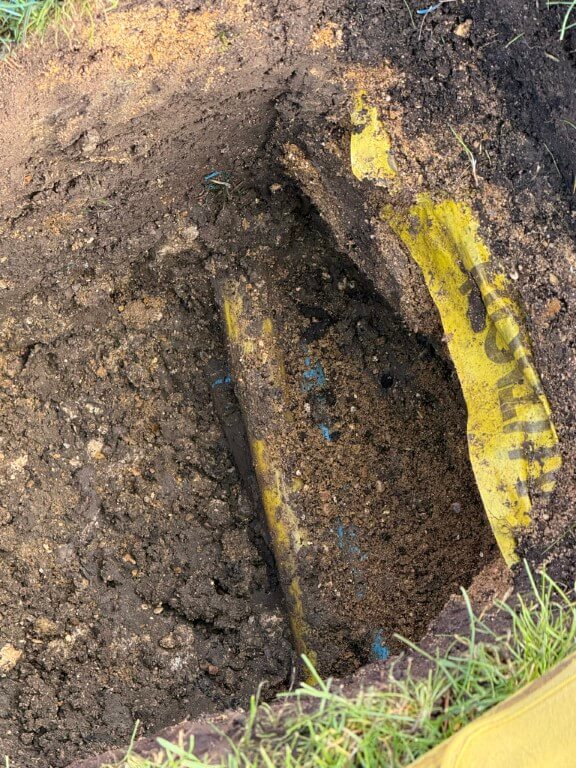
first hole

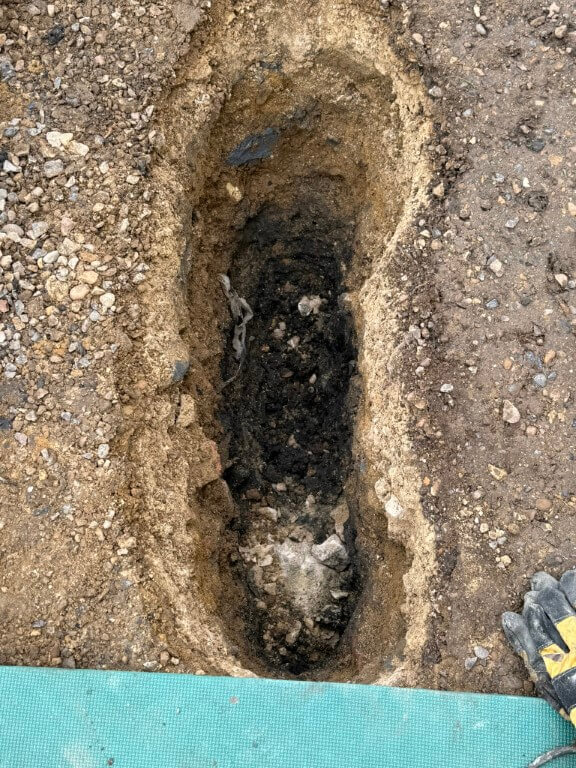
Typical with this project, I discovered the expected water pipe, but also the gas pipe and further down, the electrical duct to the house, all basically touching each other and off-center in relation to the valve box.
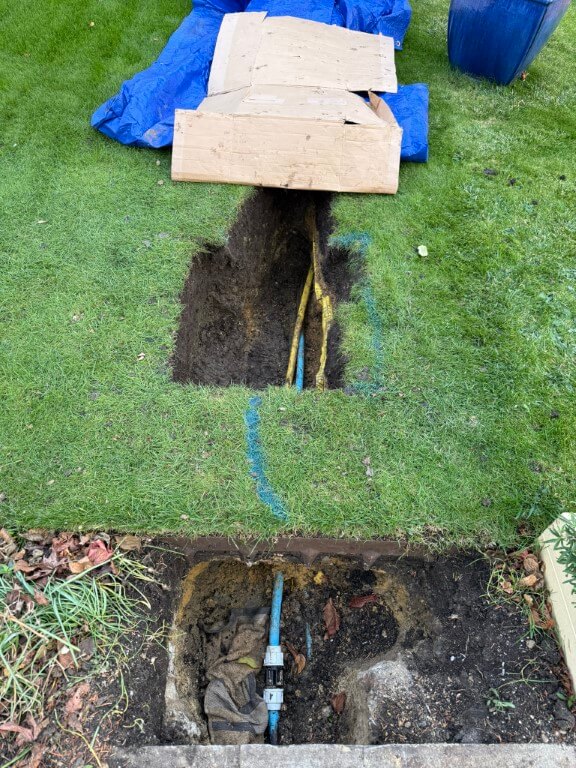
dug before box

Due to the lay of the pipes I moved the valve box dig slightly to the left, this meant I needed to reposition the inlet and outlet water pipes.
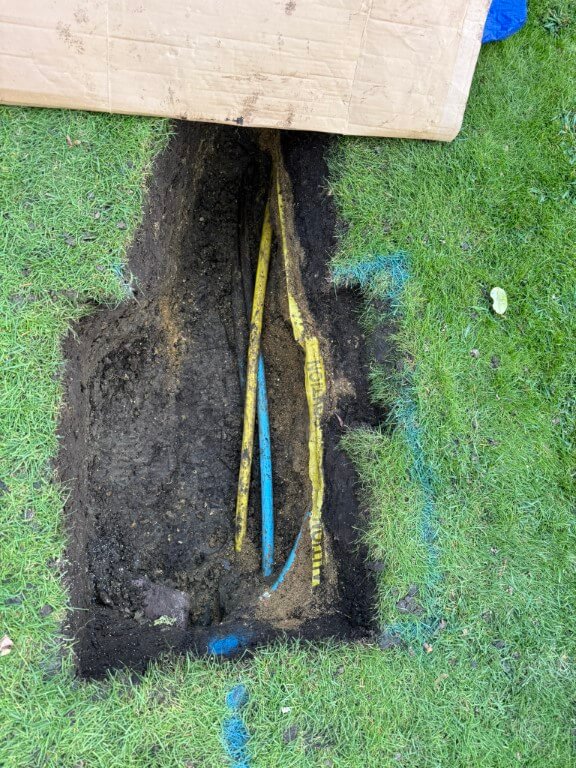
zoom hole

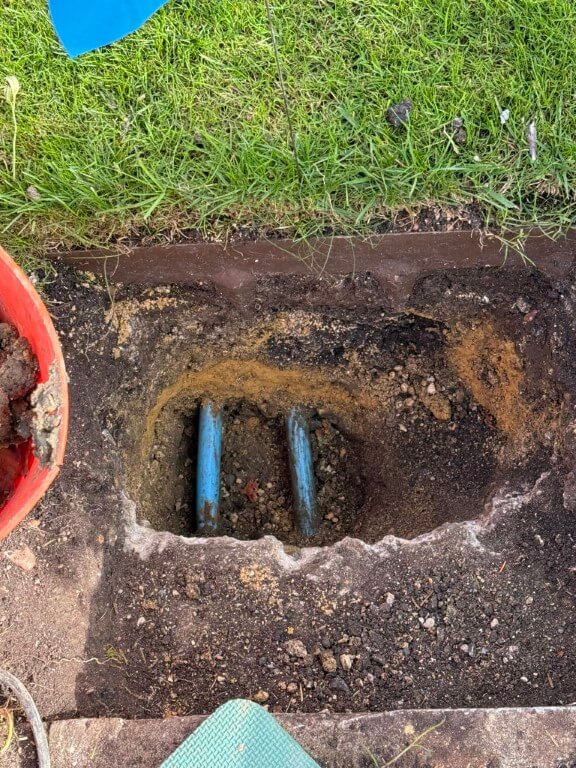
To compound the issue, the water pipe feeding my property is underneath the gas pipe, the close up on the above finished dig showing the irrigation pipe with marker tape, below this are the gas and water pipes.

I dug further back to give me better access to the water pipe, also the length will give me additional flexibility, the plan is to cut the water pipe and get it from under the gas pipe so it will enter the valve box in the correct position, also the existing pipe to the boundary meter will be removed at the slip coupling and rerouted to the left of the existing position, again to get the pipe central in the valve box.
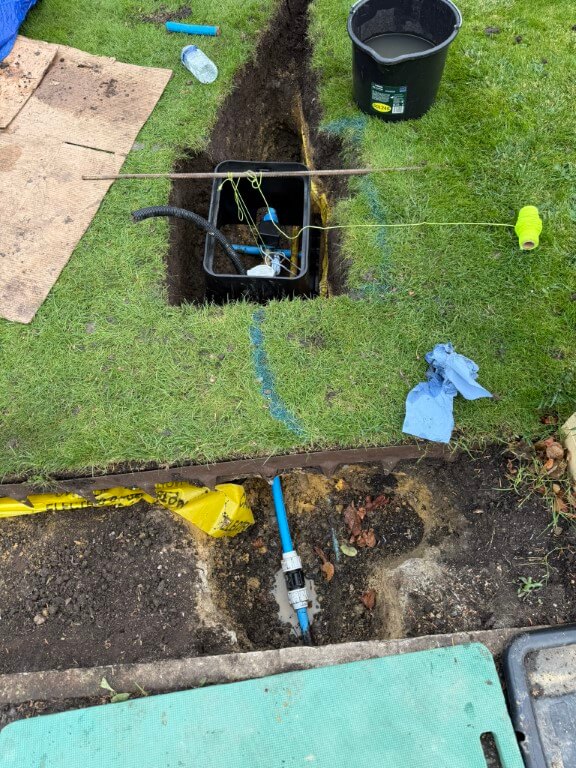
box start

Valve box in temporary position after water connections made, the water connection turned into a problem for me as the pipe from the boundary meter under the grass to the new hole had been compressed and deformed to an oval shape by the Openreach Duct pressing down on it, with a stone beneath the pipe, a perfect storm.

The meant that I had to hammer the pipe through the soil from the slip coupling, only to find that I needed 1m of 25mm pipe to replace the damaged section, fortunately Taymor Plumbing Merchants at March were brilliant and cut me a piece for free, I did go back with chocolates and a Thank You card as they got me out of a right pickle.

The 25mm flexible conduit is to carry 12v power to the ESP32 which controls and reads the valve and meter respectively.
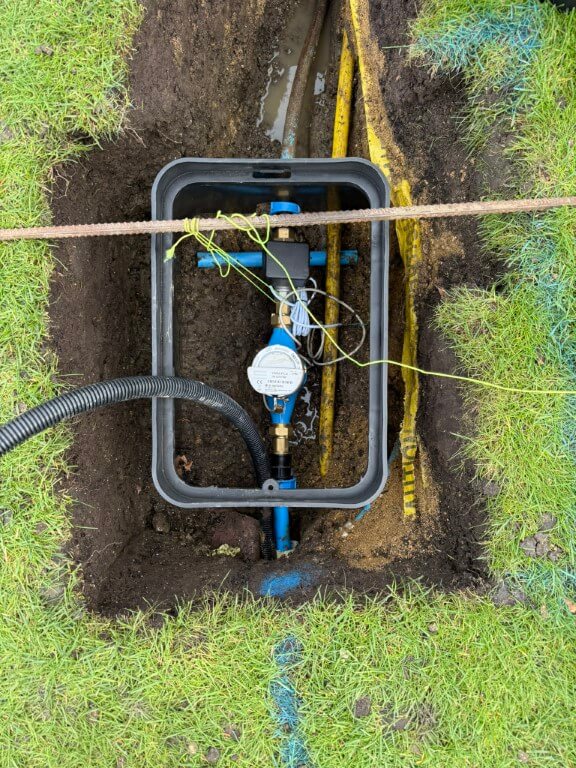
valve box top

New pipe from slip coupling to sub meter via protective sleeve, exit pipe from the auto-valve to the house no longer under the gas pipe, making for a tidier install.
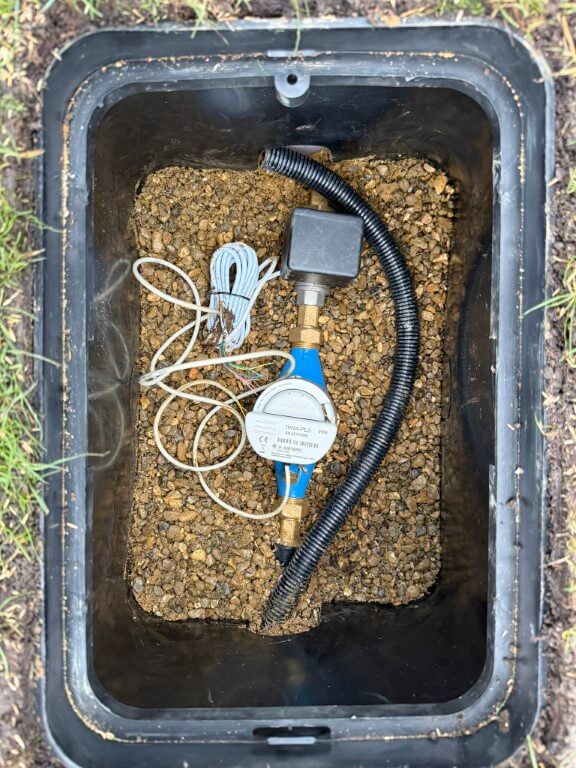
meter in place

Valve box fixed in place with pea gravel and leveled to the grass, water pipes covered in builders and sharp sand to protect them and the longer section of exposed pipe to the house had pipe insulation fitted before being covered.

As I have pipe ‘fixed points’, the water meter is on flanged couplings allowing easy removal, I have also used a brass male to male cone seat union on the auto-valve, again to allow easy removal and replacement when required.
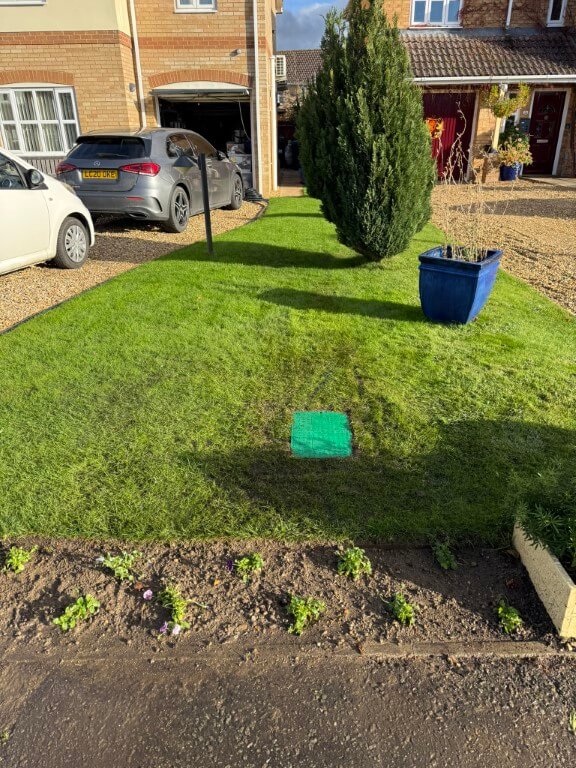
box lid

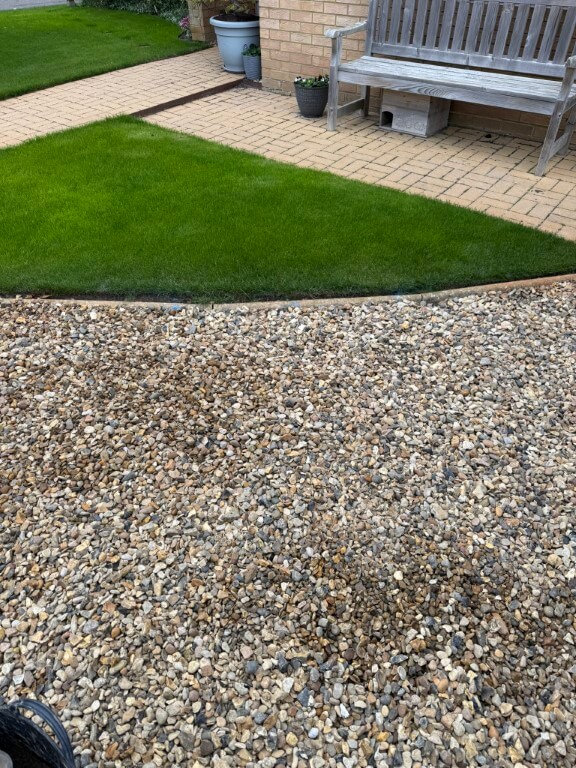
Grass and border restored to make the job look a lot neater, once everything starts to grow, the box lid will melt into the lawn.
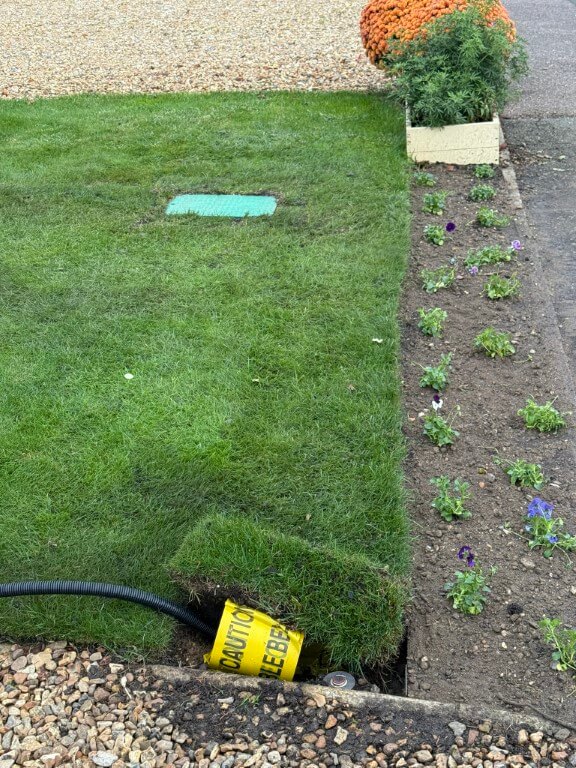
conduit

25mm Flexible conduit being installed back to the garage, the conduit has a marker tape over it and a shallow covering of sharp sand, due to concrete haunching supporting the round nose edging, the conduit is quite shallow, but I I wont be aerating the lawn this close to the edge, so it will be fine.
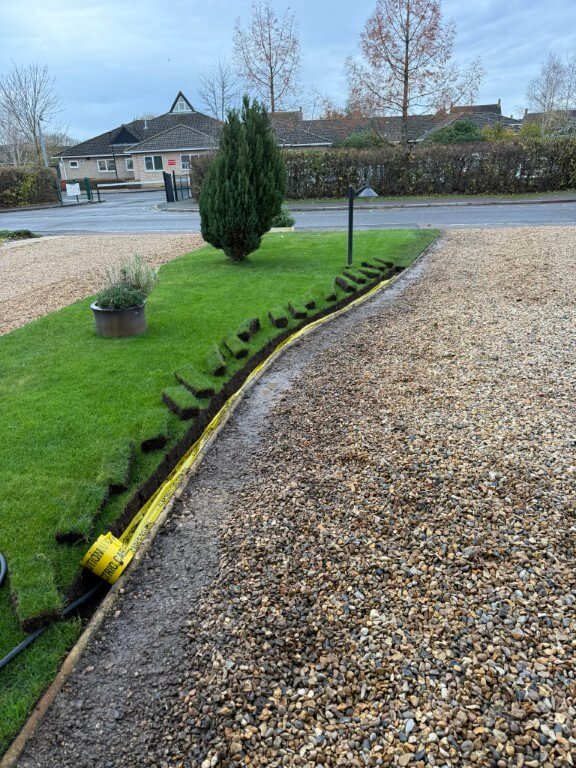
conduit going in

As it had been raining recently, the grass sods were easy to cut and lift out.
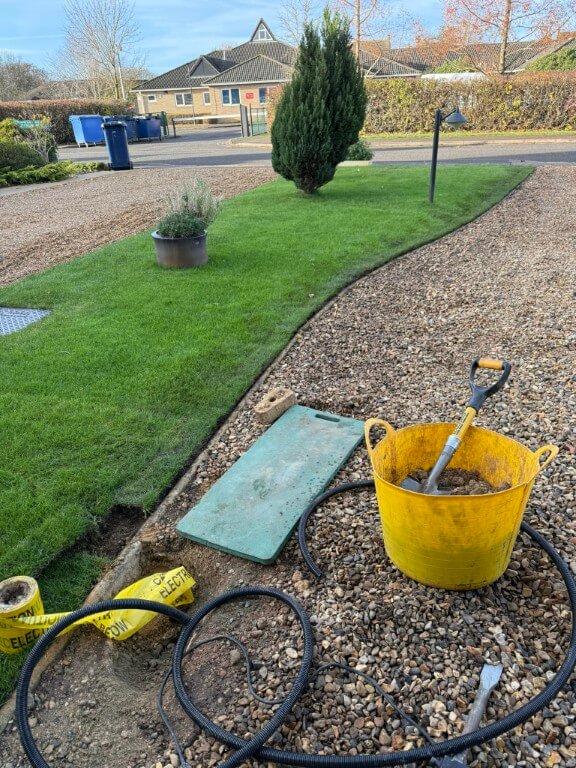
lawn edge

Conduit under the edging ready to drop in a trench in the drive which is yet to be dug, the last sod of lawn is next to go back and levelled down with the back of a spade, after that a mix of sieved soil mixed with lawn seed will be spread down the cuts and joints of the lawn where I have worked.
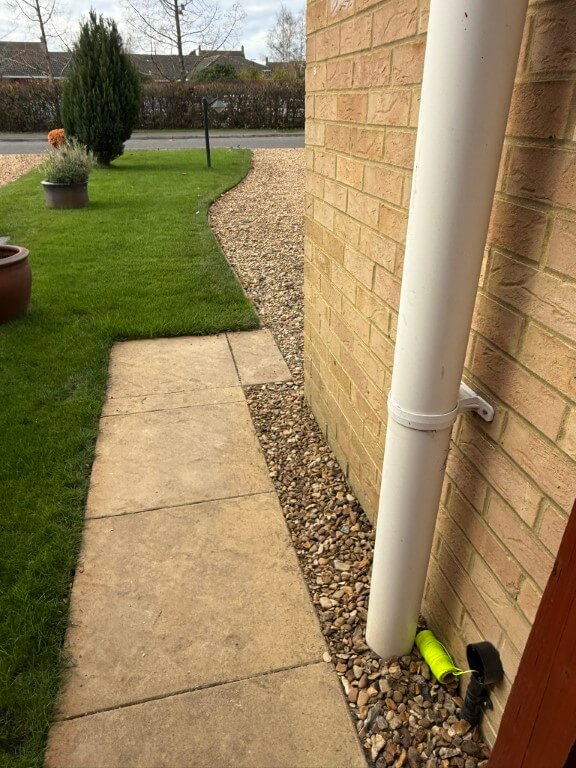
finished conduit

Flexible conduit all installed and draw cord in place ready to pull in 1.5mm2 two core cable for the 12v DC power to the ESP32.

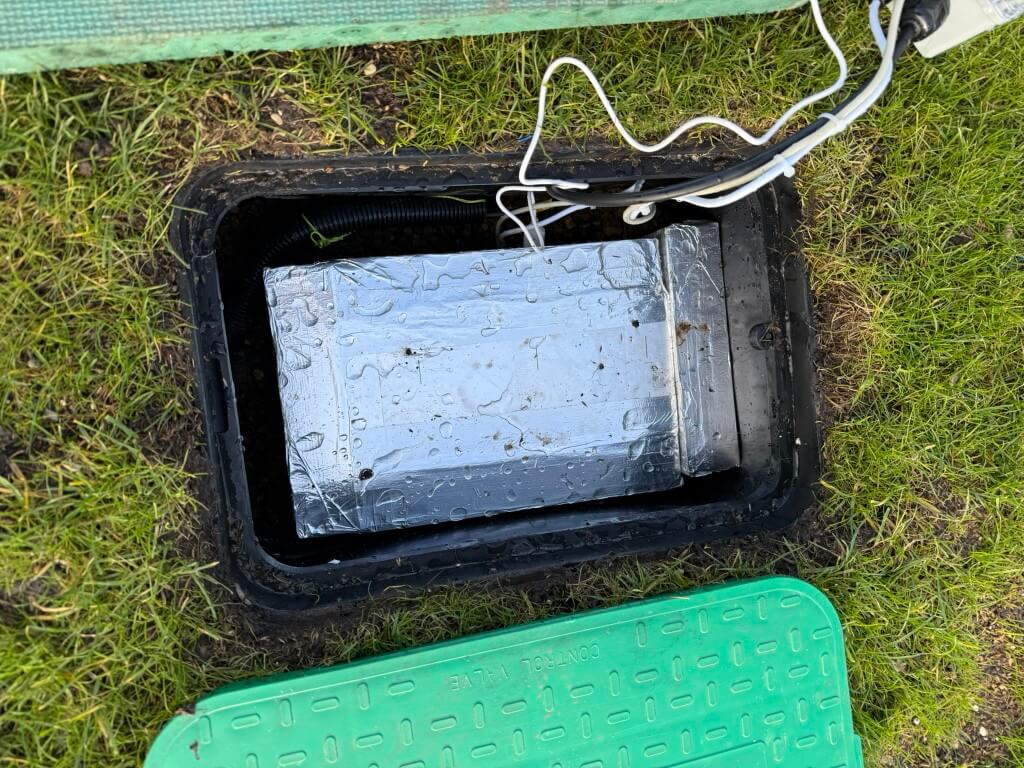
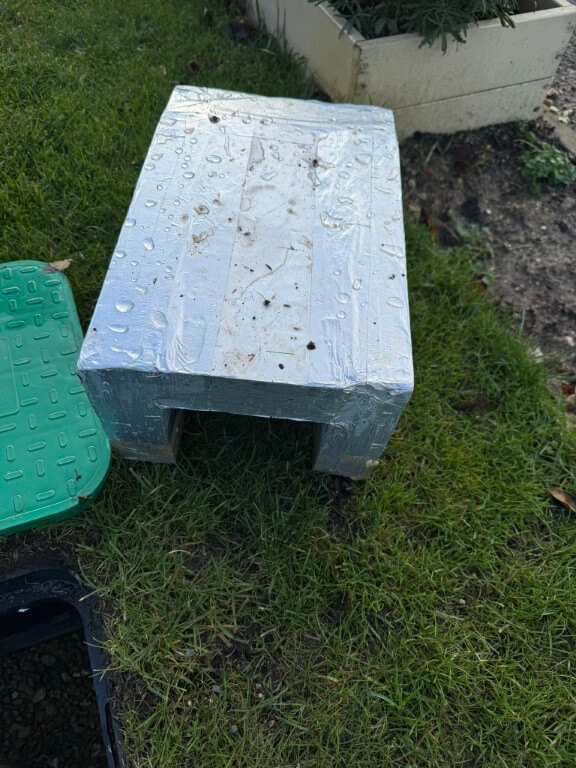
In the meter pit I have installed an cover for the equipment in the valve box using 50mm Kingspan insulation.
Home Assistant interface, equipment and wiring

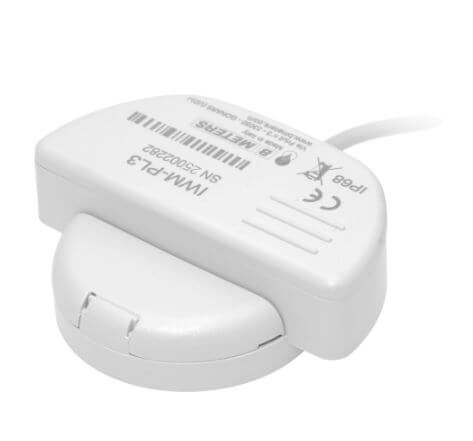
Working from the boundary water meter owned by Anglian Water, the connection was made in 25mm MDPE to my sub-meter which is a BM Meters model GMDM-I with a IWM-PL3 pulse emitter fixed to it and configured to register 1 pulse every 10 litres, both of these were bought from stockshed.
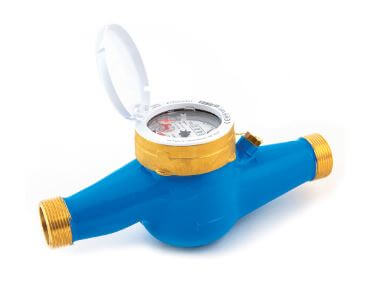
After the sub-meter is the automatic isolation valve, this is a ‘full bore’ valve so as not to reduce the water pressure to the house, (both the sub-meter and valve are 3/4″).

The automatic valve was bought from solenoid valve world, I opted for a version that monitored if the valve was open or closed and had the ability to be manually fixed open.
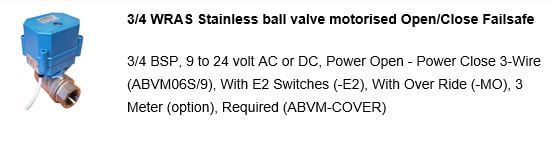
auto valve

The valve operates on 9 to 24v, in my setup I’m using a 12v DC power source. My configuration is 12v permanently available to the valve and to close the valve, a switched12v hold open positive is removed, to open the valve, a 12v positive is reapplied to the control input.
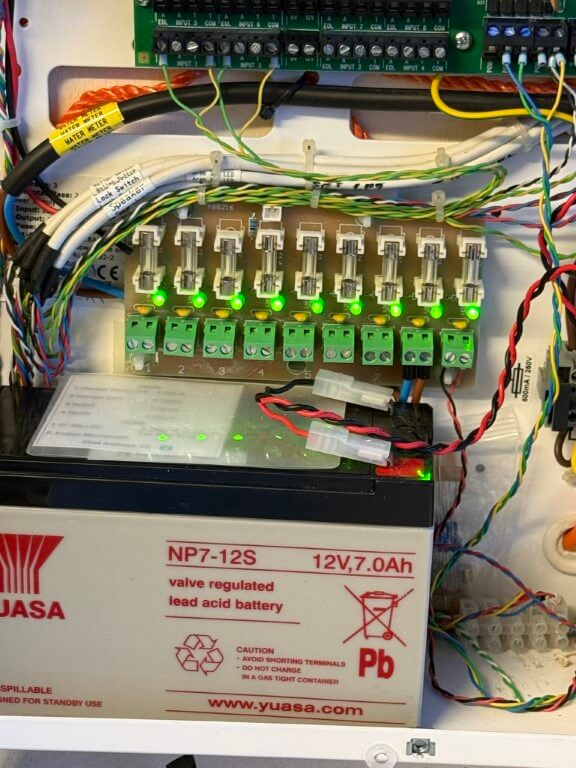
12v

12v DC to the ESP32 and valve are via a separate fuse from my home alarm system power supply as this is battery backed up.

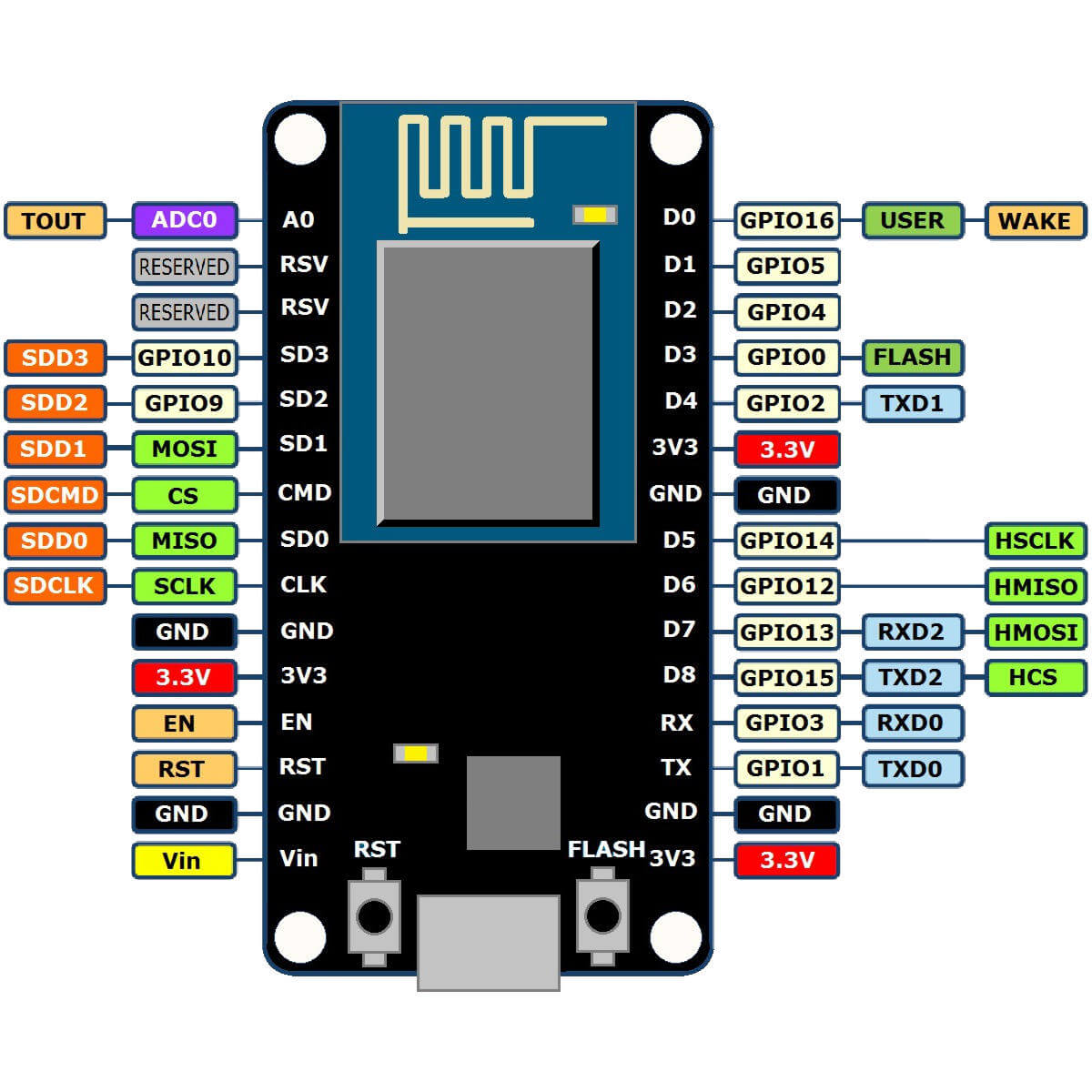
The valves position and operating commands are via an ESP32 connected to my Home Assistant dashboard by WiFi.
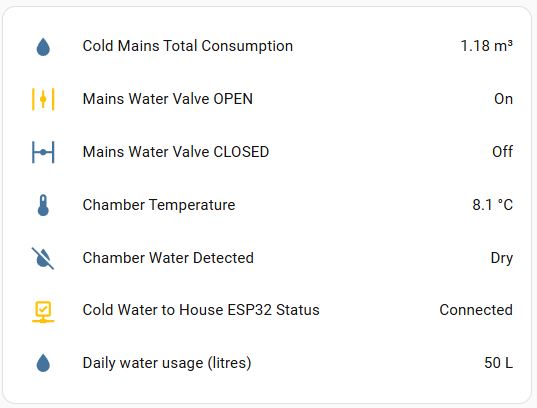
dashboard

To enable future maintenance when dealing with two fixed pipe points, I used a 3/4″ male x female brass union end on the auto valve, this means I can easily remove/replace, either the meter or valve should the need arise.
TB76 34

ESP32 Controller

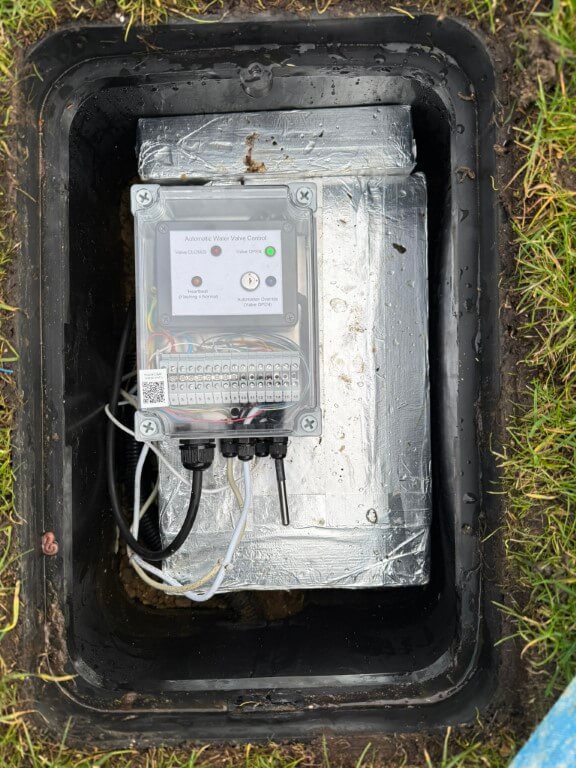
completed controller

The above picture shows the completed controller boxed inside an IP68 rated enclosure, all cables pass through compression glands in a hope to reduce moisture ingress.

The QR code is linked to my ‘Home Manual’ on my local NAS, this enables rapid access to anything related to this project.
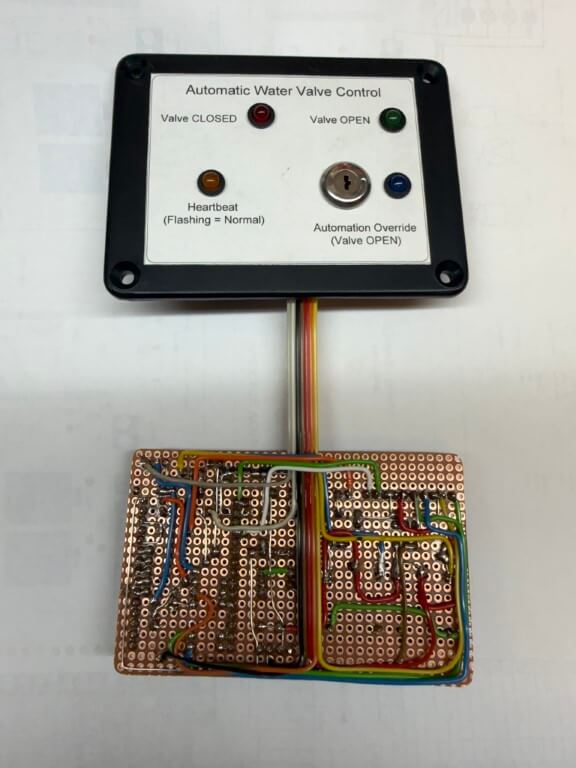
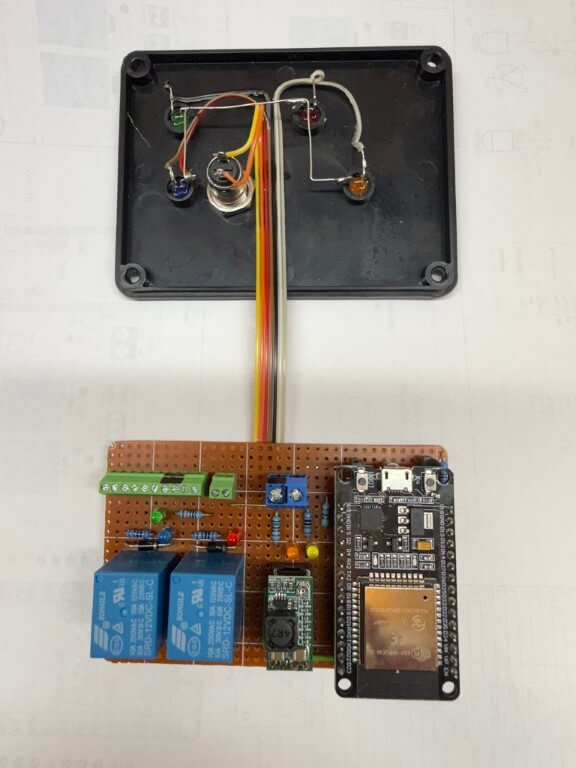
The ESP32 is the brains of the project, performing monitoring and control the following information to Home Assistant:

  • Auto-Valve position
  • External Temperature
  • Meter/Valve chamber – Dry or Wet
  • Remote override enable (to prevent any automations closing the valve)
  • ‘Heartbeat’ (power and WiFi connection are ok)

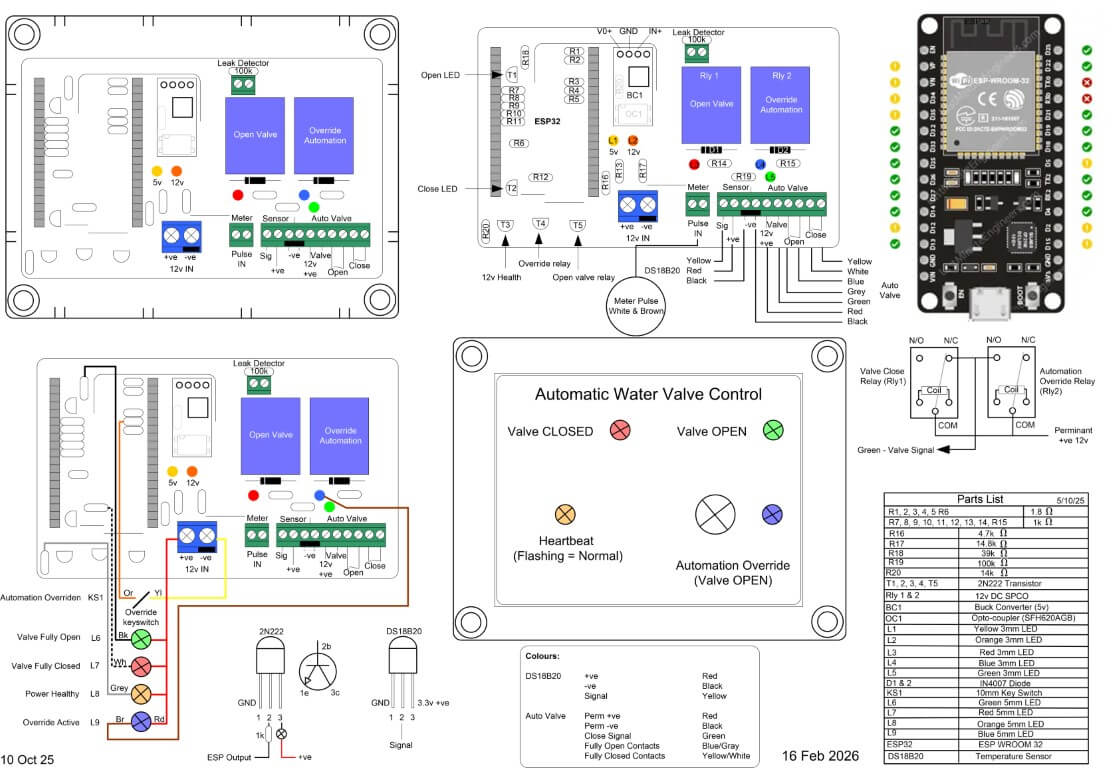
The first version of the controller was within a smaller IP rated enclosure, with field cable terminations made directly to the terminal blocks, however, the practicalities of doing this meant that it would be very difficult to easily remove the controller if maintenance was needed, therefore, version two used a larger IP enclosure and external terminals.
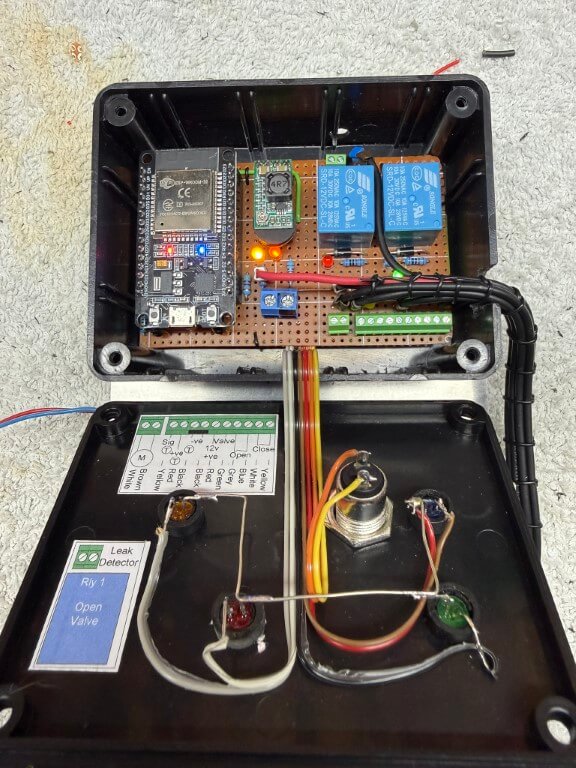
loomed controller

For ease, I simply soldered cables to the underside of the existing terminals and loomed the cables to DIN rail mounted terminals.
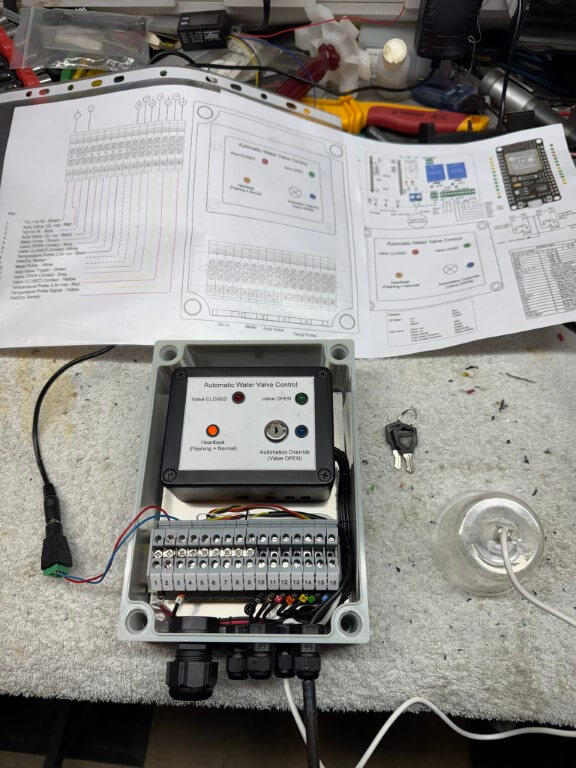
Under test

Completed controller within enclosure undergoing testing, the temperature probe for the chamber is fixed to the enclosure, to the right of this is the moisture detector secured inside a plastic cup.

The mouth of the cup will sit on the gravel base of the chamber with the height of the sensor set below the automatic valves motor and electronics, an alert is sent to my phone if moisture is detected.

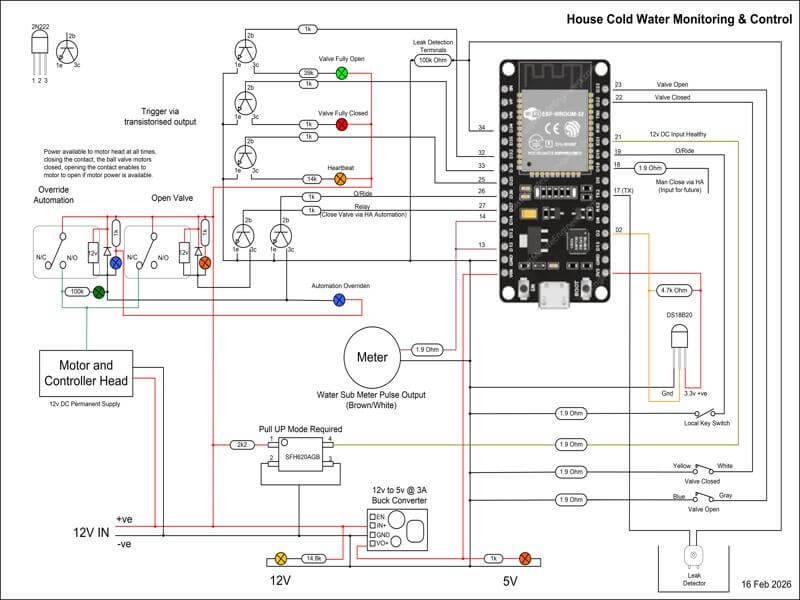
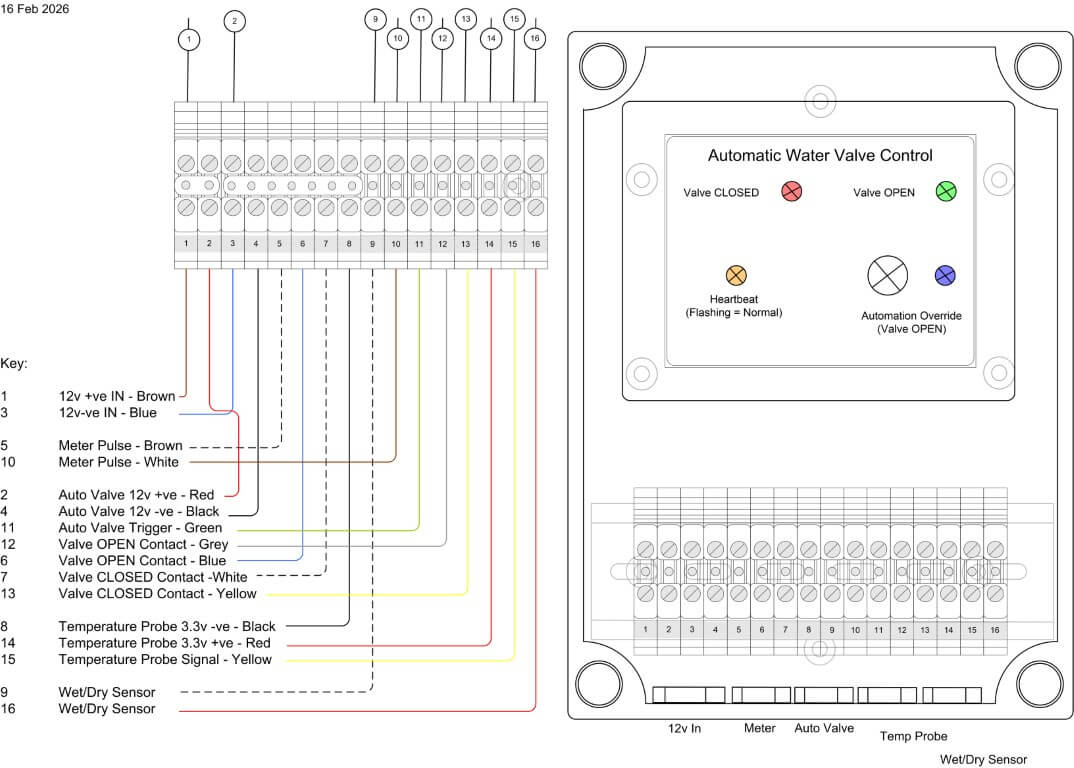
The following files are of the wiring and code used:

I’ve only got a small amount of tweaking left to do, but essentially the project is finally finished as information and control is flowing to Home Assistant.
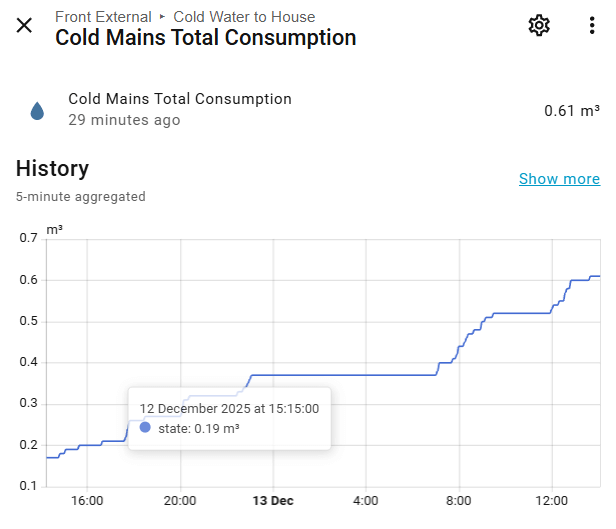
One of things to resolve is getting the Total Consumption value to align with the boundary meters reading, although not absolutely necessary, it would be a nice to have.

After a few months in use, I noticed when the chamber started to fill with rain water and the water sensor operated, the indication to Home Assistant was rapidly turning on and off, to combat this, the YAML code was changed to make the water sensor turn on just before a reading was taken and then off, this also reduces probe corrosion, a futher modification was to add filtering and water detection sensitivity.

I hope you’ve enjoyed following this, a typical example of what seems a fairly easy job, turning into a bit of a pain with lots of ‘re thinks’ along the way 🙂
Tracing a buried plastic water pipe

Updated 29 October 2025

This is part one of a project to install a secondary water meter and automatic shutoff valve to my homes incoming water feed.

The first task was to locate the route my buried plastic (MDPE) water pipe takes to the boundary meter from the house, hopefully I can expose the pipe near to the garage.

The main reason for getting the meter near the garage was to enable easy connection to the Home Assistant interface and to ensure Wi-Fi connectivity to this.

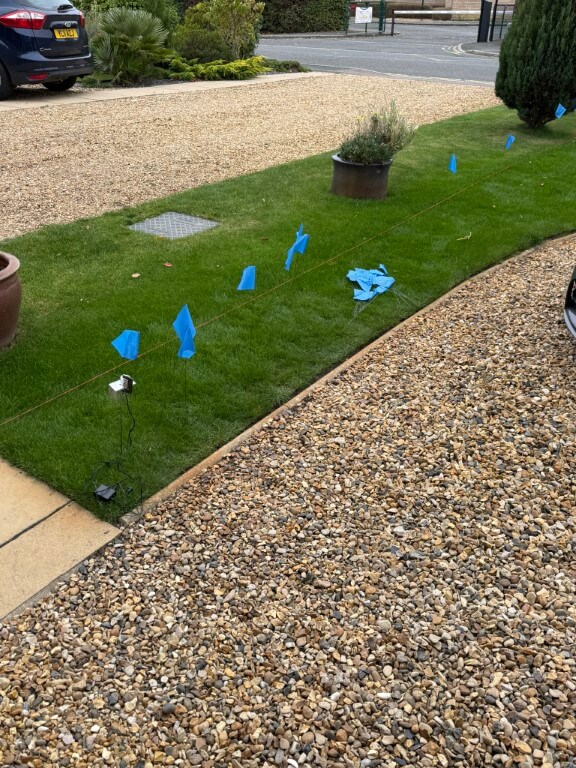
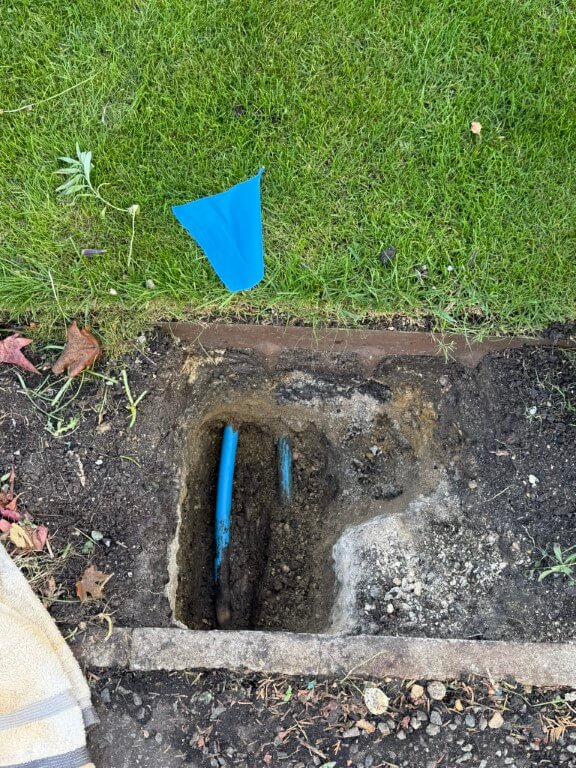
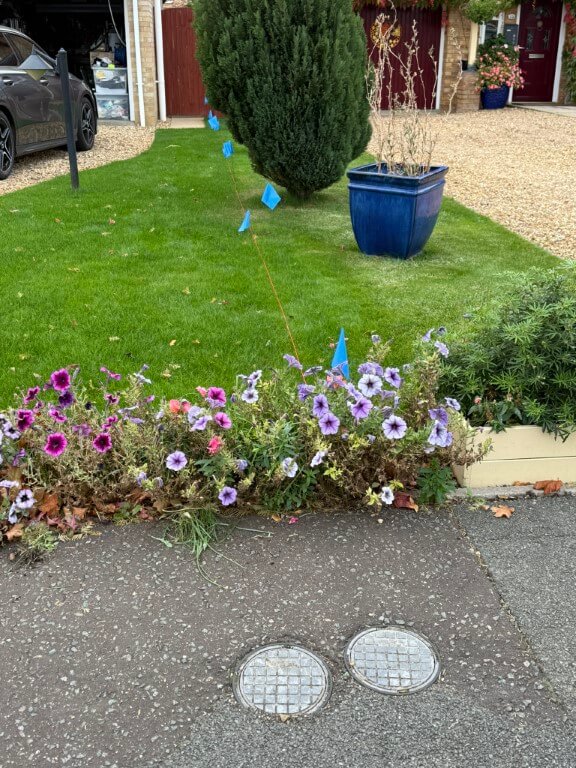
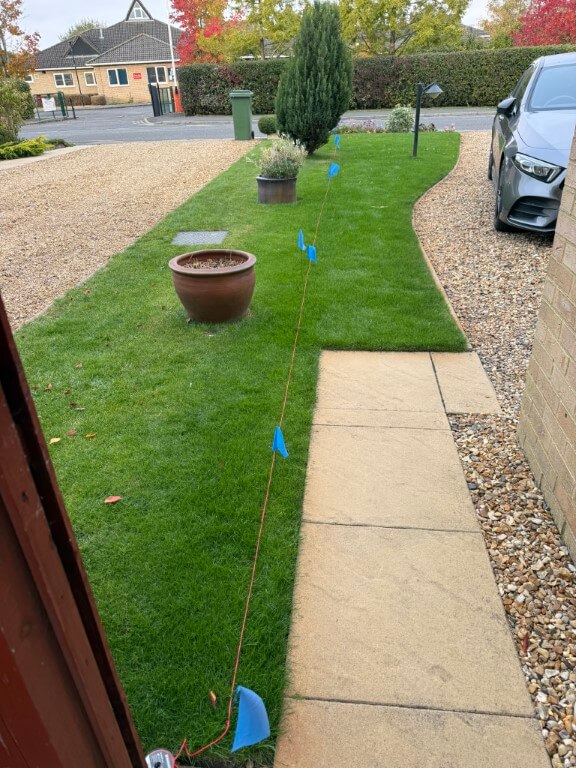
The images show from the boundary meter, (mine on the right!), looking towards the house, whilst the other picture is looking from the house with the assumption that the pipe is buried in a straight line.

The water pipe is 25mm and does not have any buried tracer wires or tracing features, therefore, I cannot use any radio detection avoidance/detection tools to impose a signal.

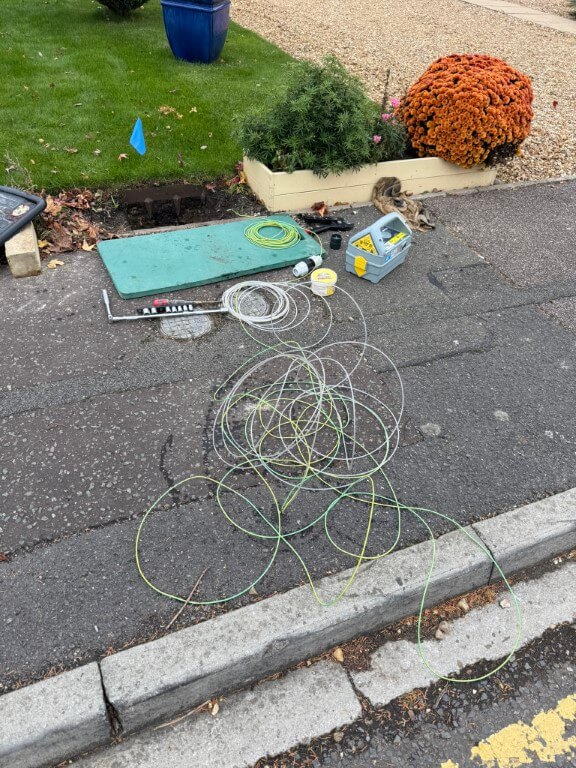
Excluding Ground Penetrating Radar, I could isolate the water and disconnect the pipe at the stopcock, and from there insert a metal ‘fish’ into the pipes length, giving me the ability to impose a radio signal on this and track it with a Cable Avoidance Tool (CAT), as this was ‘invasive’ and practically, very difficult I opted for the second method.

This method involves connecting a pulsing solenoid valve to an outside tap which causes an audible ‘water hammer’ which can be detected with a sensitive microphone, this is called the ‘Thumper’ method.

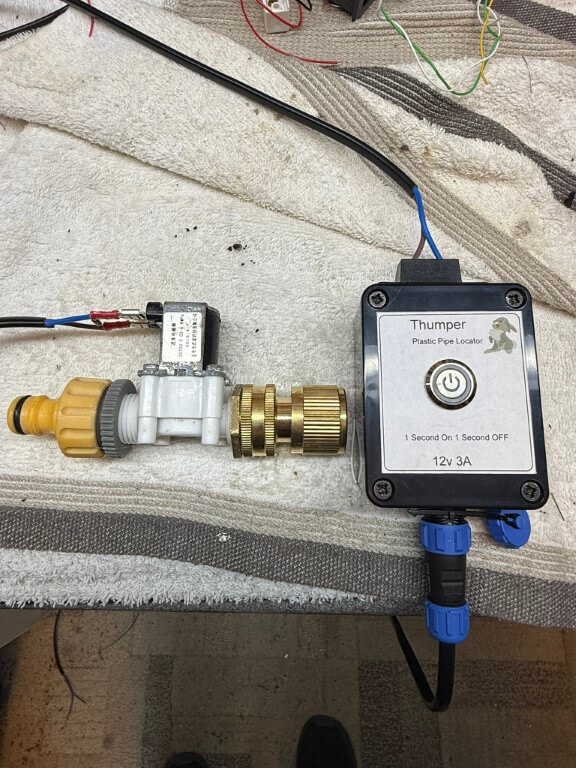
thumper

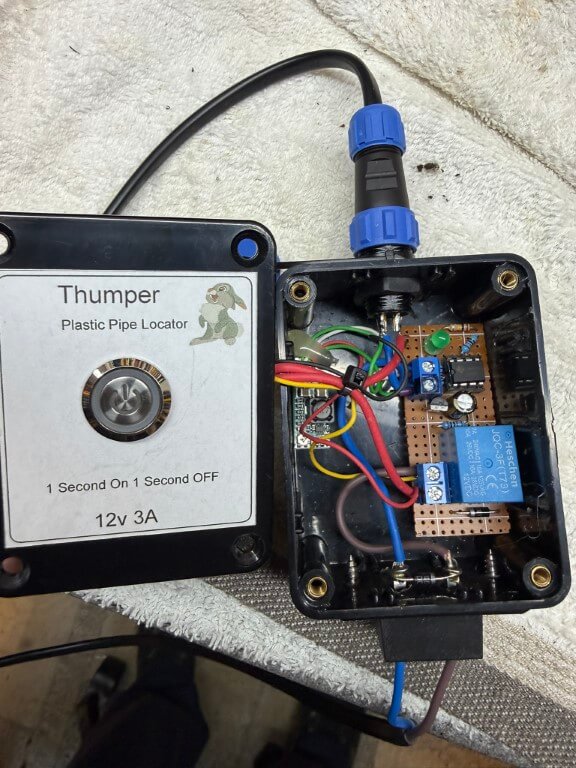
Complete ‘Thumper’ setup, the 12v solenoid valve is from Aliexpress and is pulsed by the circuit contained within the enclosure.

thumper 1

With the water being ‘pulsed’, the next part was to detect to sound and trace the pipes path based on how strong the pulse sounds, bearing in mind that the pipe is buried at least 500mm (should be 750mm, but 500mm was to the base of the existing boundary meter chamber).

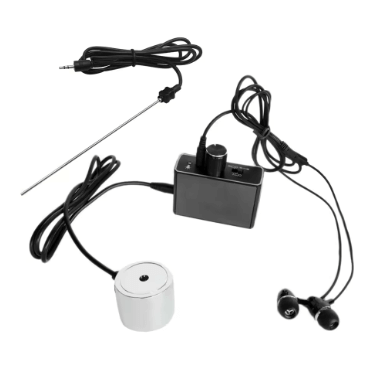
listening mic

I bought a high sensitivity microphone and amplifier from Aliexpress for £23.99 which is incredibly good, I did clamp the circular microphone onto a piece of aluminum which had a length of stainless steel thin bar tapped into it, this allowed me to push deeper into the lawn in the hope of hearing the ‘Thumper’ noise.

flags

Each time I heard an audio signal, I moved the probe back and forth to find the strongest signal and marked this with a flag, as you can see, the pipe veered off the straight predicted line.

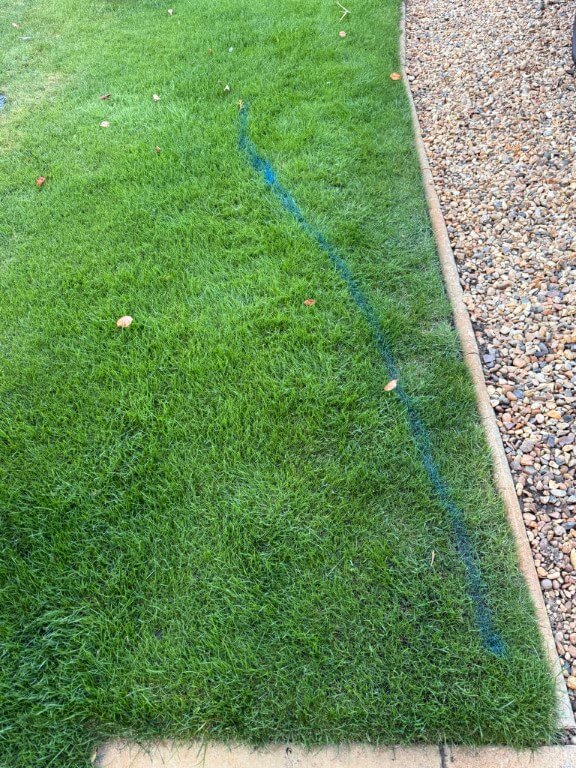
blue line

Day 1 – Dig (13 Oct 25)

As it was raining slightly and I don’t want my back to go, I decided to take it easy with the digging.

I started with a spades width rectangle hole and went carefully as I didn’t want to damage any services, I did know that the edging stones were cemented in, but was unsure how far this went under the lawn.

dig hole day 1

I didn’t have to dig too far down (300mm) to expose the incoming mains electricity and gas on top of the surface water drain pipework.

I checked the black duct using the ‘Thumper’, but its the electrical supply cable to the house, I did dig another hole to the side of this one, but it just confirmed that the surface water drain carried on to next doors property.

Filled everything back in ready for round two!

filled in 1

Day 2 – Dig (17-19 Oct 25)

I moved 700m nearer to the meter from the first dig and decided to basically trench across the lawn to give me a good chance of locating the pipe.

After digging 800mm deep and 1000m across, there was still no sign of the water pipe and using the ‘Thumper’, I could hear the rhythmic beat using the high gain microphone, but was unable to ‘hone’ in to a strong signal.

dig 2 hole

I could only conclude that the vibrations caused by the ‘Thumper’ was being transposed onto the neighbours water pipe and it was this I was detecting, rather than mine!

Day 3- Dig (20 Oct 25)

I wasn’t sure what to do at this point, I did ask for advice on my towns local Facebook page and had a really helpful reply, following this up, I was given a contact number of an ex-Anglian water guy, but the problem was unless the pipe was leaking detection was not possible with the tools and methods he had.

Prior to posting on Facebook a chap at ‘Man Shed’ suggested using water dowsing to find the pipe, when I got home, I was skeptical, but gave it a go with two bits of brazing rod, and blow me it gave an indication.

dig 3 hole

The far blue flag shows the location of the water meter, so I walked at 900 to this across the grass and drive and plotted when the rods crossed, repeating this I finally ended up with the second blue flag and a box location to dig in the hope I find the pipe.

I did also appear to pick up a sewage pipe which traverses across the front of my house.

concrete cap

Digging down through the drives hardcore I’ve come to a chunk of concrete which could be discarded builder waste or, more hopefully, a cap over the water pipe ducting.

Day 4 – Dig (21 Oct 25)

Oh well! My hopes were dashed when the concrete was broken away and I checked the area with the microphone for signs of an audible signal, but nothing.

concrete broken

No choice but to refill the hole and nip out and get some MOT type 1 to get the levels back, once compacted and covered over, nobody would know.

drive restored

Plan ‘B’

Although the microphone pick up the ‘Thumper’ hydraulic pulses, I decided to build a ‘Pipe Knocker’ which simply hits the pipe using the same controller as the ‘Thumper’ to control a small solenoid, this will be attached directly onto the pipe from the meter.

My idea is that should allow me to hear a stronger pulse working from the meter to the house, rather than from the house to the meter.

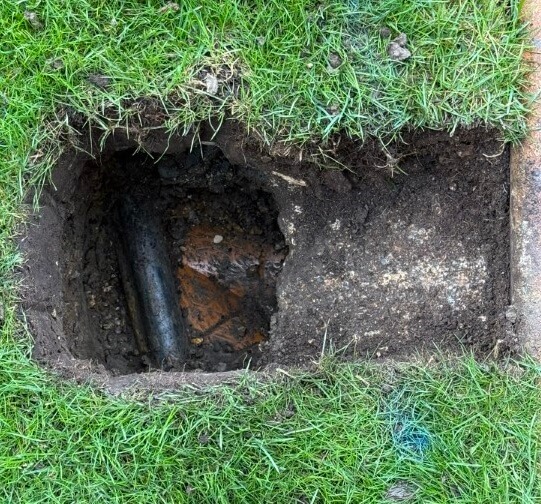
pipes exposed

My 25mm feed is on the left and my neighbours is on the right, both directly buried at a depth of 400mm and protected with a layer of sand, I think that due to the close proximity to each other, its not going to be easy to be sure which pipe I’m tracing which ever method I use.

The nuclear and last option will be to expose more of the pipe and cut the pipe to insert a wire with an imposed signal on it that can be accurately tracked by radio detection, giving me a definitive location to dig.

Day 5 – Dig (22 Oct 25)

Bit more digging to break out the concrete giving greater access to the water pipe, this is in preparation to cut the pipe and use trace equipment to find the pipes route.

larger hole

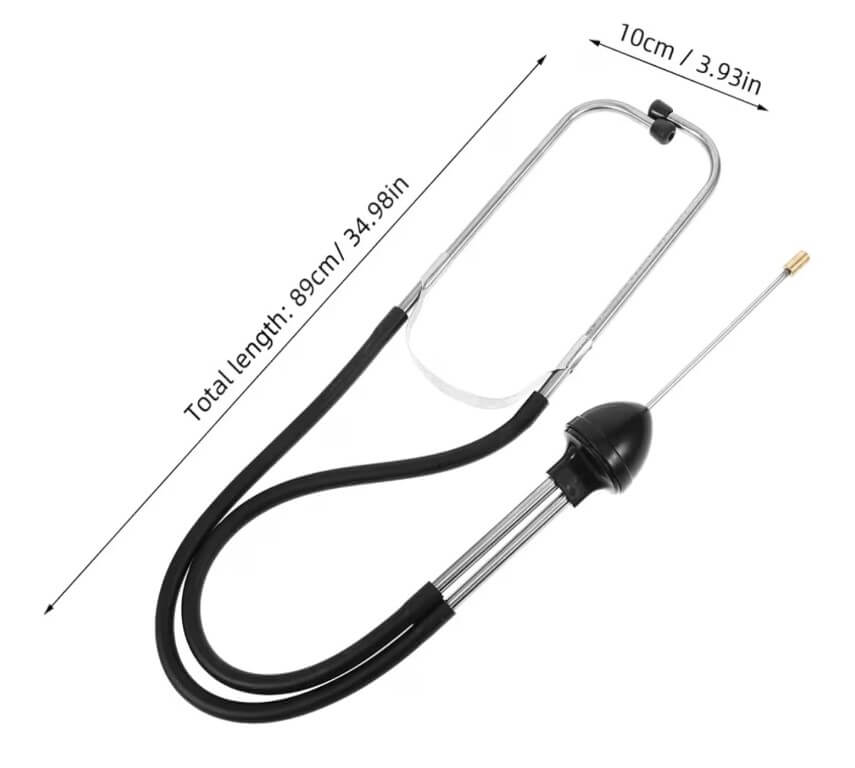
I tried the stethoscope from Amazon to listen for the ‘Thumper’ bit it didn’t work effectively for this application, there was a faint noise, but this soon disappeared as I moved further into the lawn from the meter and the main problem with the high sensitivity microphone was determining any form of direction as the sound generated from the ‘Thumper’ is omnidirectional, therefore, I abandoned the ‘Pipe Knocker’ idea.

stethoscope
Screenshot

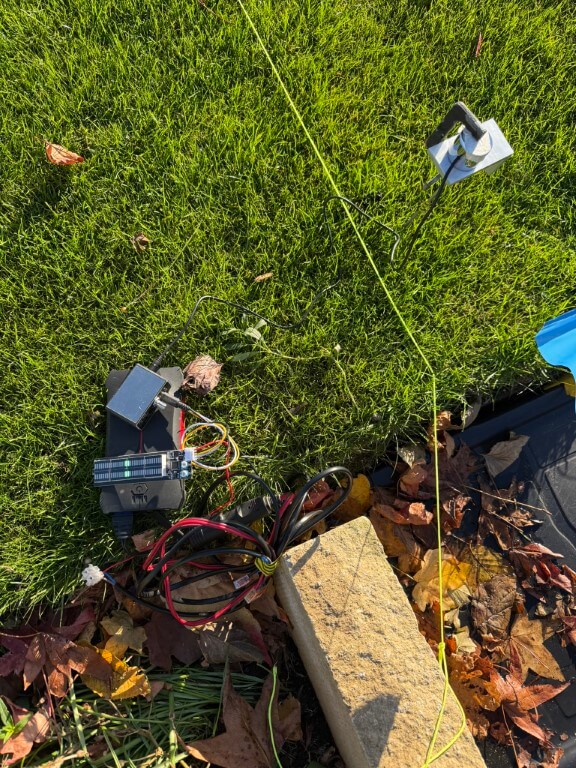
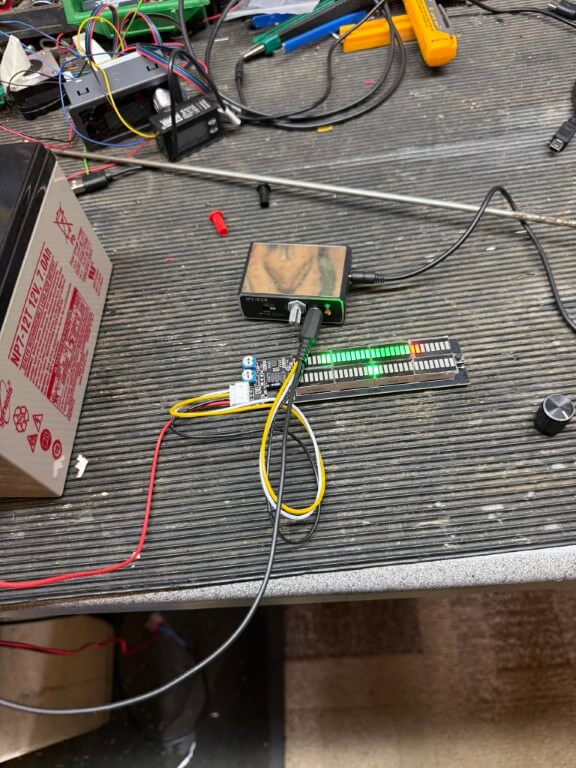
Last ditch attempt was to install an LED bar graph on the audio output of the microphones output.

The idea was to give me a visual indication of the strength of sound received by the microphone and enable me to ‘hone’ in the pipes route, alas this failed as the voltage changes to the bar graph were indicated fine for large vibrations but not with the low vibration signals.

Day 6 – (24 Oct 25)

Ok, I admit defeat, I’ve hired the following equipment from HSS:

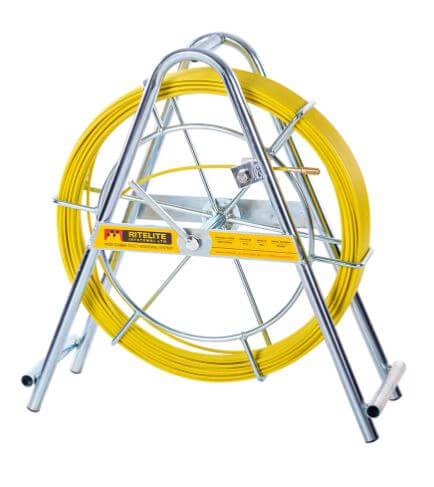
1 – Cobra with a single core wire tracer which I will attach the cobra, this will be inserted inside the open end of my 25mm water pipe and enable detection of pipe route and depth by the C.A.T.4+

cobra
70715 Duct Rod

2 – C.A.T 4+ radio detection device, tuned to the Genny frequency this device will determine the location and depth of the wire tracer within the plastic pipe.

cat4+
49522 CAT4+

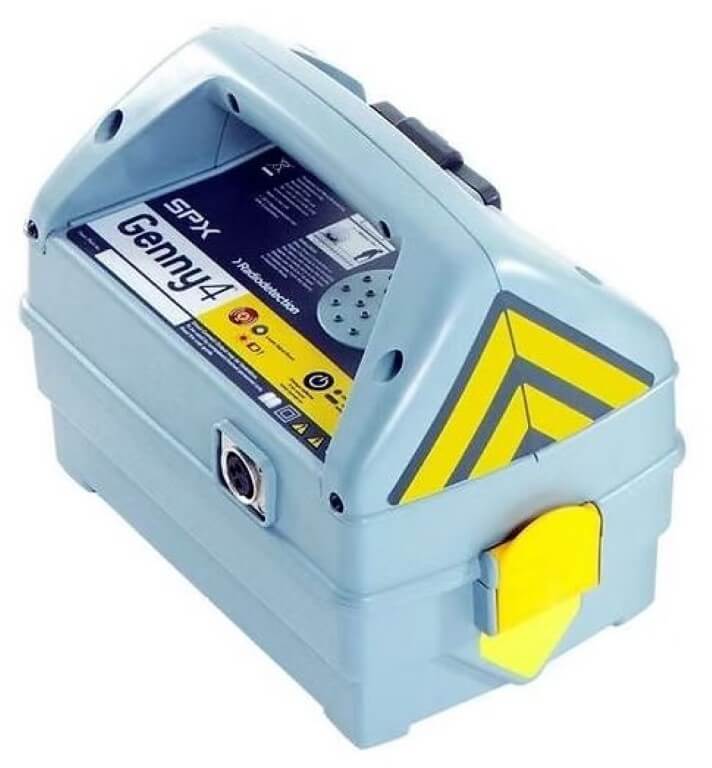
3 – Genny4 transmitter imposes a radio frequency on the tracer wire suitable for the C.A.T. 4+ to detect.

49523 Genny4

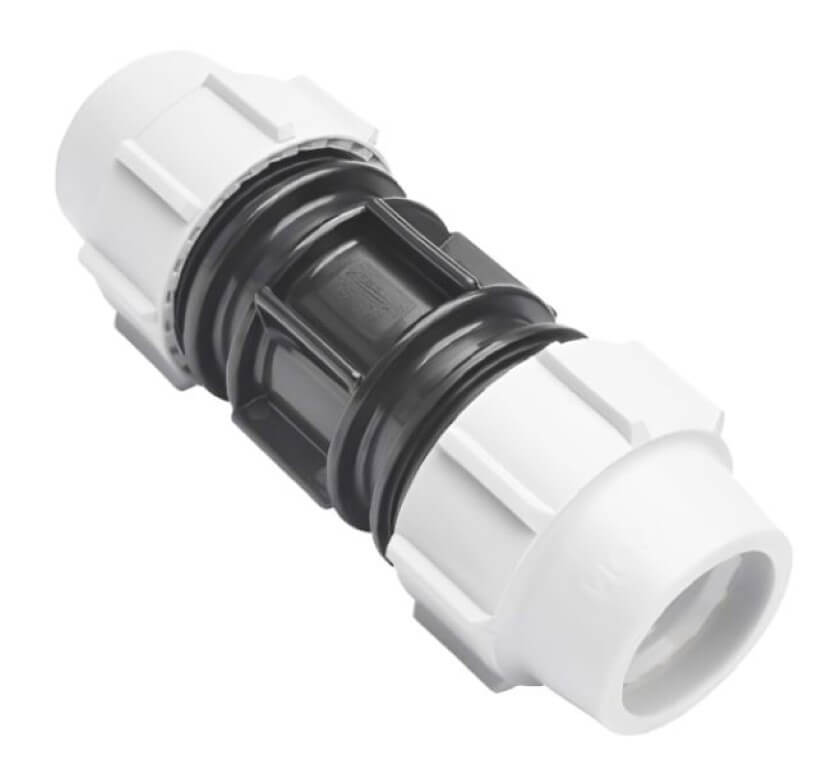
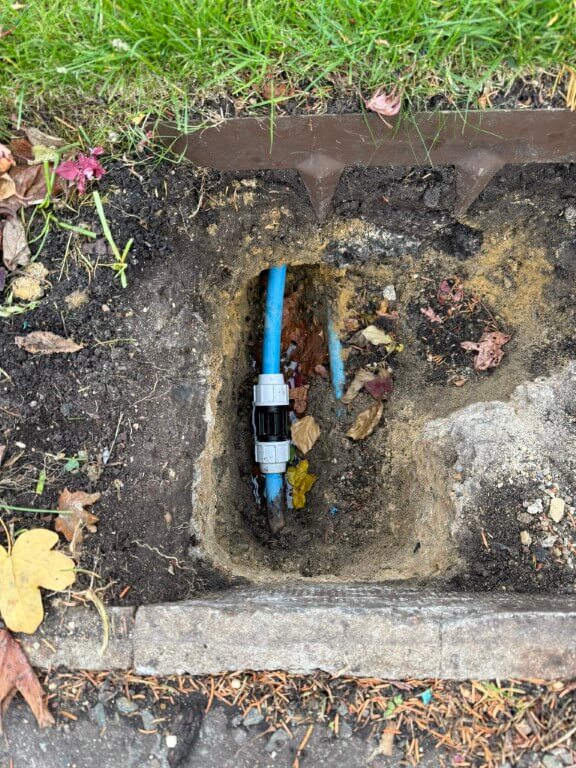
4 – I used Amazon to get a WRAS approved direct bury suitable Plasson 25mm Slip Coupling, this will be used to join the MDPE water pipe where it will be cut to allow the cobra and tracer wire to enter the pipe, a slip coupling will be used as pipe movement is restricted, being fixed points at each end. Another plus to a slip coupling is that pipe inserts are not required, so water flow will not be impacted by any restrictions caused by the coupling.

slip coupling

Day 7 – (27 Oct 25)

I don’t think HSS could have cocked this up any better, the whole experience was a pain in the arse, moving on…..

Cutting a long story short the depth of the water pipe at my preferred sub meter location was ~1.5m deep, so no wonder I could find it with my 800mm trench and water dowsing was a right bum steer!

Breaking this down:

pipe cut

The slip coupling length was marked on the pipe before cutting after I had double checked I was on the correct pipe, the house stop cock was off and that the streets isolation valve was holding.

wire trace

I decided against using the hired duct rod (Cobra) until I had tried using a plastic conduit fish tape with a wire attached to push deep into the pipe, this worked effectively with little resistance.

Once sufficient wire was pushed into the pipe to where I would prefer the chamber for the sub meter to go, I attached the Genny4 and with the CAT4+, I traced the route and approximate depth of the detected wire inside the pipe.

coupling

Slip coupling installed and leak tested.

So that’s the end of this blog on finding a plastic water pipe, as you can see I tried a number of different non invasive techniques, but in the end a CAT and Genny was the only way.

The follow on from this blog is one about installing my sub meter and can be found HERE.

Ideal System Filter Insulated Jacket

It has always bothered me that the magnetic filter which came with the boiler was uninsulated and no manufactures insulated jacket was available, so I decided to make one in order to reduce wasted heat as the filter is next to the boiler in the garage.

Link to boiler swop blog

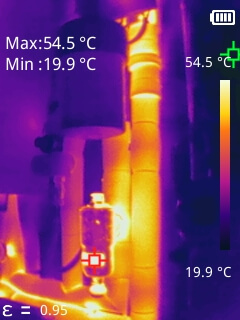
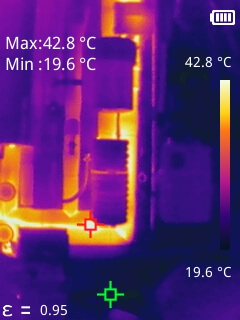
Thermal Image of filter when boiler heating water, the boiler setpoint temperature is 80C.

Image taken with Mileseey TR256B Thermal Imaging Camera, if you would like a copy of the PC software for this camera, use the contact form and I will send you a download link.

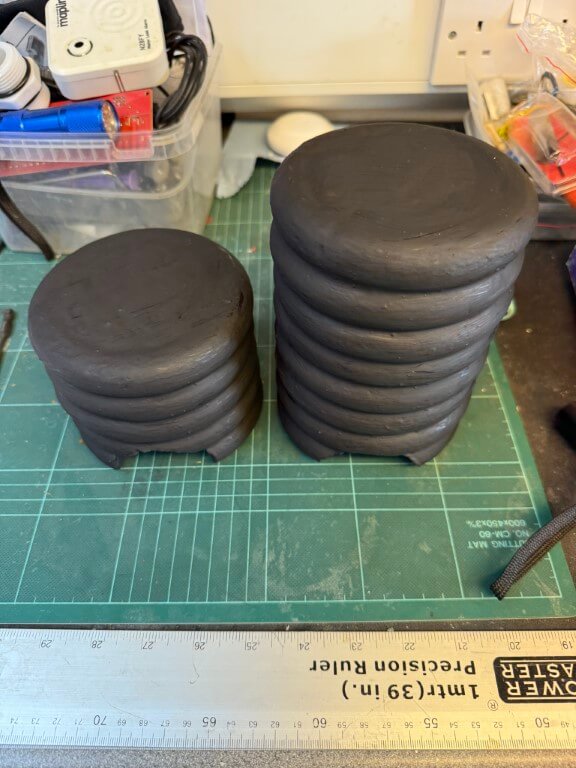
Construction was very simple, I bought 11.94cm foam ring circles for crafts from Temu (24 for £4.75), and glued them together with coving adhesive, making the top and bottom sections, (13 rings in total), the ends were filled in with an offcut of polystyrene found at the local tip.

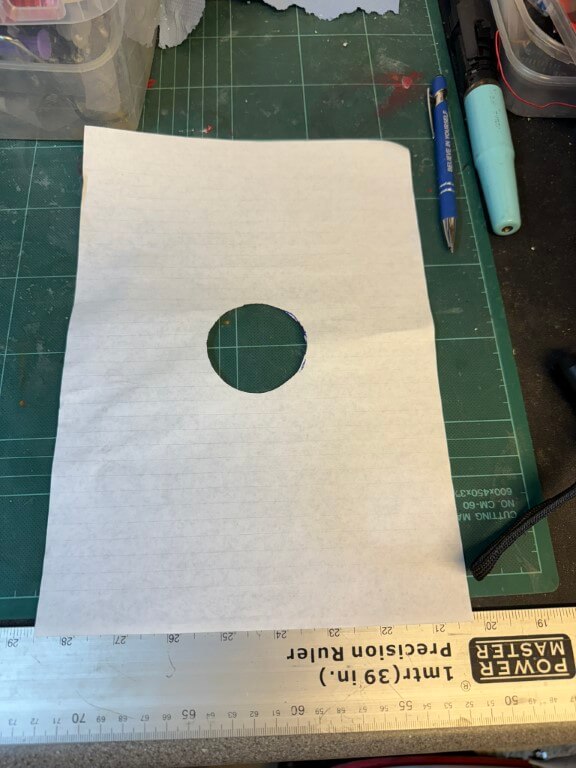
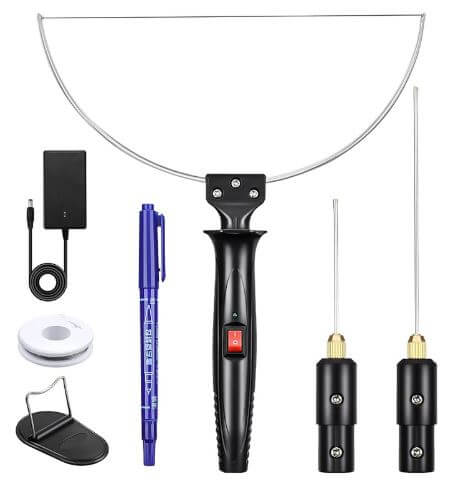
Each section then had half of the filter connection cut out using a ‘hot wire’ to match the pattern below.

Once the two halves fit over the filter, the next part is to fasten them together, bearing in mind they will need separating for serving, for this I used 10mm x 2mm Neodymium disc magnets recessed into the foam, two on the lower half and two on the top, all covered in aluminum foil tape. The inside of the rings was also lined with this foil in an attempt to reduce heat loss further.

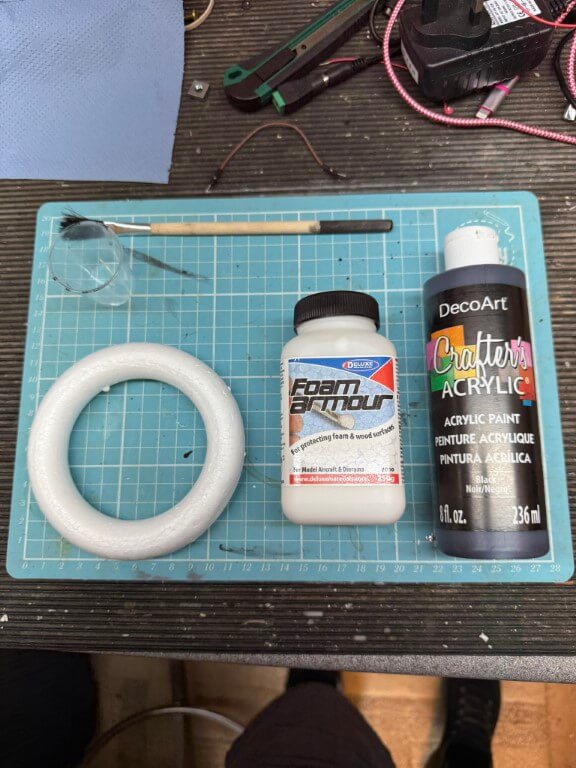
Once constructed I used ‘Foam Armour’ to strengthen the foam and painted the outside with Black Acrylic paint.

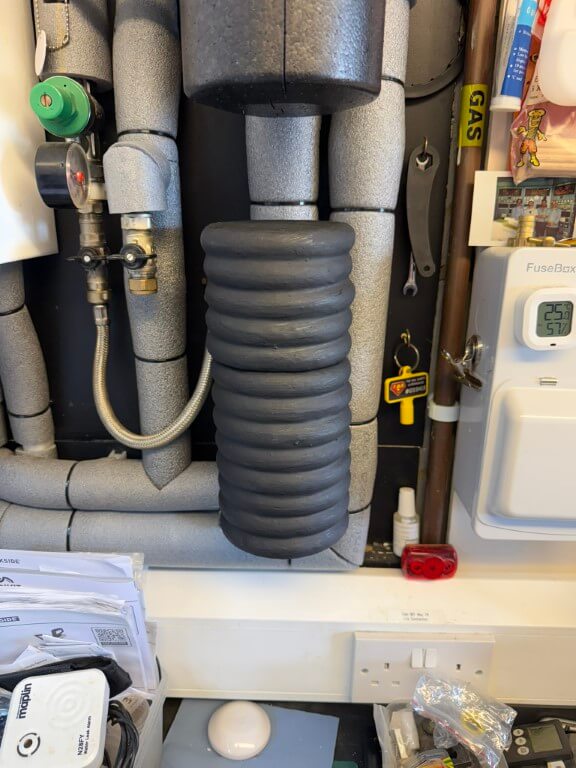
Finished insulated jacket in place.

Heat loss signature of design before lining and painting.

Ideal Vogue Max Opentherm Control via Home Assistant

Updated 29 January 2026

Background

I have an Ideal Vogue Max 18kW System Boiler with Weather Compensation using a flow temperature of 50oC and using Hive to control the schedules and room temperature, I also have individual radiator Hive TRVs but these are set to 23oC to limit overtemperature, ideally the system is set to ‘open loop’ control with the Hall Thermostat controlling temperture.

As a Home Assistant user, I saw that a Smart Autotune Thermostat (SAT) integration was available which enabled Opentherm control of the boiler, rather than the Hive’s simple On/Off control.

The advantage of Opentherm control was predictive and tighter control leading to increased efficiencies when coupled with SAT.

SAT

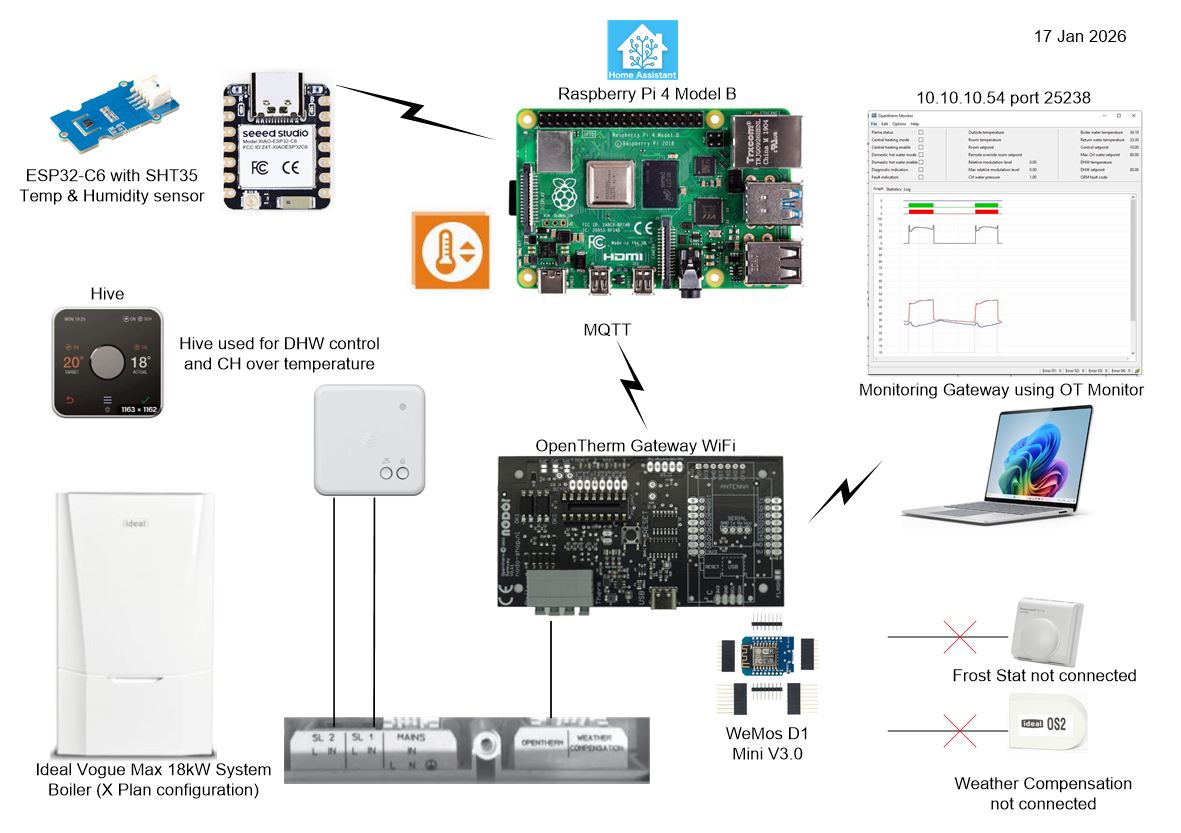
The above is a simple overview of the revised boiler control.

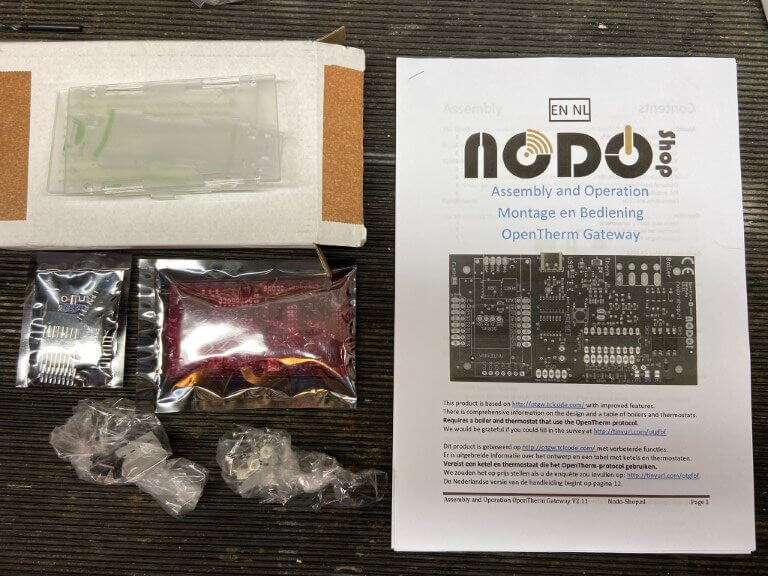
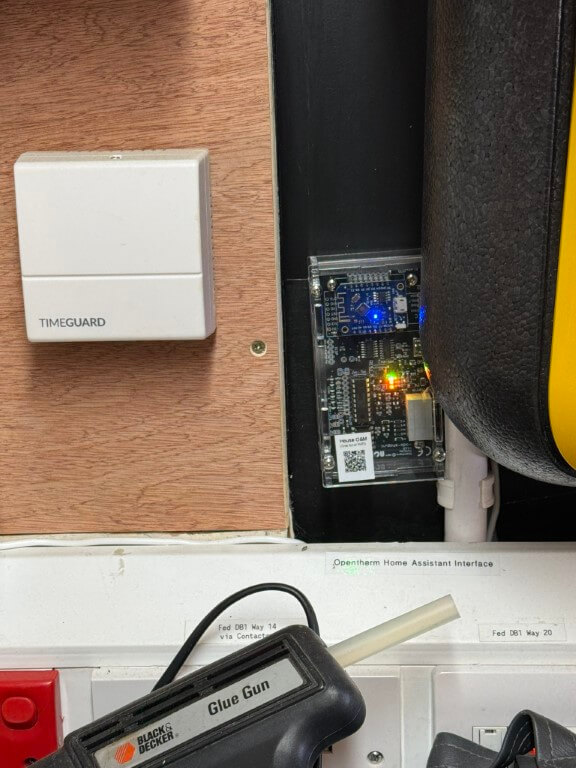
Opentherm Gateway (OTGW) – This build kit was bought from Nodo-Shop, I chose the Wi-Fi version and paid to have the WeMos D1 Mini Wi-Fi module pre-programmed, I also bought a case for the completed gateway.

nodo

Project links and construction details are at the bottom of this blog.

gateway

Completed NODO Opentherm/Home Assistant interface connected and working, I did initially have a problem with the build, in that I couldn’t get communications with the boiler, this was resolved with a new PIC chip.

The forum support and NODO shop were great, and had me up and running in no time.

Getting it to work –

On Home assistant I installed Mosquitto Broker Add-on to manage MQTT messages from the OTGW, to do this I followed tutorials on YouTube and set up additional Home Assistant (HA) user accounts for the MQTT broker and Client as directed.

The Smart Autotune Thermostat (SAT) integration was also downloaded and installed on HA.

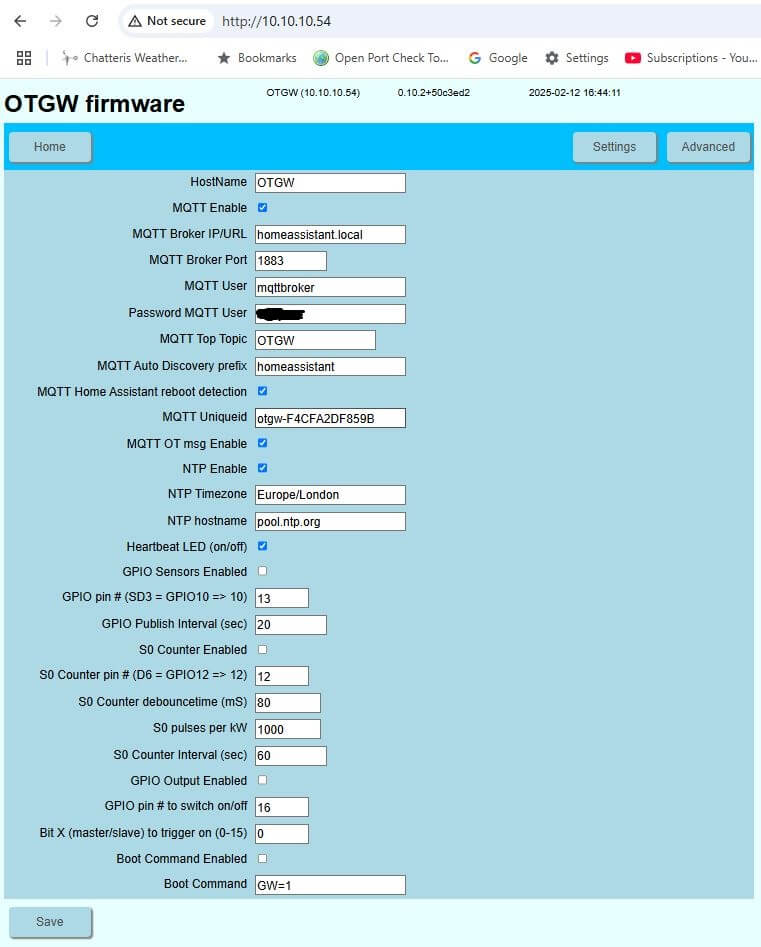
As I bought a pre-programmed Wi-Fi module, all I had to do is power it up and use my mobile phone to find its Wi-Fi and set up the network details, after this I could find it on my network and add all the relevant MQTT details, once done, HA discovers it and everything worked magically for me.

opentherm dashboard

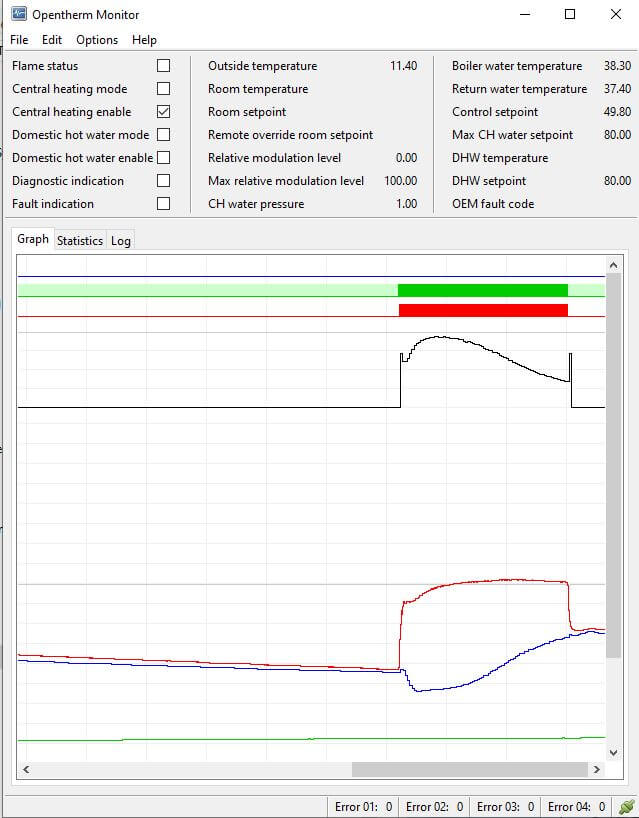
Now I knew the OTGW network IP address, I could connect to OM Monitor which reads the Opentherm traffic, in my case the boilers return water temperature was not being read for some reason, however, their are some real experts on the forums ever willing to share information and I was told to disconnect the Halo Lite thermostat which I had connected for testing purposes and miraculously all readings populated :-).

opentherm monitor

Hall Temperature Sensor

Hive is used for timing schedules for domestic hot water (DHW) with the central heating (CH) being left on 24hrs at 23oC, this is used as an overtemperature fallback control.

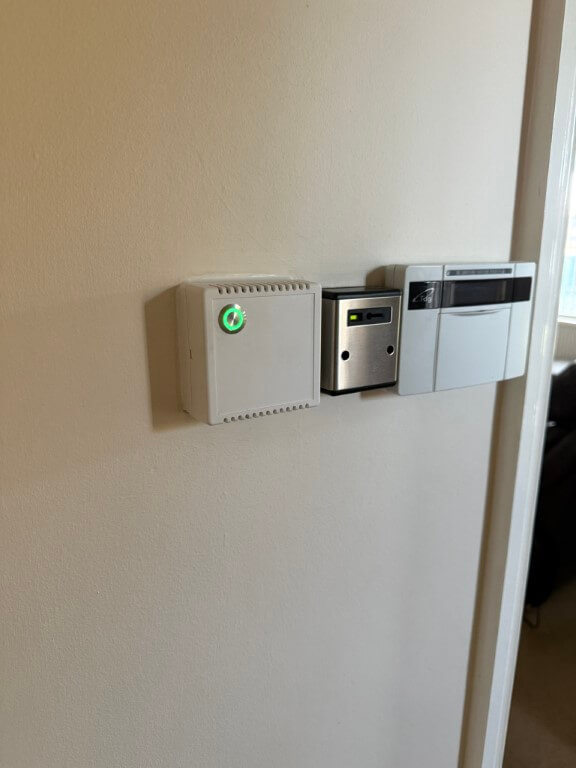
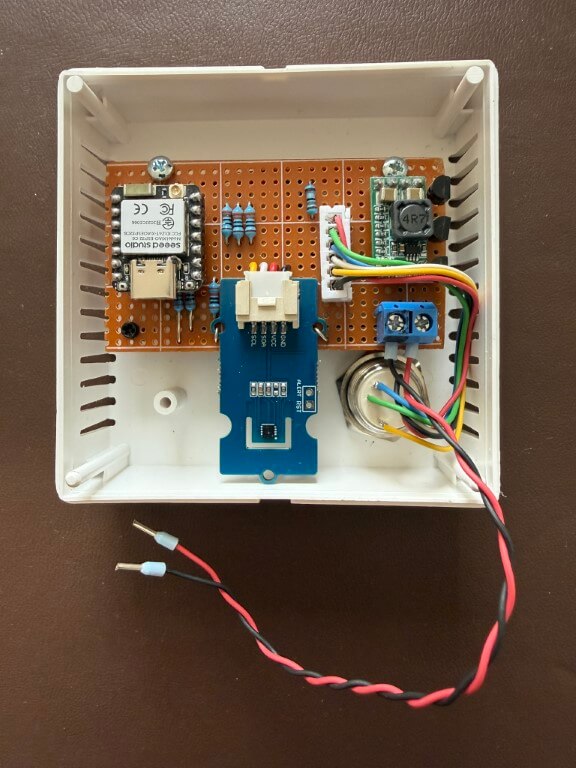
Home made replacement thermostat in a sensor housing from CPC is a SHT35 Temperature & Humidity sensor connected to an ESP32-C6, power is from a 12v PSU reduced to 5v with a buck converter.

Temperature sensor mounted, the momentary push button has a RGB led, I have used green to indicate ‘Home’ setting, red for ‘Comfort’ setting and blue for ‘Away’ or setback.

Pressing the button will scroll through the options allowing for manual control, a further tweak is that the green led will flash if a non-preset temperature is selected on Home Assistant, also if the heating is off, no leds will be lit.

The leds also automatically dim at night.

Script used is at the bottom of the blog.

Home Assistant

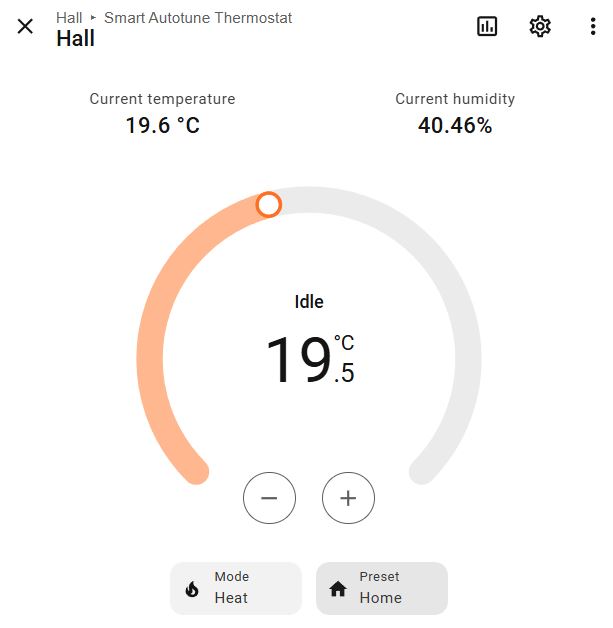
sat

My SAT has three heating periods set up, these are ‘Away’, ‘Home’ and ‘Comfort’, and are time controlled within the application:

  • Away – 21:45 to 06:00 setback temperature 17oC
  • Home – 06:00 to 16:00 temperature 19.5oC
  • Comfort – 16:00 to 21:45 temperature 21.5oC (sedentary)
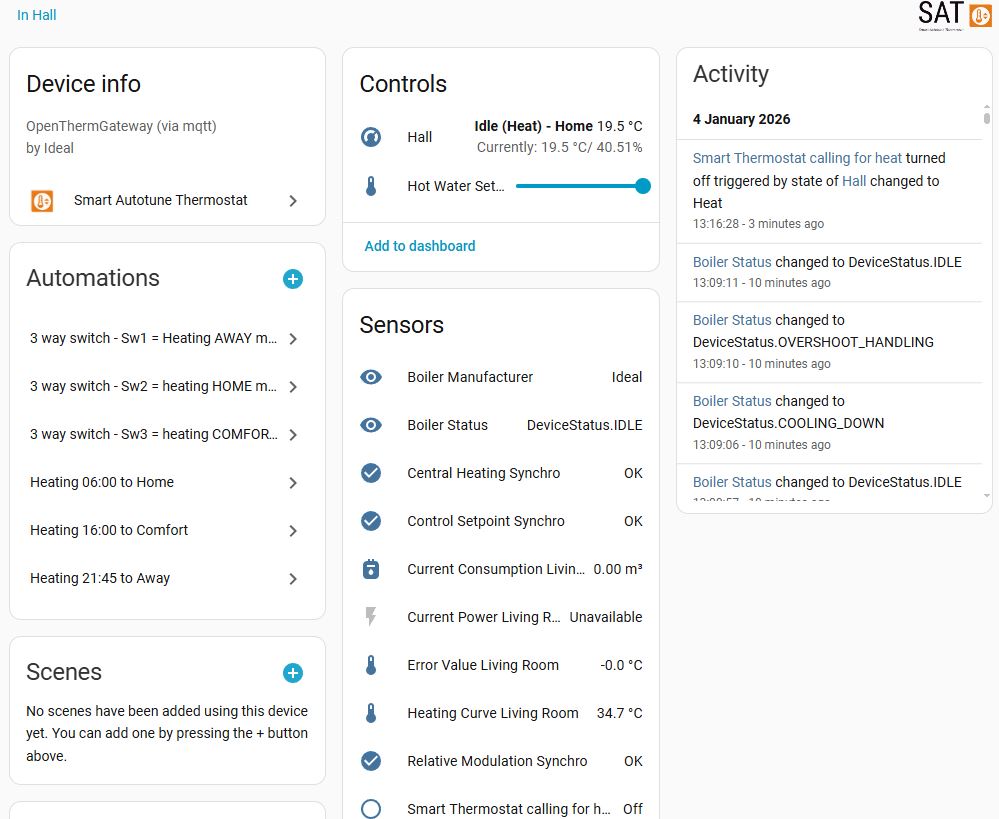
dashboard

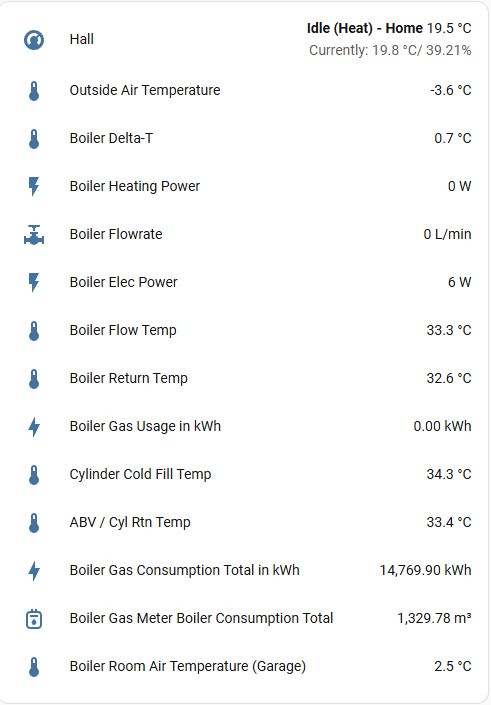
The dashboard displaying general details, this was screen grabbed when the external temperature was -3.6oC and the system is performing perfectly.

stat

Performance

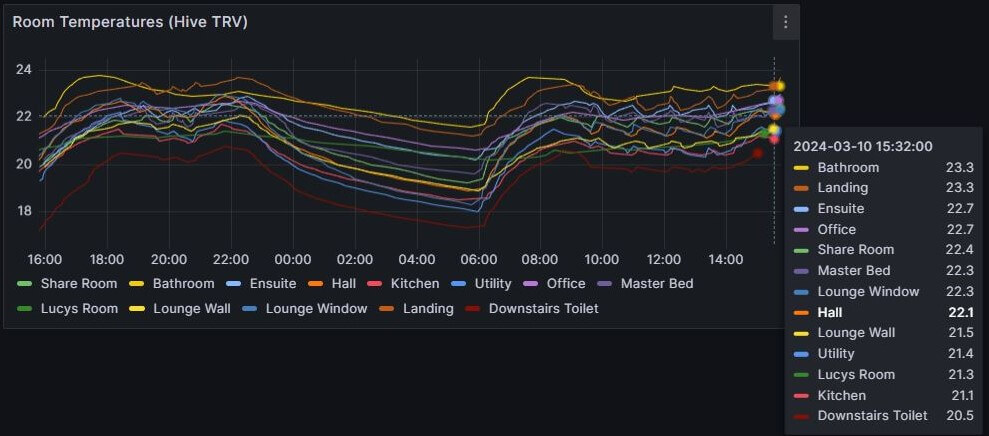
The graph above is live data from my system using Open Energy Monitor

Project Information Sources –

emonpi
Raspberry Pi
Mbus
POE
ESP

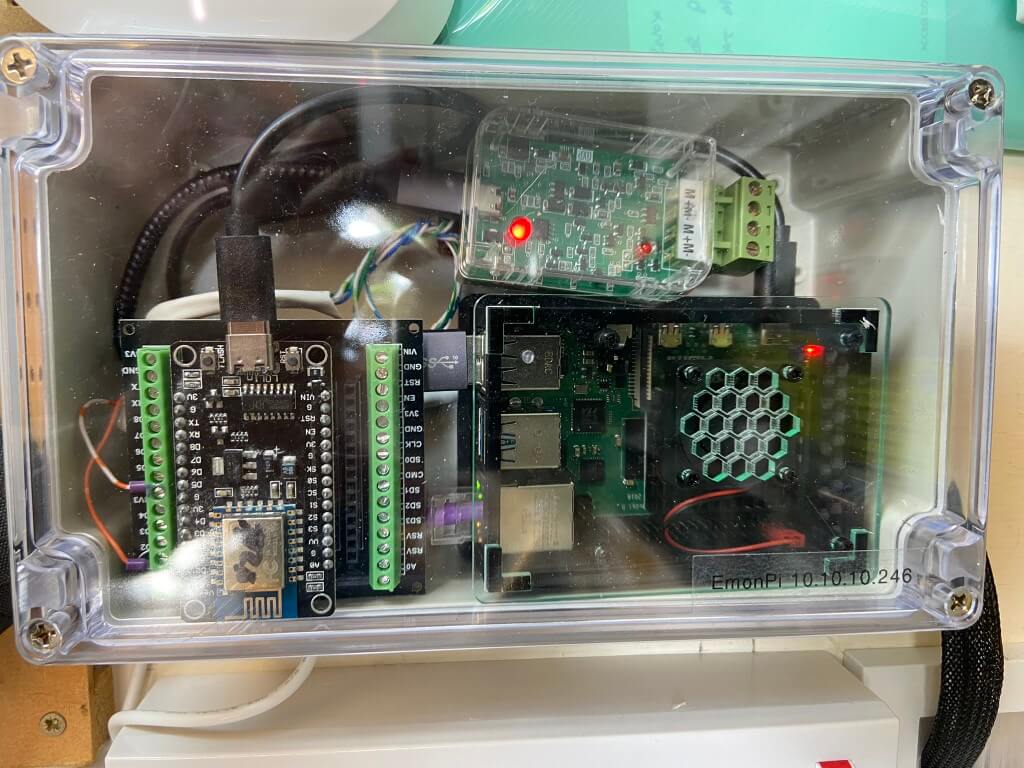
Raspberry Pi for Open Energy Monitor connectivity and also a ESP8266 for secondary gas meter measurement to boiler.

boiler
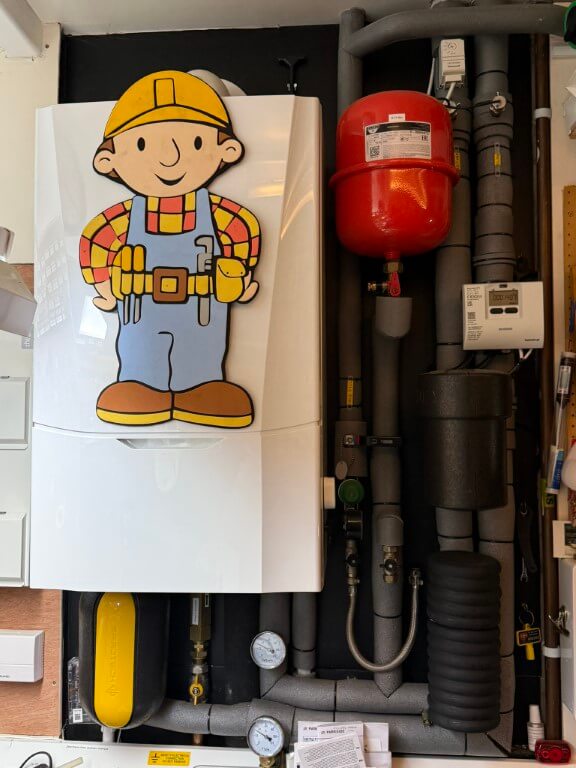
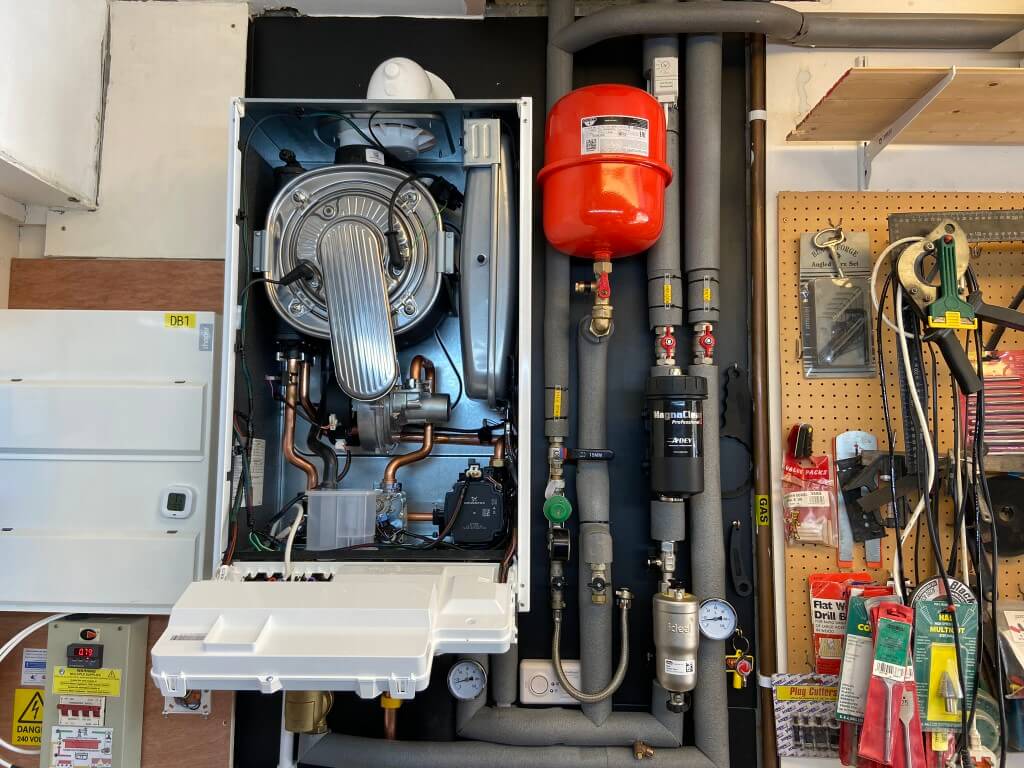
Ideal Vogue Max 18kW System Boiler
Ideal Filter
Magnaclean Pro2
Frost Protection
Sulphidation Filter
Spirovent RV2
Opentherm Gateway
Filling Loop with PRV
Heat Meter

Interactive boiler layout.

Should it all go wrong

Hopefully it won’t, but if I ever need to revert back to conventional control, I simply need to remove the wires from boilers Opentherm connection and link the terminals, reconnect the weather sensor and thats it.

Learning-

    The layout of the house lends itself to leaving all the internal doors open, therefore, the temperature is consistent throughout.

    Ideal Halo Opentherm thermostat does not play nicely with the Opentherm Gateway.

    The Timeguard frost stat is no longer connected to the boiler due to the fact that the central heating can only be brought on by the Opentherm gateway, therefore, I have to rely on the boilers inbuilt frost protection, this measures the boilers internal return pipe, if this falls to 5oC, the boiler will fire up until the return reaches above 19oC, however, the Timeguard is now connected to a Shelly Mini, so that I get notification of low temperature in the garage where the boiler is located.

      BK-G4M Gas Meter – Home Assistant

      Updated – 7 March 2025

      I wanted to measure the volume of gas taken by my Ideal Vogue 18kW boiler in order to convert this to input energy in kW and therefore determine if the boilers displayed efficiency is accurate.

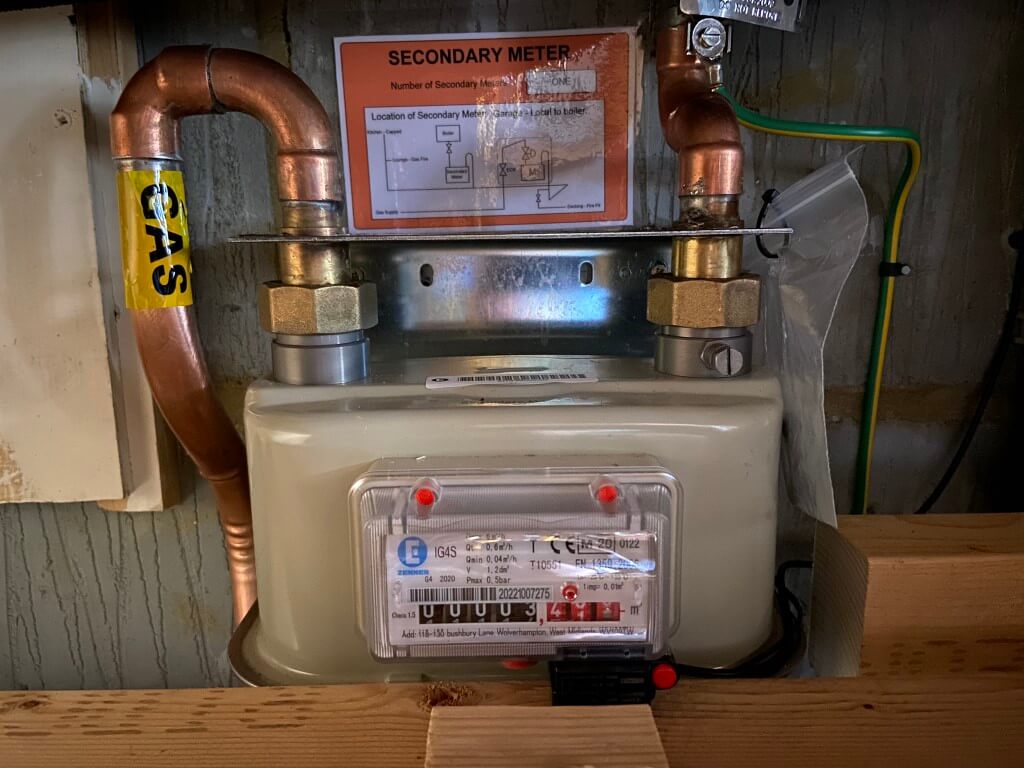
      I decided to get a secondary gas meter fitted inline with the gas feed to the boiler, the meter was a BK-G4M from Electric Meter Sales UK who are now no longer trading.

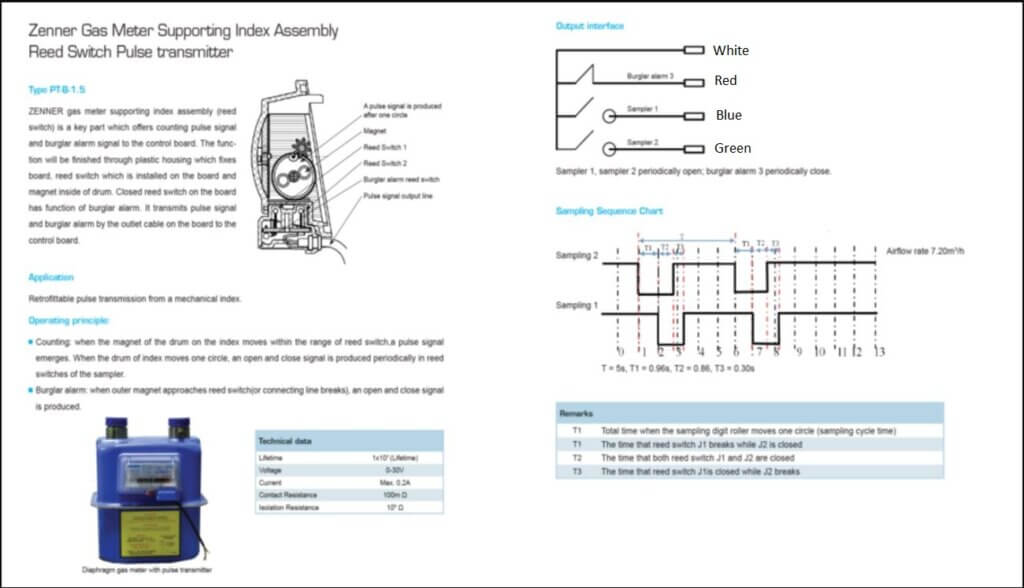
      The meter comes with a prewired switch assembly to count the number of 1/100 of m3 wheel rotations:

      I’m a complete novice when it comes to Home Assistant and rely wholly on YouTube, community forums and search engines for information, and I would like to pass my sincere thanks onto all content creators who help folks like me.

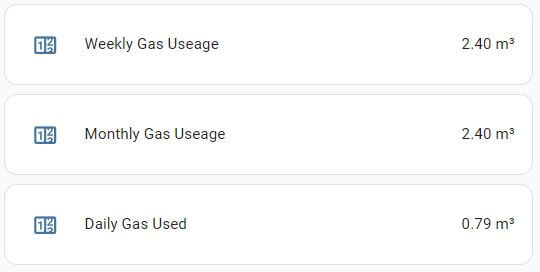
      I used a ESP8266 flashed from within Home Assistant with the coding configuration to enable the meters switch to increment the displayed gas reading on the dashboard of Home Assistant.

      Current code used below:

      The above code gives a stable output to Home Assistant with no creep over time 🙂
      Once the data is being imported into Home Assistant you can manipulate in many ways:

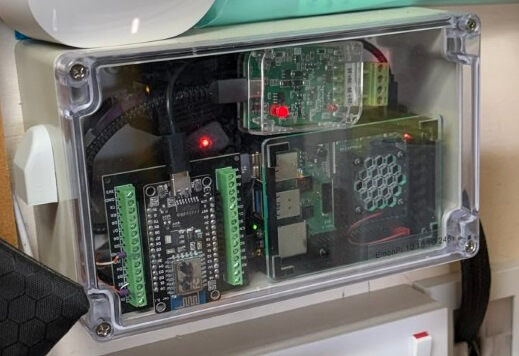
      ESP8266 mounted on breakout board from Aliexpress, the other items within the enclosure are an M-Bus reader and Open Energy Monitor Pi for my heat meter.

      Links to Sources –

      Ideal Vogue 18kW System Boiler – Monitoring, Controls, Weather Compensation and Boiler Performance

      This information will be updated regularly, last updated 22 February 2026

      Work in Progress

      Monitoring

      I’m using a combination of Open Energy Monitor and Home Assistant to display and record my heating’s data.

      3/1/26, The thermostats feeds to emoncms were updated from the legacy Hive control to those derived from an ESP32, the sensor via the Home Assistant integration with Smart Autotune Thermostat.

      Details of the control modification can be found HERE, therefore, the details below from My Controls , are currently out of date and not used.

      The above graph consolidates my boilers data to give an overall efficiency and is linked to my configuration on emoncms.org.

      The Open Energy project is primarily focused on monitoring to get the best Coefficient of Performance (COP) out of your system, this is more applicable to Heat Pumps which can have efficiencies of over 500% rather than Gas Boilers which will never be 100% efficient, however, its good to know how its performing and if I can improve.

      The feed data used to compile and compute the overall efficiency:

      • Outside temperature
      • Temperature of room containing the boiler
      • Room temperature
      • Target temperature
      • Boiler actual power usage
      • Boiler cumulative power usage
      • Gas actual usage
      • Central heating – on or off
      • Domestic hot water – on or off
        • Heatmeter
          • – Cumulative energy
            • – Return temperature
              • – Flow temperature
                • – Power
                  • – Flow rate

      My Controls

      I use HIVE to schedule my heating and hot water, all radiators have independently controlled HIVE Thermostatic Radiator Valves (TRVs).

      The current setup is that all the radiator TRVs are set to 23oC for temperature overshoot prevention and the Hall wall mounted thermostat is set to 21.5oC to control the on/off signal to the boiler.

      The idea of this configuration is to keep the house at a comfortable ambient temperature using a low boiler temperature flow to the radiators, these radiators have been sized to map the rooms heat losses.

      I still have some work with regards to radiator balancing and tweaking the flow temperature.

      Domestic hot water recharge flow temperature is independent from the heating, referred to as Priority Domestic Hot Water (PDHW) and will have a flow temperature of 80oC, during this time the flow to the radiators will be off.

      The CIBSE domestic heating design guide for room temperatures was followed, however, as no ground floor door is closed and we don’t have a door closed to the stairs, heat certainly rises and room temperature overshoot is inevitable.

      An Opentherm hall thermostat would possibly reduce temperature overshoot, but if I can strike the correct balance with flow temperature and weather compensation slope settings, I should be near enough.

      One thing to be careful of with low flow temperature radiators, is that there is no sudden rush of heat, its all very steady to match the room losses, if the room is cold, it will take time to warm up, so best keep it at a reasonable set-back temperature when the system is off.

      A set-back temperature is a point at which the heating will resume even though it is outside of the programmed heat schedule, in my case 17oC.

      Weather Compensation

      Very early days yet and I’m trying to get to grips with the weather compensation slope to give me the most efficient return.

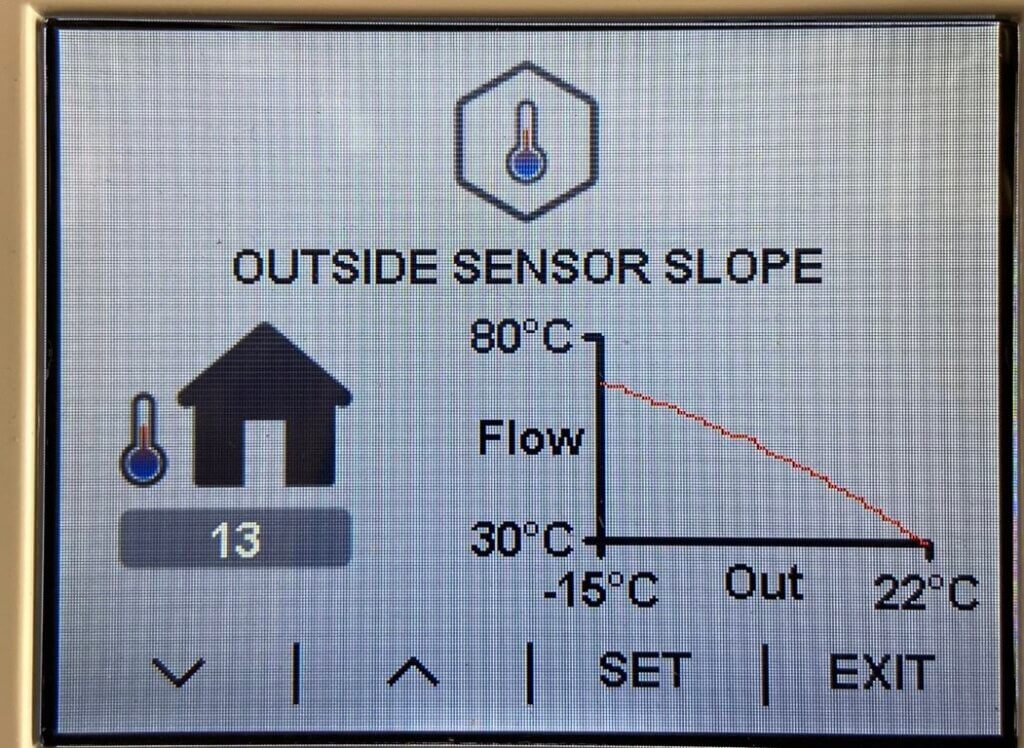
      My slope settings vary between 12 and 13:

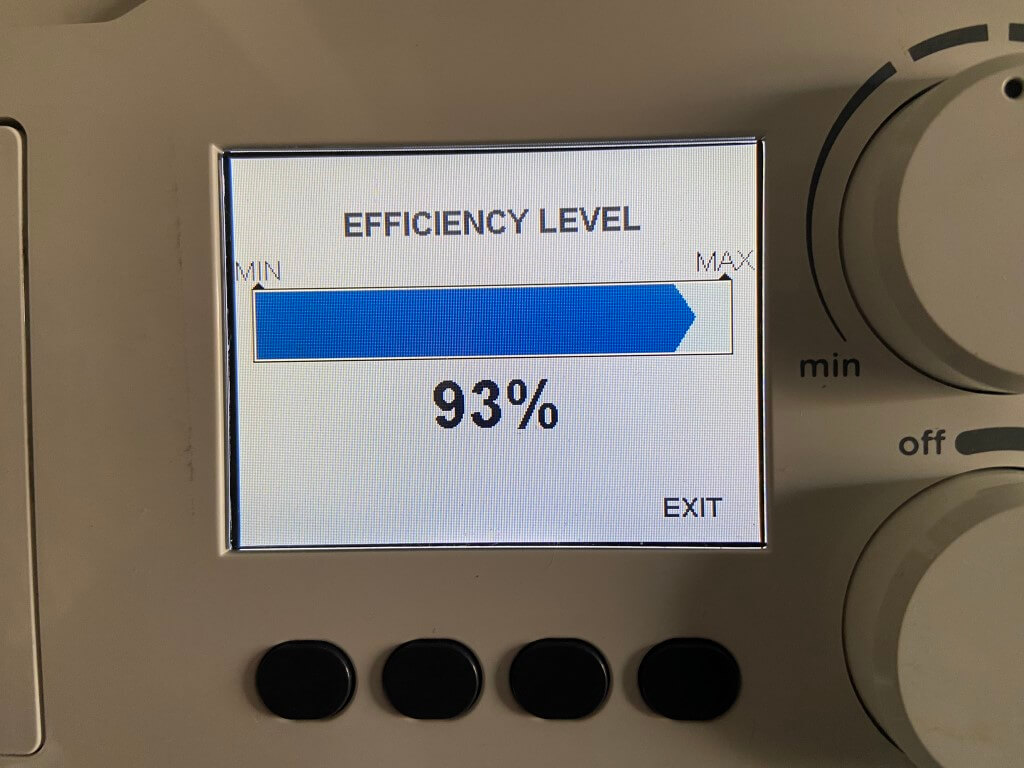
      The efficiency of this is:

      I have made some minor adjustments to my Hive schedule, implementing a 16oC Setback temperature rather than the 10oC previously used, the strategy behind this is using the house as a thermal store, and that is should use less gas overall raising the house temperature by a relatively small amount when demanded.

      16 October 2023

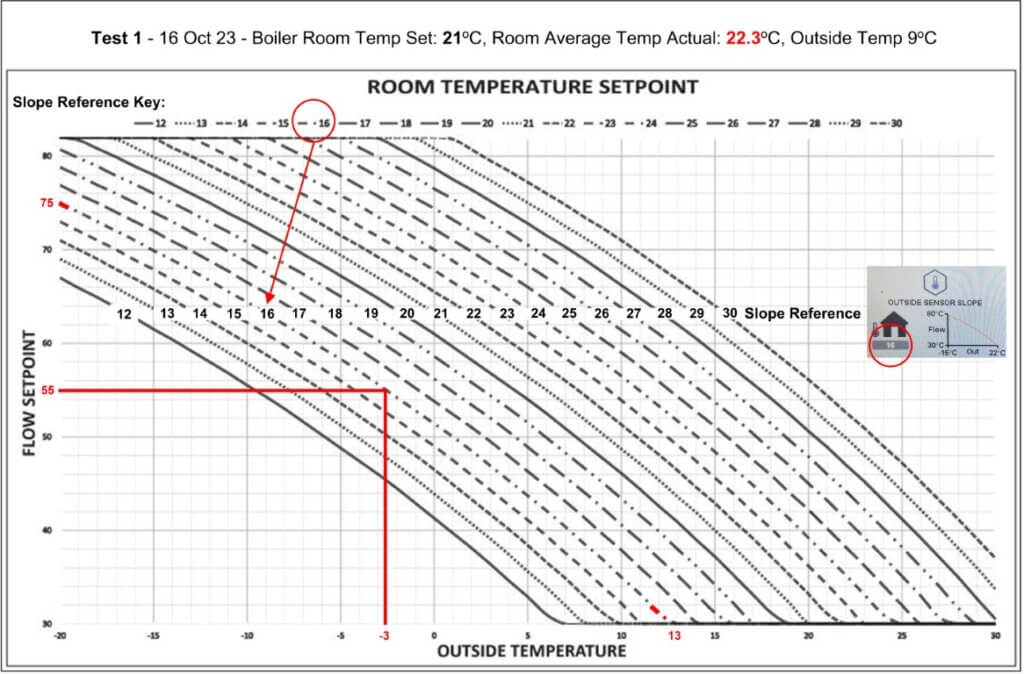
      The heating is on in earnest now as the temperatures are dropping, so I revisited the weather compensation slope information, necessitating a call to Ideal Technical to clarify slope settings.

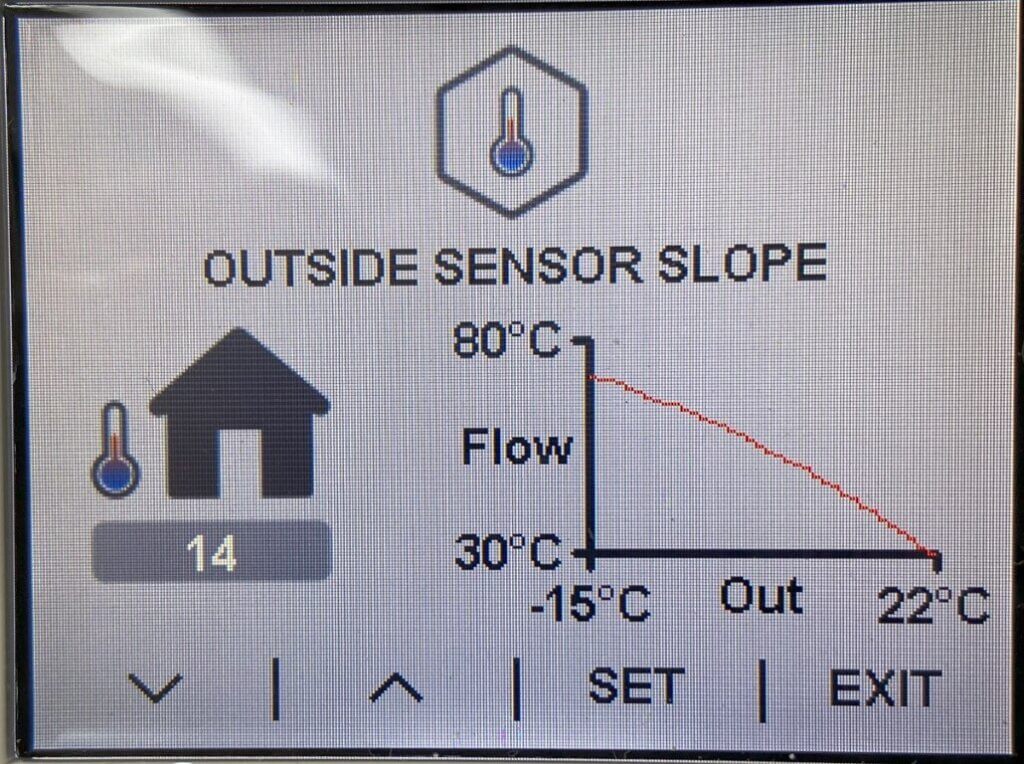
      The graph above is within the documentation of the external weather compensation sensor and I was trying to figure out which slope to use with my system design of 55oC flow temperature when the outside temperature was -3oC.

      I was overthinking it, simply the slope at which my setting intersect is the number that needs setting and I have modified the graph to make this easier for others to follow.

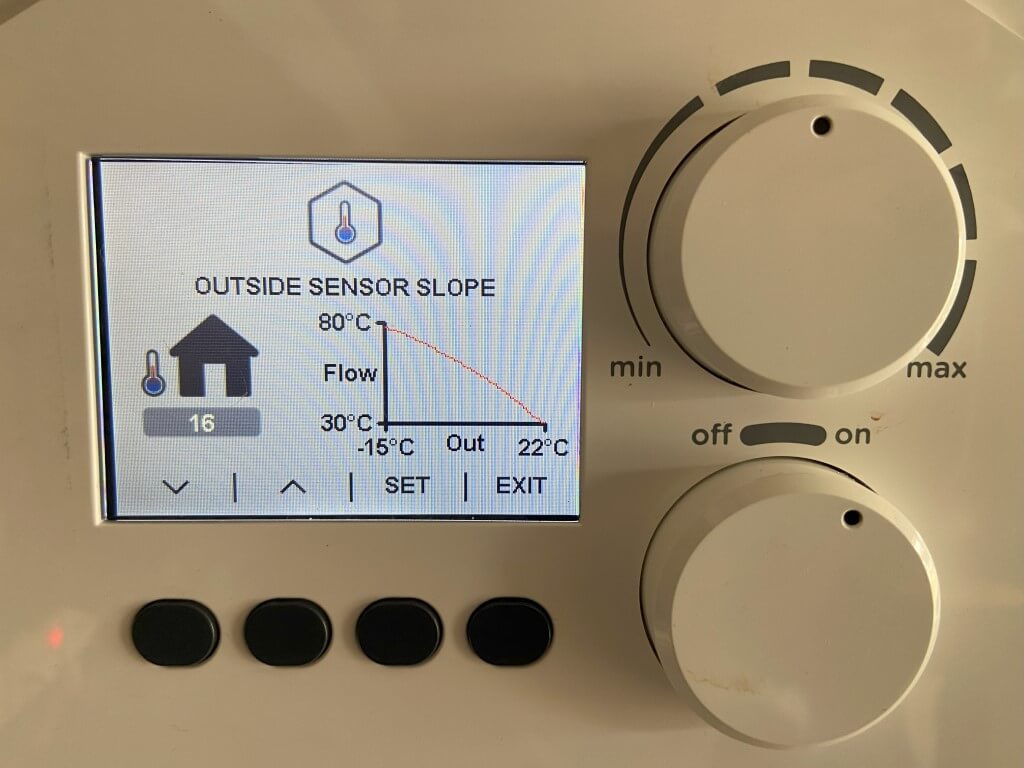
      Slope 16 set, as the house no longer uses a thermostat, instead relying on the boilers weather compensated flow temperature to radiators to modulate according to the return temperature.

      The flow temperature is based on a boilers room temperature setting which I have set at 21oC.

      The key thing is that each rooms radiator is sized correctly to match its losses based on the heat loss calculation, if I have this wrong, then the room will either not reach temperature or be too hot.

      Hive radiator TRVs have been set to 24oC as room overheat control and the Hall thermostat also is set to 24oC as protection.

      Test 1 Result – With the settings above the average room temp went to over 22oC whilst upstairs, some of the TRVs which were set at 24oC, closed, the outside temperature was 9oC.

      I will repeat this before adjusting further.

      5 December 23, We have had below zero temperatures so this has been the ideal time to calibrate the weather compensation Slope curve and room temperature control.

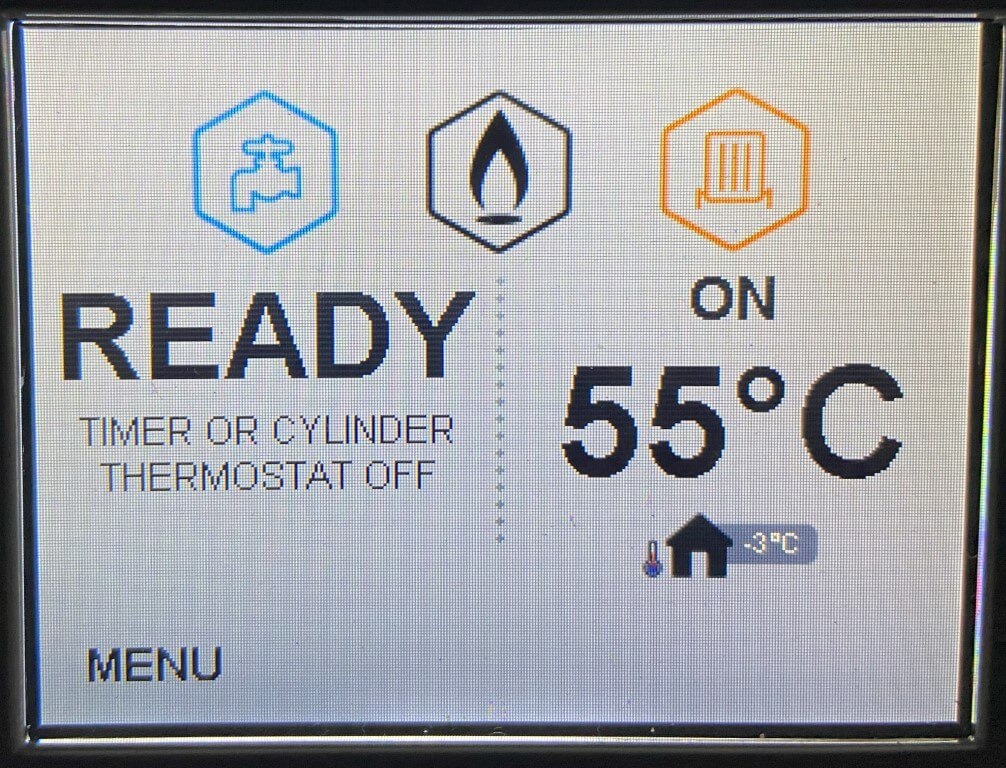
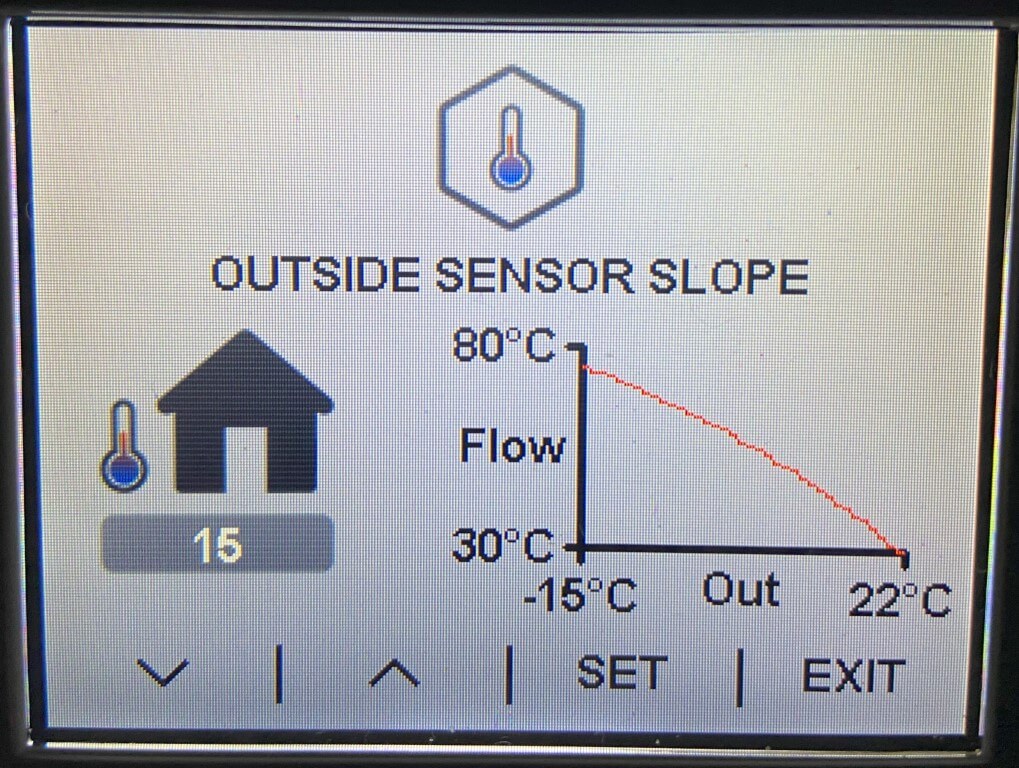
      The above display is the designed boiler flow temperature at -3oC, the Slope curve was 15:

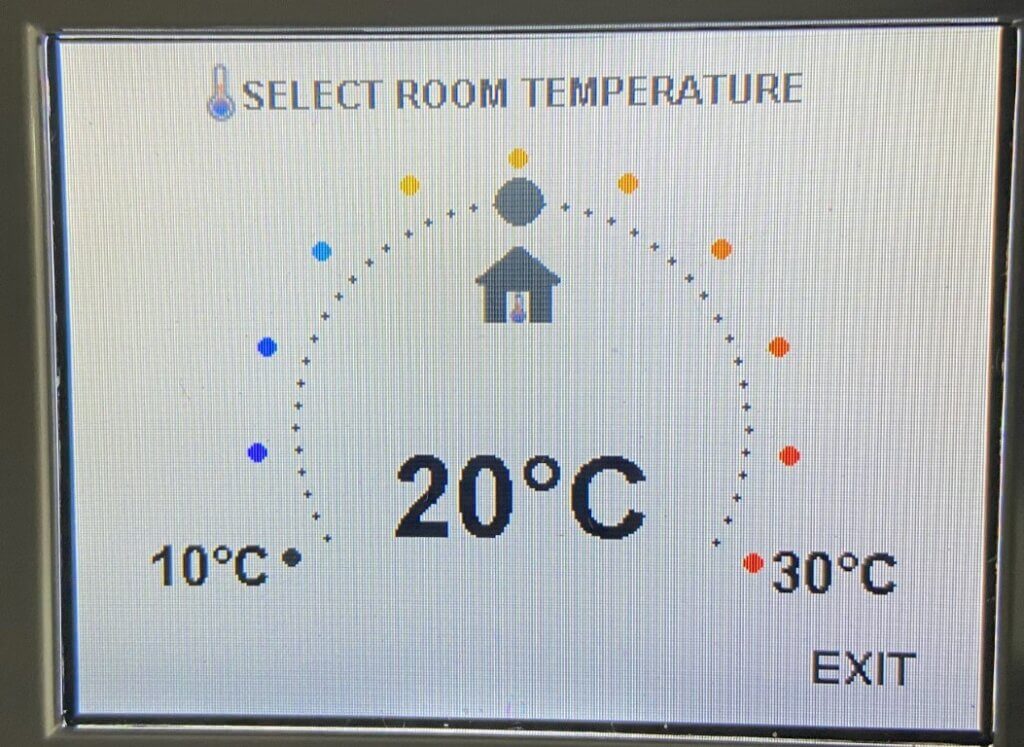
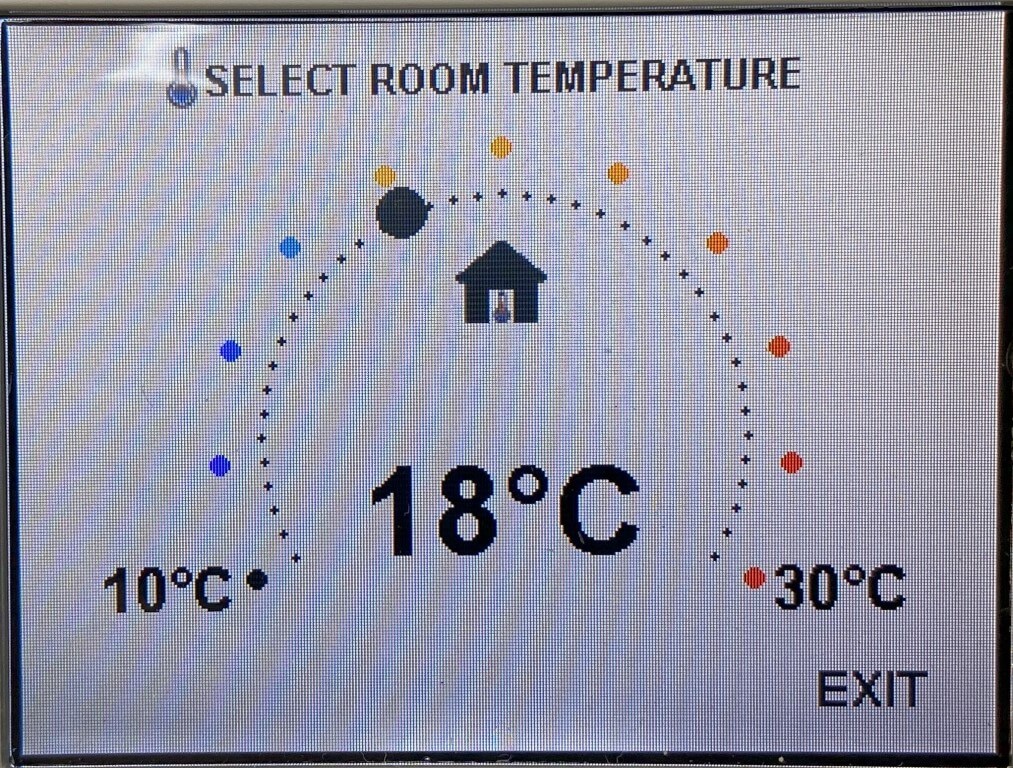
      The room temperature control was set to 20oC:

      Ironically the displayed room temperature doesn’t mean that! What it means is a flow temperature adjustment band within the selected Slope curve, for example:

      • Room Temperature Control 21oC =57oC flow temperature at -3oC
      • Room Temperature Control 20oC =55oC flow temperature at -3oC
      • Room Temperature Control 19oC =53oC flow temperature at -3oC
      • Room Temperature Control 18oC =51oC flow temperature at -3oC

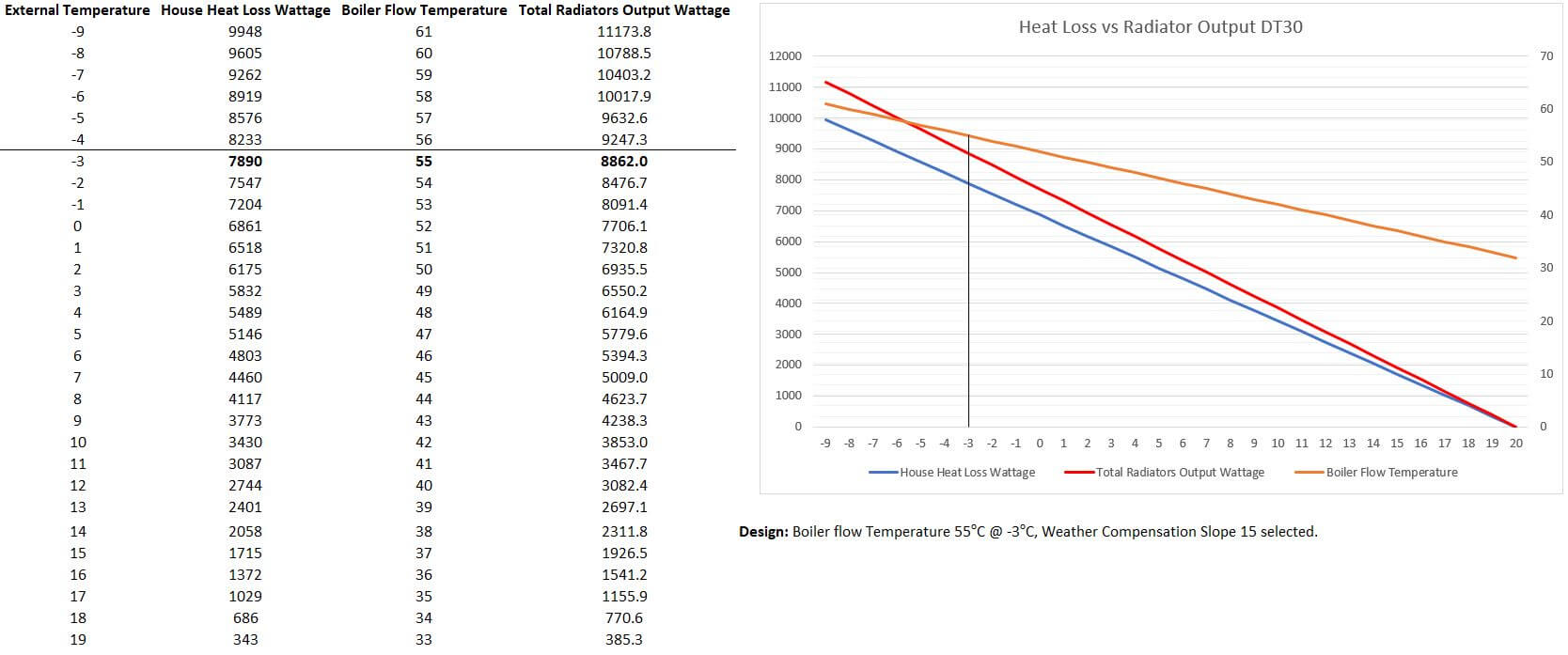
      As stated earlier, my design flow is 55oC @ -3oC, the overall heat loss at -3oC is calculated at 7890 Watts/Hr, the total heat emitted by the radiators at 55oC is calculated at 8862 Watts/Hr.

      My initial thoughts were ‘Open Loop’ control, i.e. letting the boilers flow temperature, based on the Slope Curve, balance house losses by adjusting the flow temperature, I’m having difficulty with this for two reasons;

      The first is that the heat output of the radiators has to exceed house losses, otherwise it would never get warm 🙂 but this means that without any form of ‘internal temperature feedback, the house temperature overshoots and continues to rise,
      The second issue is the Slope Curve, if I adjust the room temperature control flow temperature to closer match house losses when the house is at temperature, means that it will take ages to warm up.

      The upshot of this is that I have reverted back to control using Hive and the ‘Heat on Demand’ (HOD) function which was the system I used before the boiler upgrade.

      I have Hive TRVs on all radiators, the HOD function allows individual room temperature control, and rather than heat the whole house with ‘Open Loop’, enables me to have time and temperature based heating patterns based on the use of the room.

      Still playing, so keep checking in.

      21 January 2024

      Yet more tweaking with the weather compensation slope and associated boiler room temperature control whilst the weather is still cold, the settings which seem to work well with increasing efficiency are a Slope of 13 and room temperature of 19oC:

      Updates

      4 May 23 – Boiler registration and Gas Safe certificate arrived from Ideal Heating.

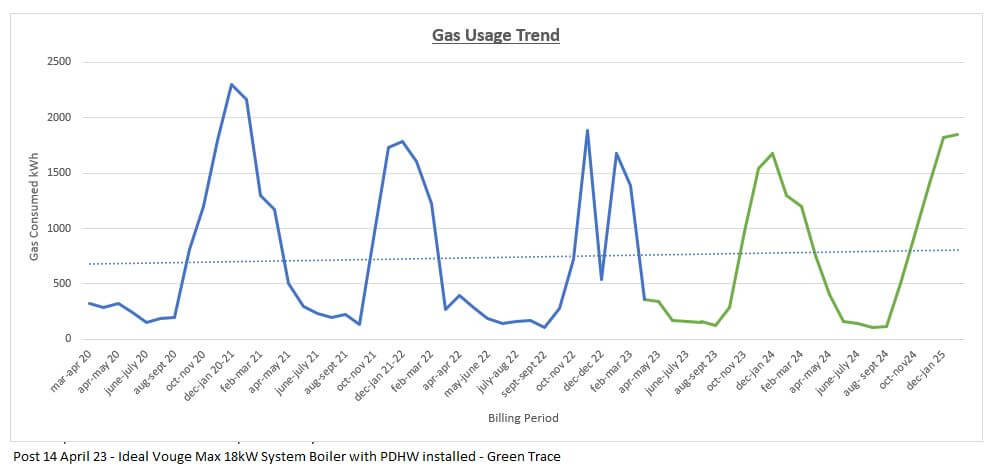
      6 May 23 – On going historic Gas kW usage graph in order to monitor the new boilers performance, new boiler installed part way through the period apr-apr 23.

      Note 1: – Gas consumption is due to heating water in the unvented cylinder, in September 23 Octopus Energy introduced periods of free electricity, therefore, hot water is heated by the immersion heater and not gas, hence the reduction in consumption for this.

      Adding Sulphidation Filter to Gas Boiler

      8 August 2023

      sulphidation filter and iso valve

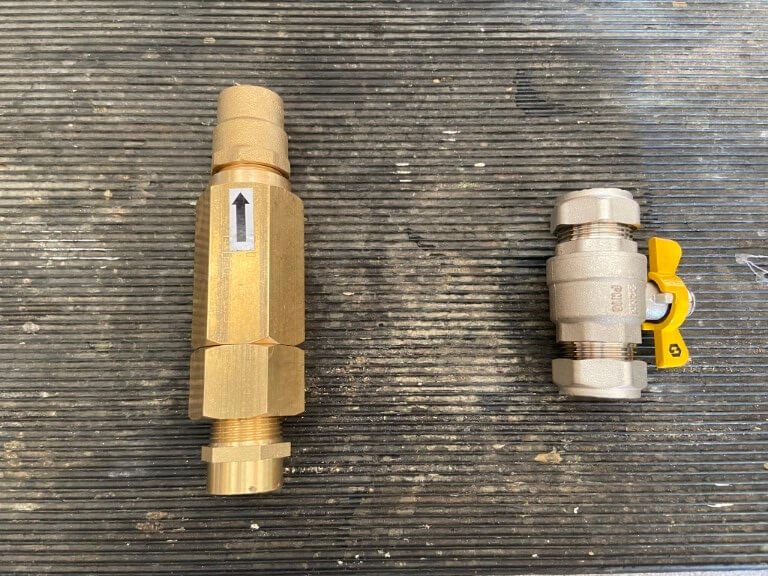
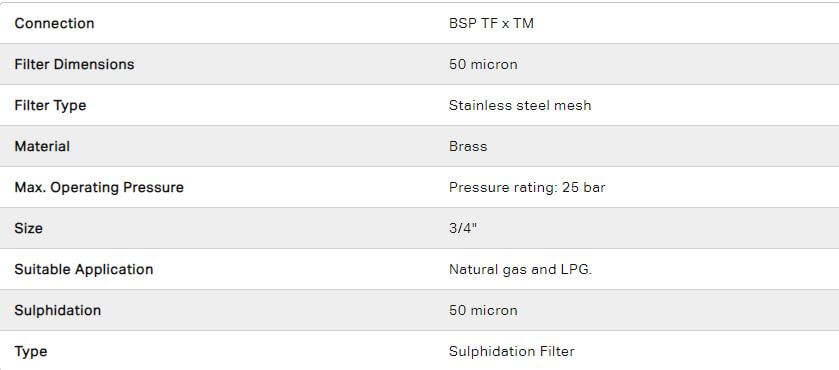
      I was reading about boilers gas valves being blocked with a black dust called Copper Sulphide (Cu2S), although I have not experienced this with my previous boiler, I thought as my boiler is new, now is the perfect time to get a Sulphidation filter installed, this was installed close as possible to the boilers gas inlet valve, the filter was a 3/4″ bore version purchased from BES.

      The filter simply comprises of a brass body containing a 50 micron (300 mesh) stainless steel sieve which enables gas to flow, but captures particulates larger than the sieve size.

      The body of the filter can be separated to clean the sieve, the sealing ‘O’ ring is made from Nitrile Rubber and is a type BS215 ‘O’ ring.

      The Sulphidation process can not be stopped as natural gas contains varying amounts of Hydrogen Sulphide (H2S) as this reacts with the Copper (Cu) pipe, (iron pipes are also affected as a point of interest), as the reaction is within the pipe, the filter must be close to the appliance.

      A filter downstream of the appliance, for example directly after the gas meter, will be ineffective.

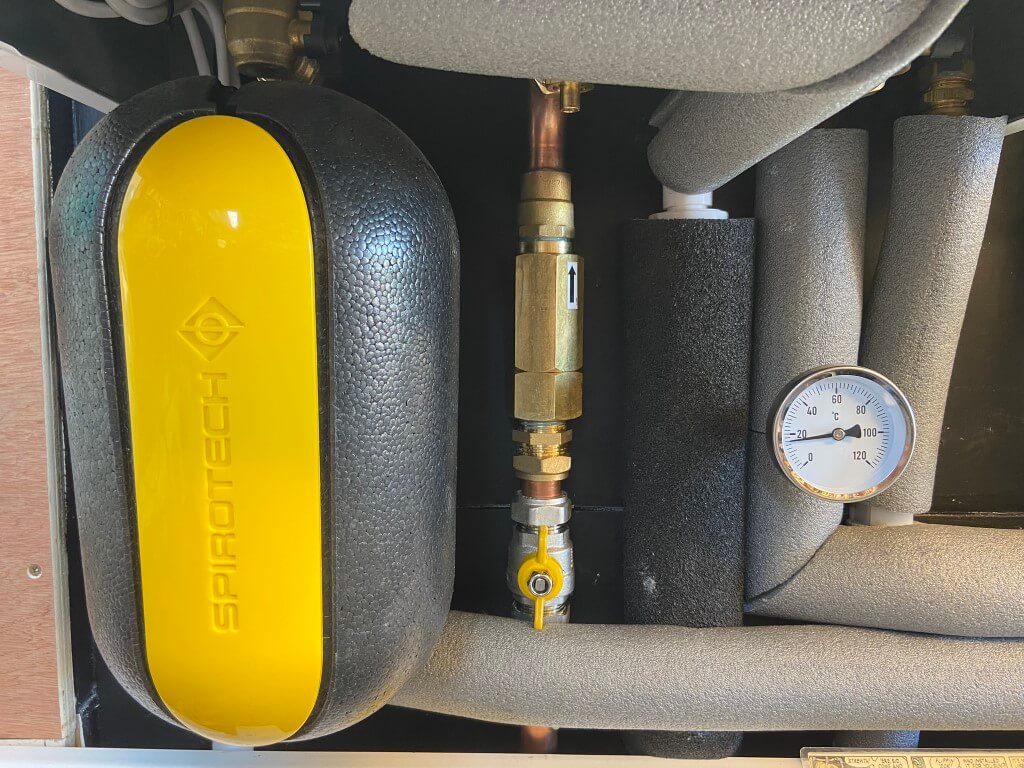
      sulphidation filter installed

      Installed Sulphidation filter directly below the gas inlet valve to the boiler, a butterfly, full bore, gas isolation valve was also fitted for future filter maintenance.

      Hopefully this additional step will reduce the likelihood of premature boiler failure.

      Air Conditioning Installed

      We have been thinking about this for ages and due to the ever increasing unbearable summer temperatures, we decided to have air conditioning (A/C) installed in the Lounge, Main Bedroom and Home Office primarily for cooling although they are capable of producing room heating.

      Installation has to be carried out by an F-Gas approved contractor and I have previously used a local company, AC Cambridge, for our garden cabin A/C and when contacted, Declan had availability to help and an appointment was made.

      On the day of the survey, we walked through the proposed equipment locations and method of installation, aesthetics are really important to me, so the feasibility of not seeing any internal pipes, wires or containment was explored, I also said that I would make separate arrangements for the condensers electrical supplies so this could be removed from the scope of works.

      One of the limiting factors for consideration was the removal of condensate generated when the internal units are in cooling mode, the surveyor was strongly against using a condensate pump, as they are noisy and prone to failure.

      The Main Bedroom and Home Office walls were external and the surveyor determined that we had enough wall space and that, if the units were pushed up against the wall, no pipes would be visible internally and externally everything would be in white containment.

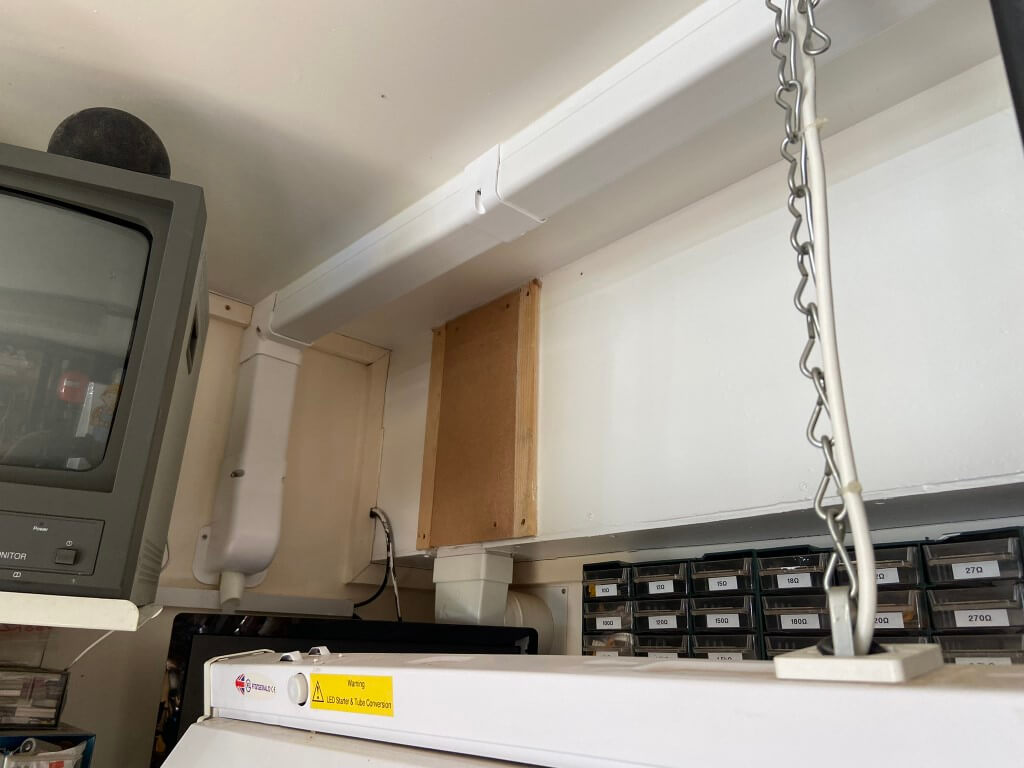
      The Lounge was the only wall which was not external, but backed onto a garage, this meant the pipework would need to transit at high level through the garage to the outside and disposal of condensate would need thinking about.

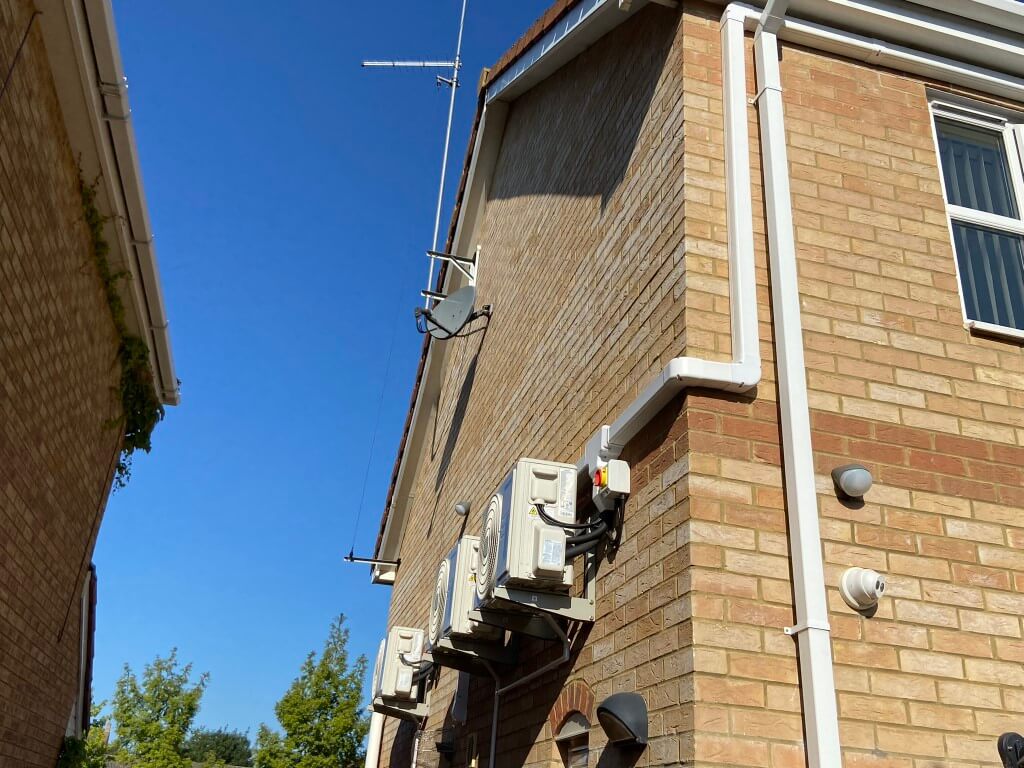
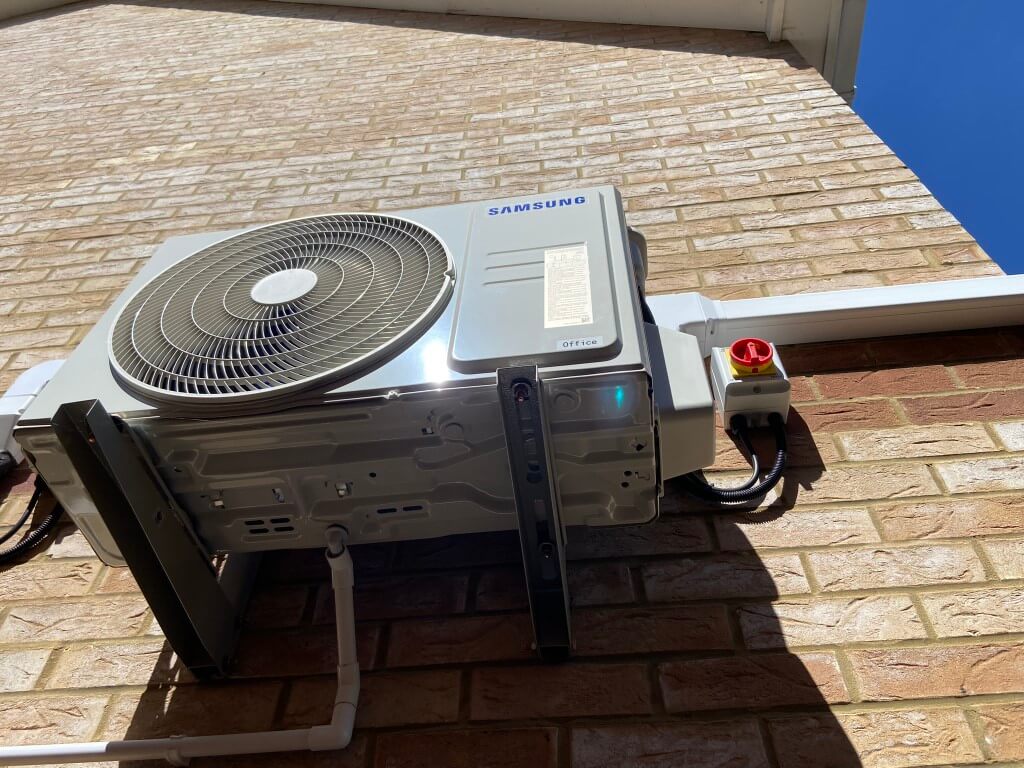
      The recommended kit was three Samsung 2.5kW split load heat pumps with the external compressors mounted 2.6m high on an outside wall as floor space around the property was limited, this turned out to be an excellent solution.

      Installation

      In advance of the install day everything was moved out of the way in the work areas and I put dust sheets down, I had no need as the installer brought his own protective mats.

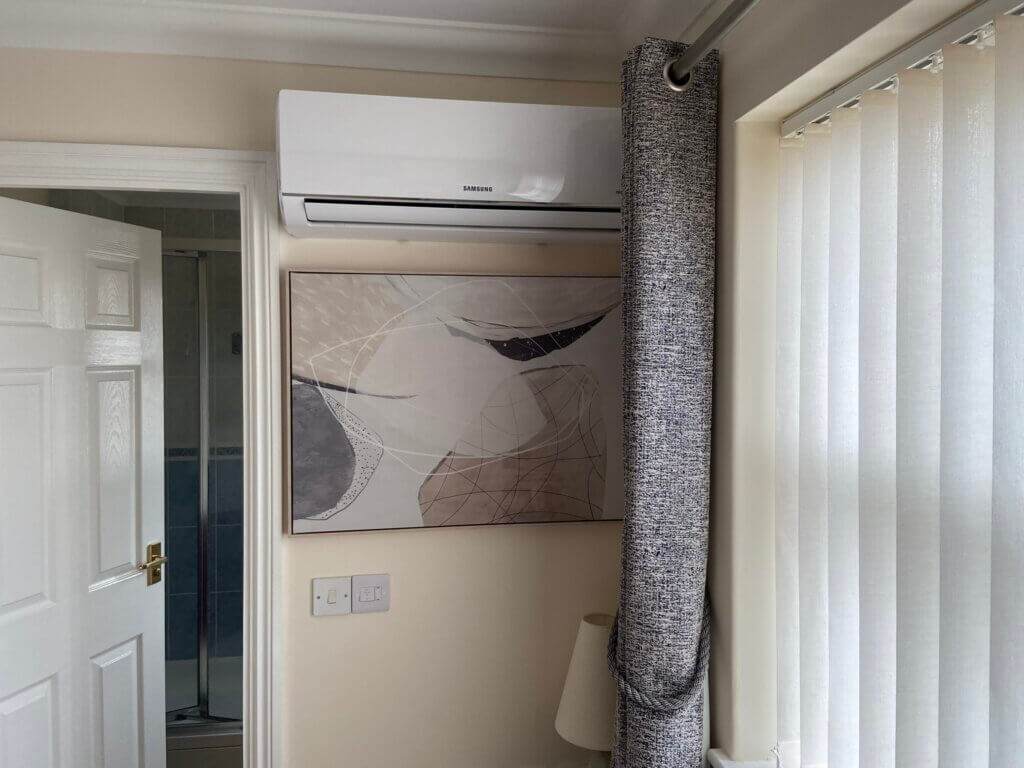
      Declan’s first job was to mount the internal units back plates to the wall and core drill 65mm holes to the outside for the pipes and cables, once drilled the copper pipework from the internal unit was extended by brazing so that no compression were in the buildings cavity, removing any problems in the future, with the insulated pipes and cables passed to the outside, the unit is hung on the wall and the area tidied up.

      Main Bedroom Unit

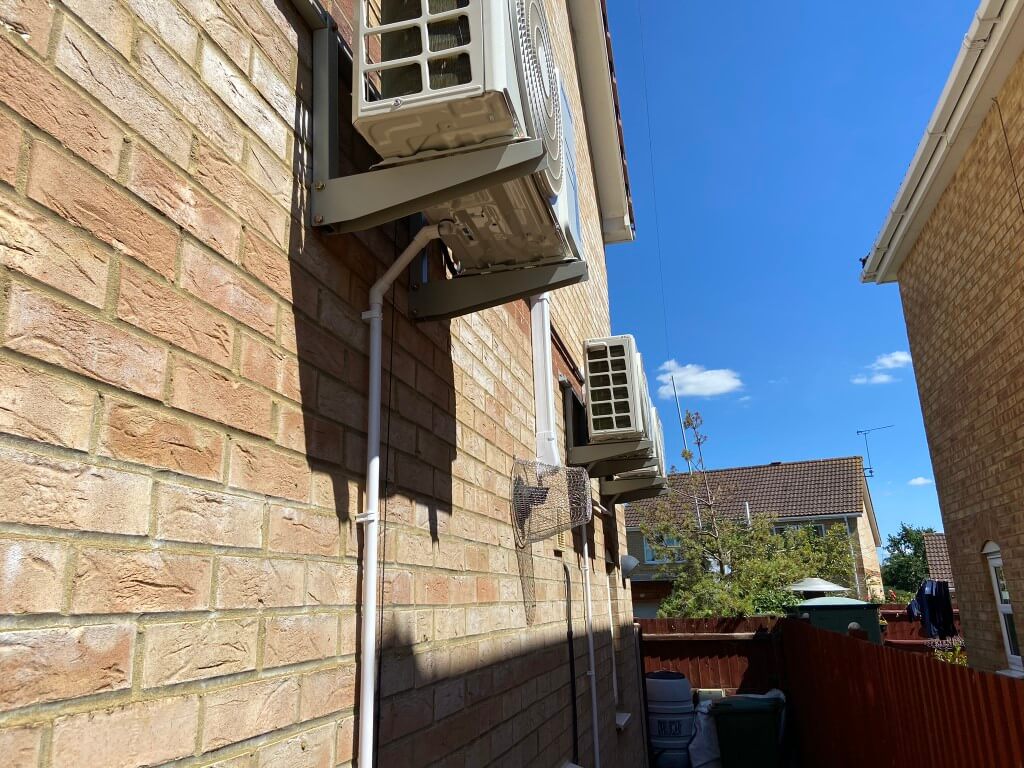
      Externally the three condensers were mounted, I did change my mind about the location of one of the units part way through, but Declan was very amenable and moved it to my preferred location away from being above the boiler flue ,as I was concerned that the central heating boilers condensate plume may have an adverse effect on the equipment as it is mildly acidic.

      To be helpful, I installed the condensate runoff in the garage, now the position through the wall of the Lounge unit was known, this was connected into the Utility room sink waste pipe.

      The pipes and cables were routed in containment to the condenser and it made for an exceptionally neat installation.

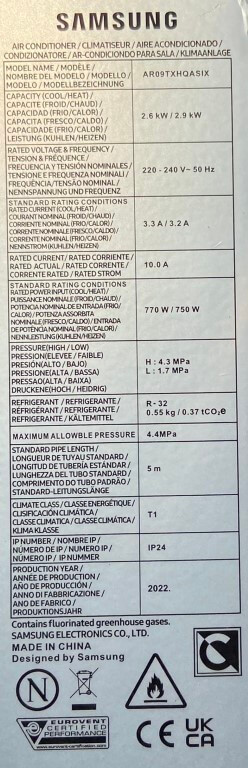
      Heat pumps are incredibly efficient, for example for 624 watts of electrical energy in we get 2.6kW of cooling out, however, the unit is equally efficient in heating mode with 1392 watts of electricals energy in we get 2.9kW of heating out.

      The above values are different than that on the condensers data plate, however the performance verses energy consumption is still superb.

      The cost to keep each air conditioning unit on standby when not in use is less the £1.00 a month.

      Data Plate with discrepancy on unit wattage

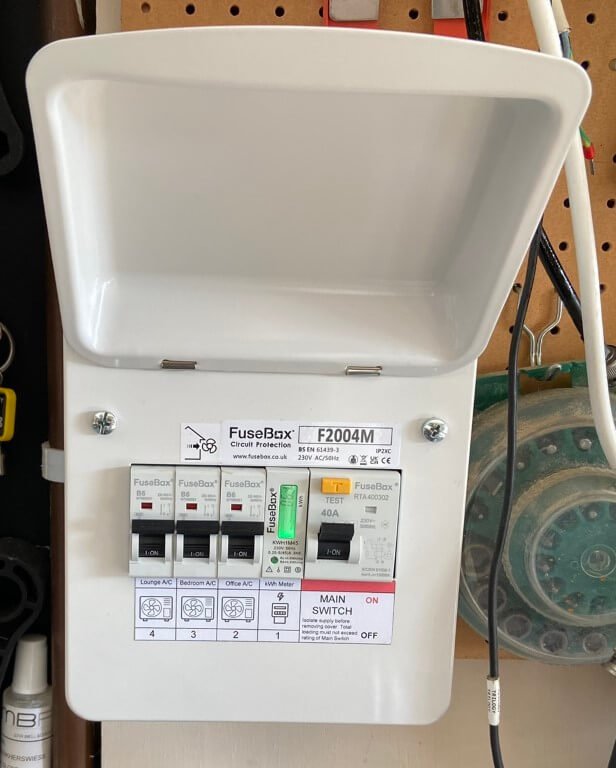
      Each internal unit has an external condenser which requires power, these can be ran from a plug socket, but I installed individual radial circuits with local rotary isolation as discussed during the survey.

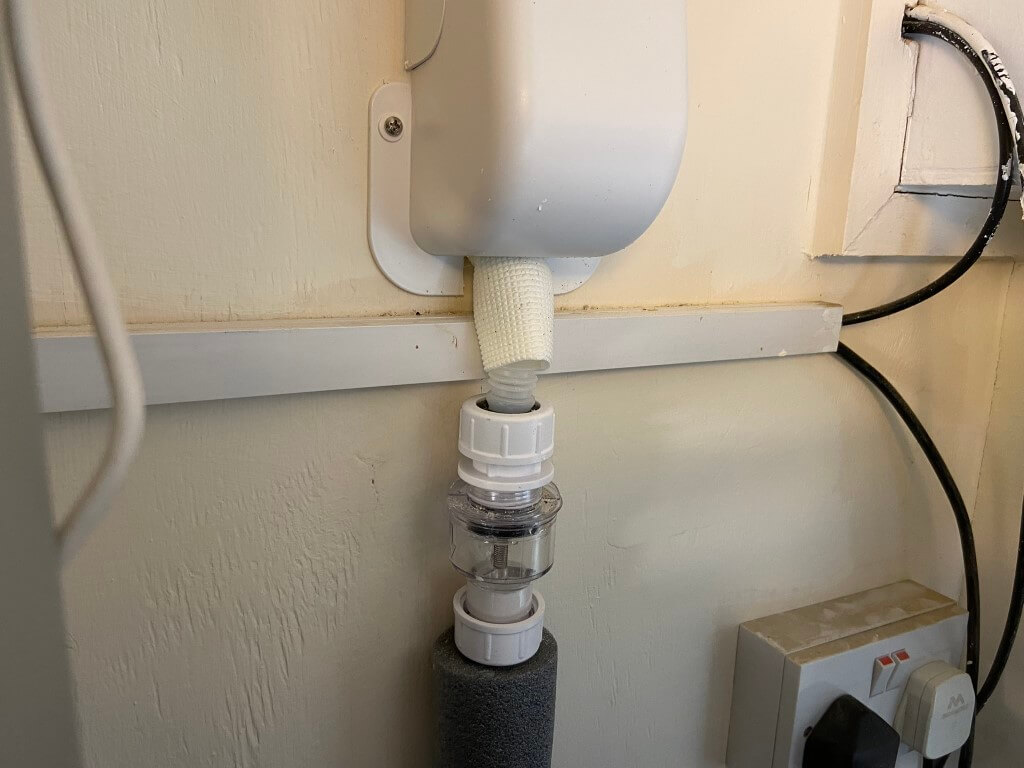
      Internal and external units generate condensate which is taken to drain by 21.5mm plastic pipe.

      Each unit comes with a remote control, but I used a Tado V3+ Smart Controller which uses an App to remotely operate all the functions of the air conditioning.

      As stated earlier, each unit is fed from its own supply via Fusebox consumer unit, I also decided to incorporate a kWh meter to see how much these units consume overall each season.

      Sum Up

      I was very happy with the installation and quality of finish, although there were some supply issues due to demand which meant the installation took longer than the predicted two days, however, it was worth waiting for.

      The internal units are very neat and have a number of functions, including a sleep setting which ramps the temperature up a few degrees when you are asleep so you don’t wake up cold.

      Samsung’s warranty is 24 months with 60 months on the compressor parts for peace of mind.

      I would definitely recommend considering air conditioning to improve your home comforts, be that heating or cooling for you or your animals.

      Condensing Gas Boiler Swop

      Updated 15 November 2025

      My existing, non condensing, Vaillant Thermocompact 24kW system boiler was installed when the house was built in 2002 and has worked really well, but with the price of gas its time for an upgrade.

      My chosen replacement is an Ideal Vogue Max 18kW condensing system boiler with priority domestic hot water capability and 10 years manufactures warranty which I bought from Screwfix, this boiler will modulate down to 3.9kW to match my heat loss at a given temperature, whilst also giving me a short hot water cylinder recovery time when required.

      NOTE – Gas and commissioning works were undertaken by Mr Fix It Gas (Gas Safe Engineer) who I would highly recommend.

      Linked Projects/Information to Boiler Swop

      • Sulphidation filter blog HERE
      • Heat Loss blog HERE
      • Condensate runoff blog HERE
      • Controls and boiler performance HERE

      Pre-Works

      The following needed to be done in advance:

      • Upgrade radiators in order to operate at a lower temperature flow rate,
      • Make wall space for relocating boiler pipework and additional expansion vessel,
      • Expose existing pipe connections in the garage ceiling,
      • Install Normally Open motorised valve for the central heating,
      • Rewire the wiring centre to give the boiler two switched lives, one for central heating and the other for Priority Domestic Hot Water,
      • Remove existing electronic water temperature control from unvented cylinder,
      • Reinstate unvented cylinder integral thermostat in wiring centre,
      • Install North Facing weather compensation sensor and wire back to boiler location,
      • Replace mechanical frost thermostat with electronic version and wire in,
      • Install new Boiler isolation switch with 3A fuse holder built in.

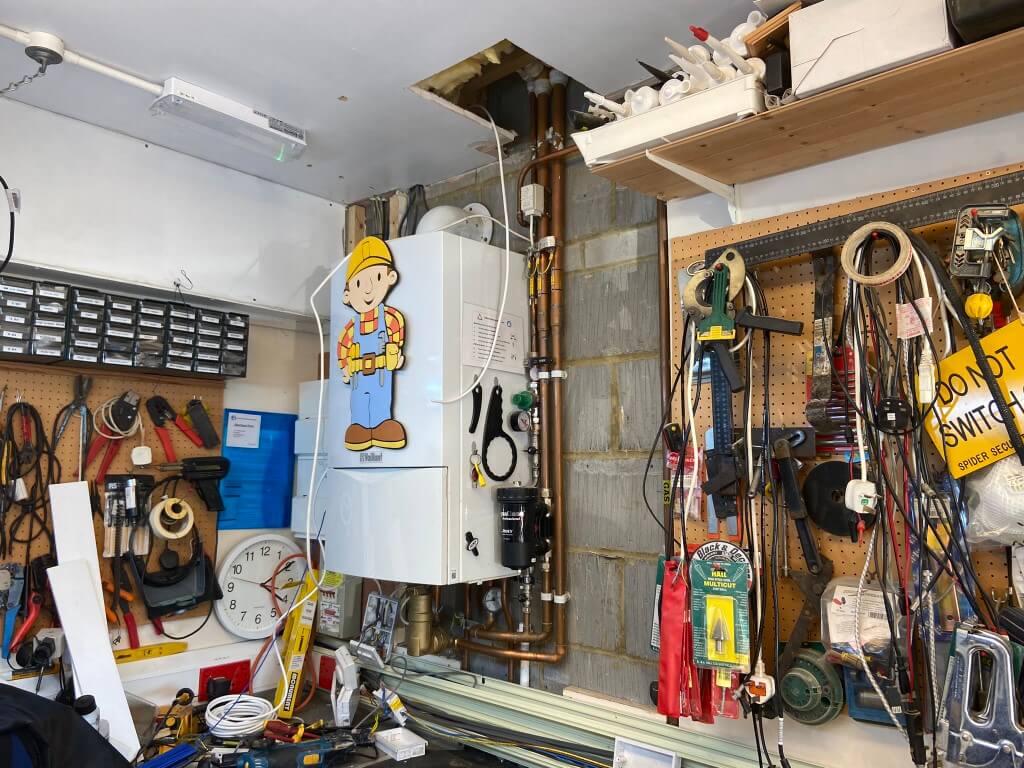
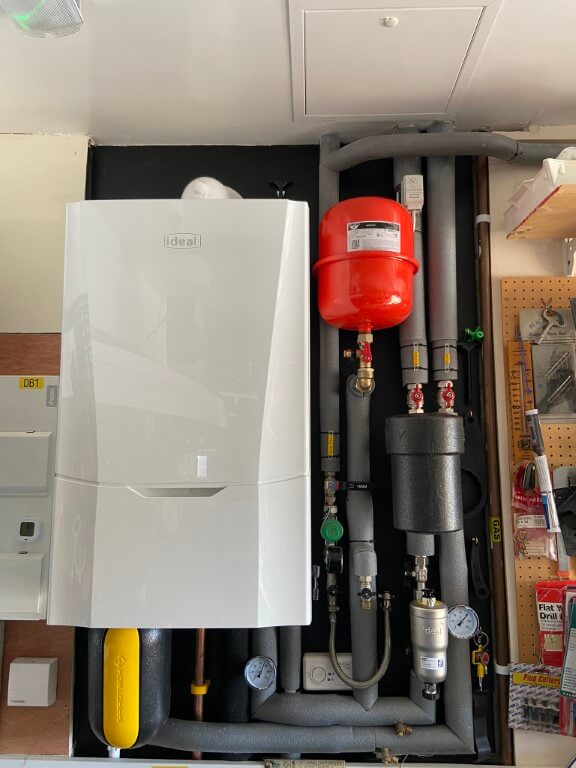
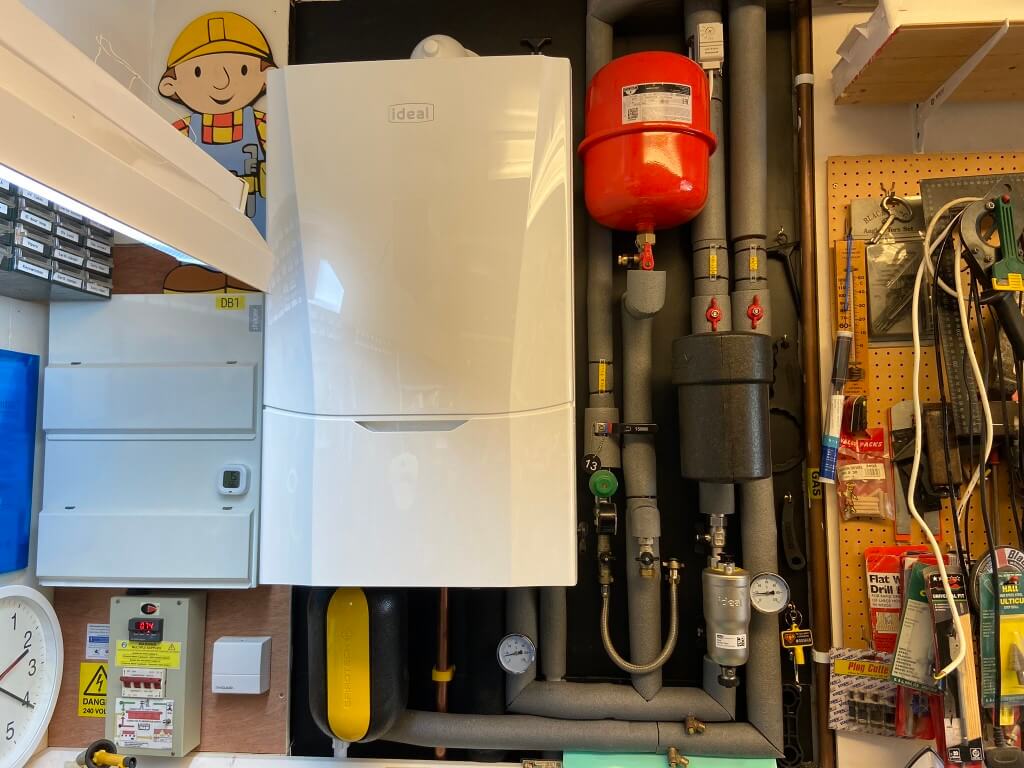
      Wall space cleared around the old boiler and hole cut in the garage ceiling giving greater access to pipework, ready for the existing boiler to be removed once the gas has been capped off, the gas work was carried out on the 11 April 23 by a local Gas Safe engineer.

      Once the gas was off by a gas safe engineer, power isolated and the system drained down, the boiler and flue were removed and open water pipes temporarily capped, the next job was then to line the wall with a thin ply and paint it black to neaten up the job.

      As boiler comes direct from Ideal, the communications wasn’t brilliant, I was notified at 16:50 the night before delivery, fortunately this was fine for me and it arrived on the 12 April just after 2pm, I had already picked the flue up from store in preparation for the big day.

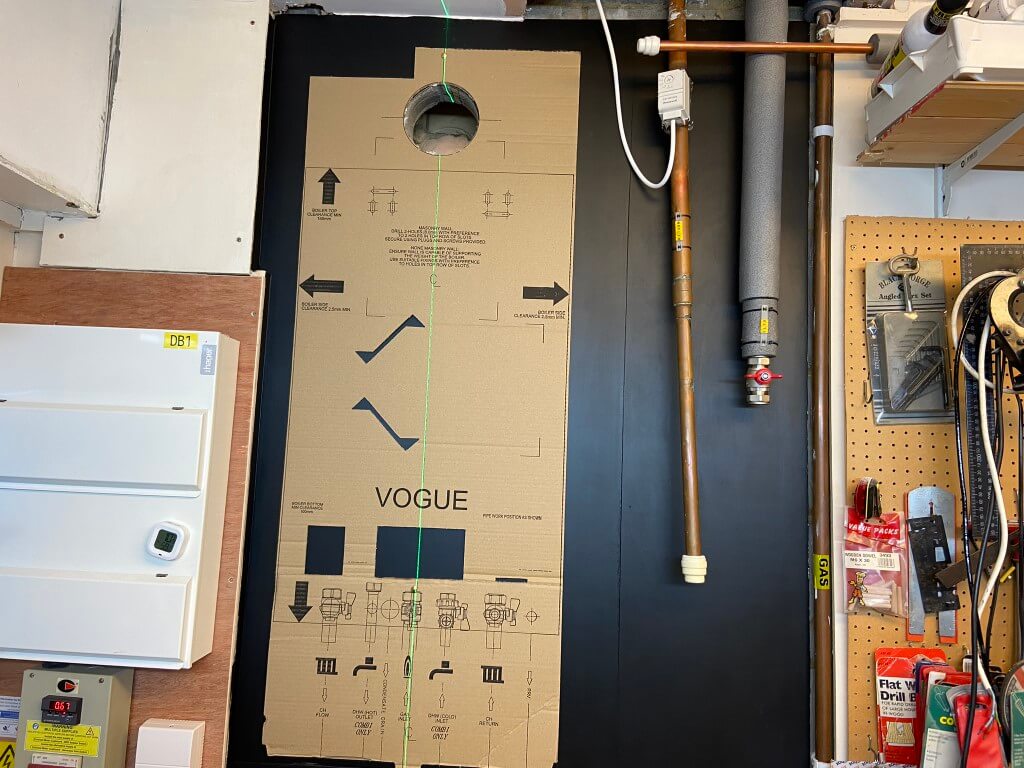
      Once the new boiler arrived it was unpacked and all parts checked in case anything was missing or damaged, once happy, the new boilers template offered into position and levelled.

      The boiler is hung in place and supported by a bracket, everything required for this is within the box.

      The boiler installation were straightforward with the manufactures instructions being very comprehensive, with the gas still not connected, I removed the room sealed boiler cover to access the electrical connections for the Weather Compensation sensor and the two switched lives, one for the heating and the other for priority domestic hot water.

      The Ideal Vogue Max comes with a magnetic filter which must be fitted to maintain the manufactures warranty, I also retained my existing Adey magnetic filter as this is perfect as a dosing pot for inhibitor addition.

      I included two dry pocket thermometers for flow and return water temperature measurement, my aim is to keep the boiler in condensing mode as much as I can.

      The system was cold flushed, pressure tested and dosed with 1.5l of Fernox F1 inhibitor before the gas engineer arrived on the14 April to upgrade the gas supply from 15mm to 22mm and make the final boiler connections.

      Ceiling hole closed off with a 60 minute fire resisting trap giving access to a cold water isolation valve and the completed installation was lagged using the Dr Pipe lagging pro to give me perfect cuts.

      Nearly finished, just waiting for the Adey thermal jacket to arrive.

      28 April 23, commissioning and Benchmark completed and registered, today will be the first time my unvented hot water cylinder is getting 800C of indirect heating at high fire of 18kW.

      I haven’t yet balanced the radiators to get the greatest efficiencies, but the weather compensation is modulating the central heating water flow temperature to 49oC based on the external ambient temperature of 13oC.

      The return flow temperature of 40oC, is well within the condensing range (<55oC), however, I do need to adjust my radiators to get an equal temperature differential across them all to maximise efficiencies.

      Few points to note – The cold fill supply is regulated down to 1.5 bar so I can leave this connected and open without risk of over-pressurisation when bleeding radiators for maintenance.

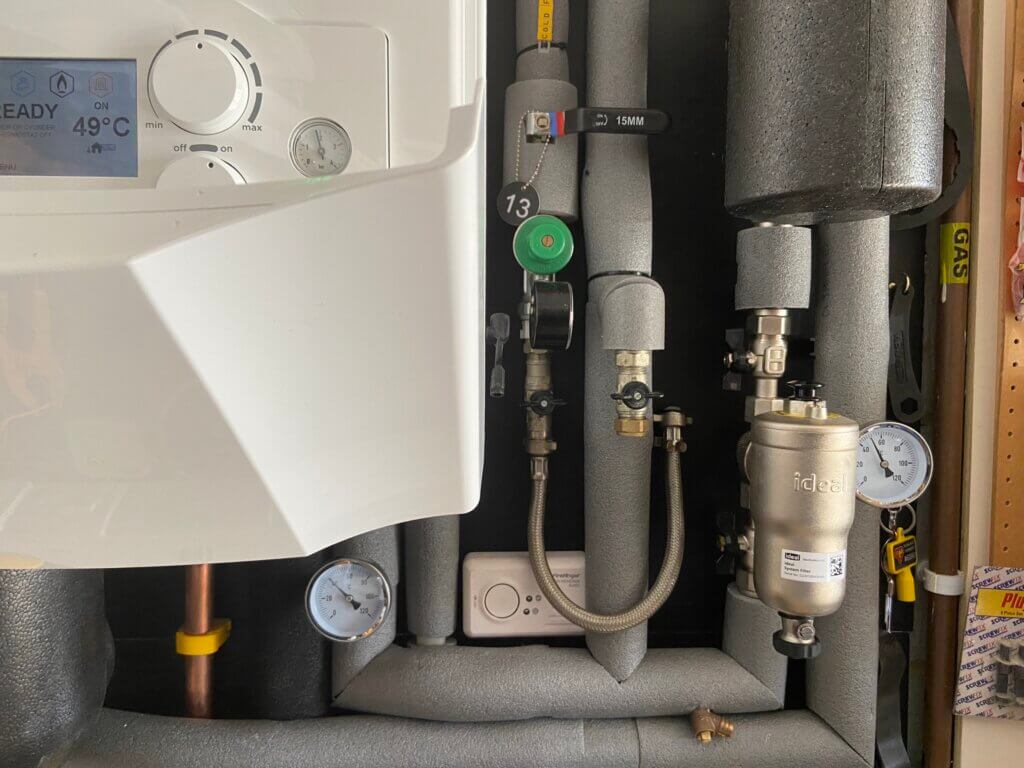
      Thermal jacket from Adey for the Magnaclean fitted, bit disappointed that Ideal do not sell an insulated jacket for their filter as it is wasting a lot thermal energy.

      Last job was to test the system water quality:

      • pH 7-8
      • Hardness 60ppm (system filled with softened water)
      • Turbidity, base target clearly observed
      • Fernox Inhibitor concentration tested by titration test kit and OK

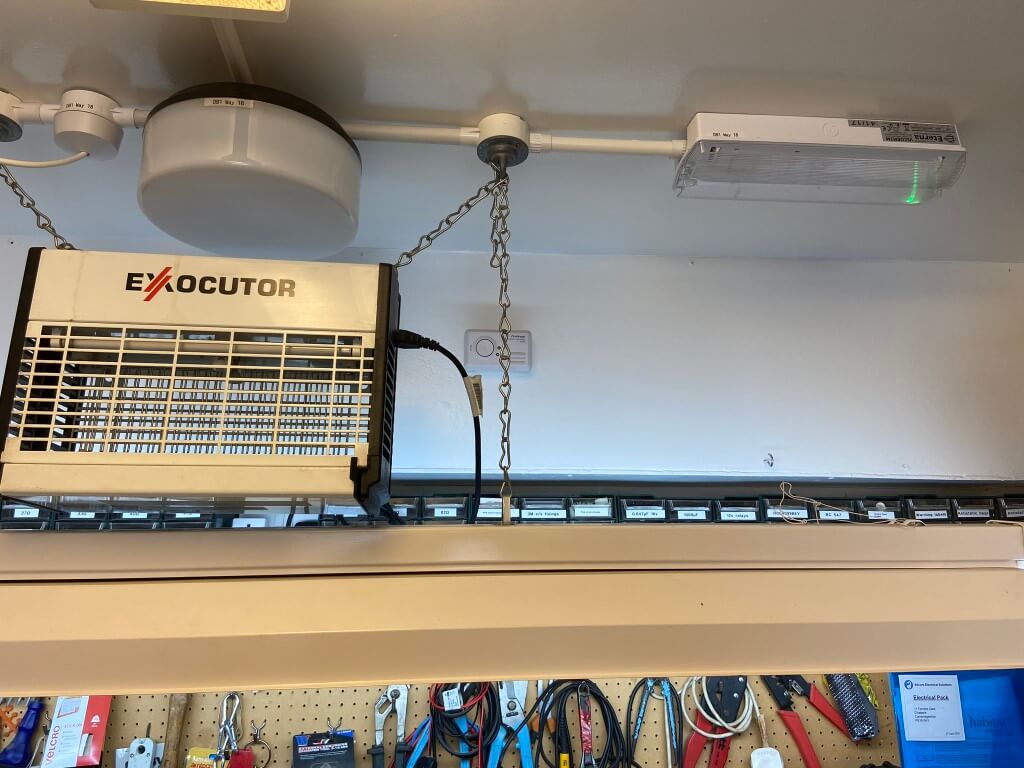
      The gas engineer commented that my CO detector was in the wrong location to work effectively, ideally this should be 150mm down from the ceiling.

      So, I removed the detector from the boiler back board and shifted it to where it needed to be :-), hence the two following pictures –

      Radiators

      The house originally had 13 Purmo panel radiators, I did upgrade one of these to a larger Stelrad K2 type as the bedroom over the garage was undersized a few years ago.

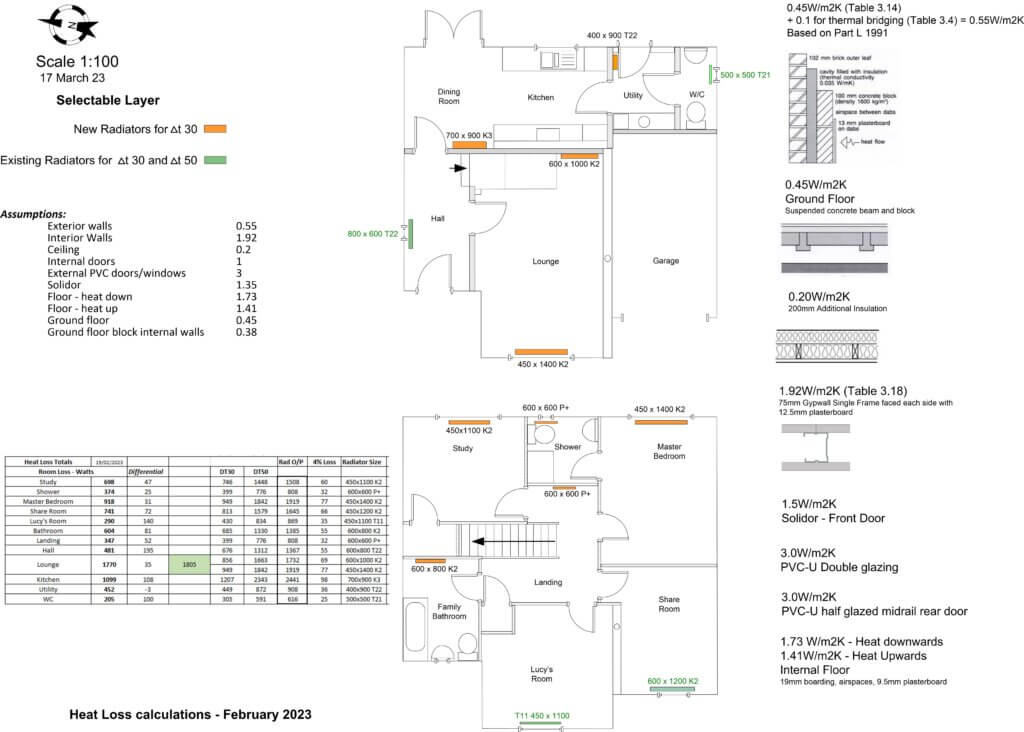
      The Heat Loss calculations linked earlier, determined that a total of 9 radiators would needed upsizing to meet the heat losses at the lower radiator flow temperatures of DT30 to keep the boiler in the condensing range as much as possible.

      The pipework to the radiators is a combination of 10mm plastic pipe behind the dot and dab plasterboard walls, transitioning to 10mm copper pipe for the final connection to the radiators, fortunately all the downstairs radiator lock shield valves have inbuilt drain off valves, making removal and replacement of the radiators a lot easier.

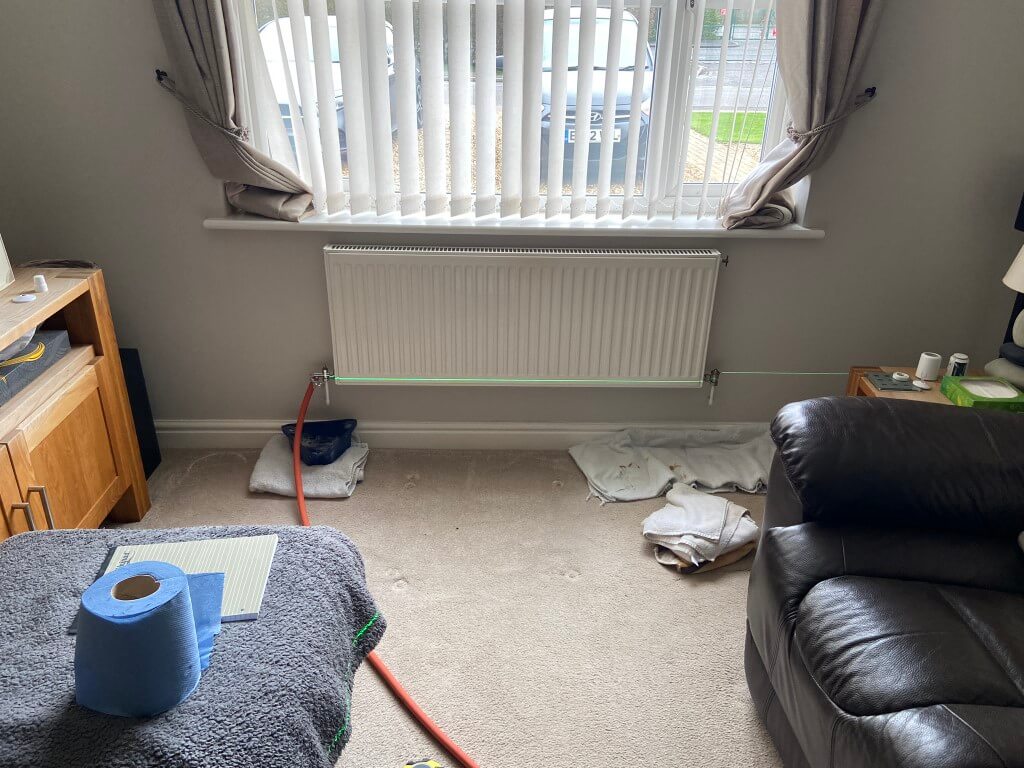
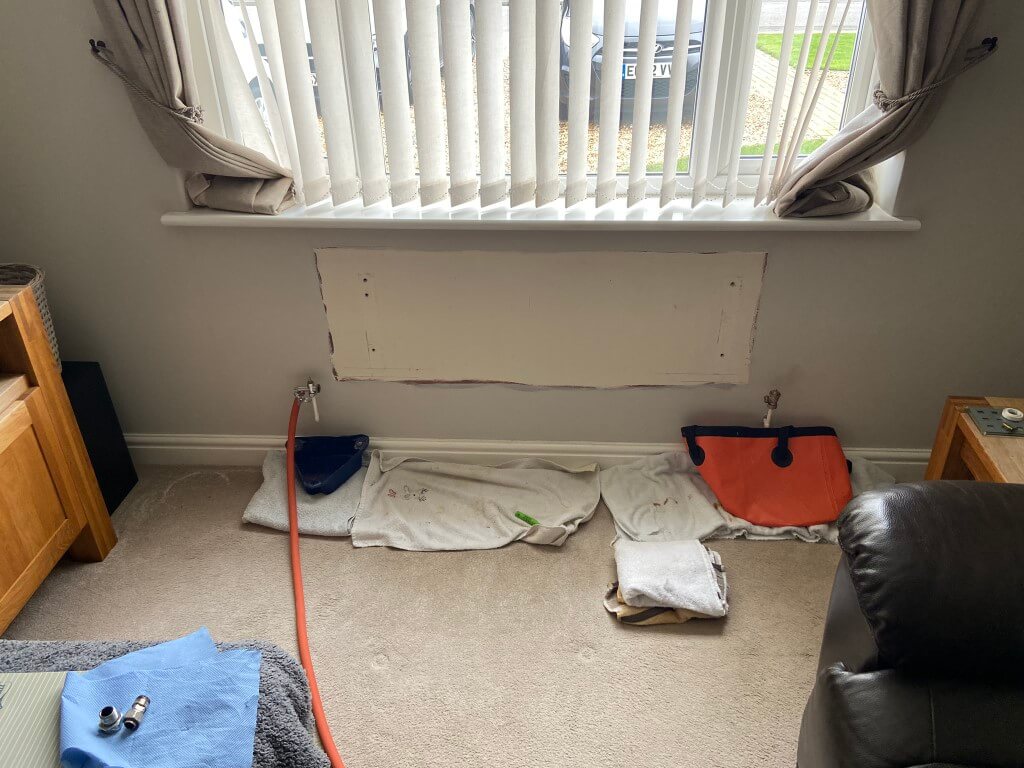
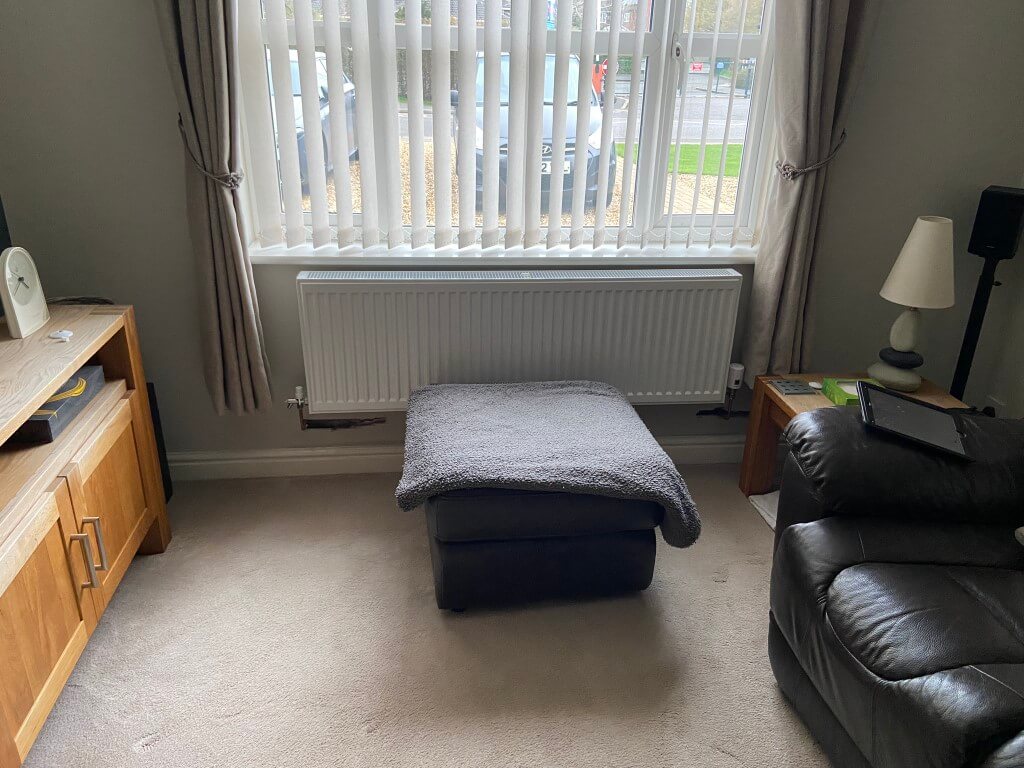
      Lounge radiator draining down with the laser setup to project a line through the centre of the radiator tails.

      Radiator removed, I used Plumb Tubs and a 20l foldable bucket to catch any drips, before lifting the radiator off its brackets, I fitted Plumb Thumbs to avoid any dirty water getting on the carpet.

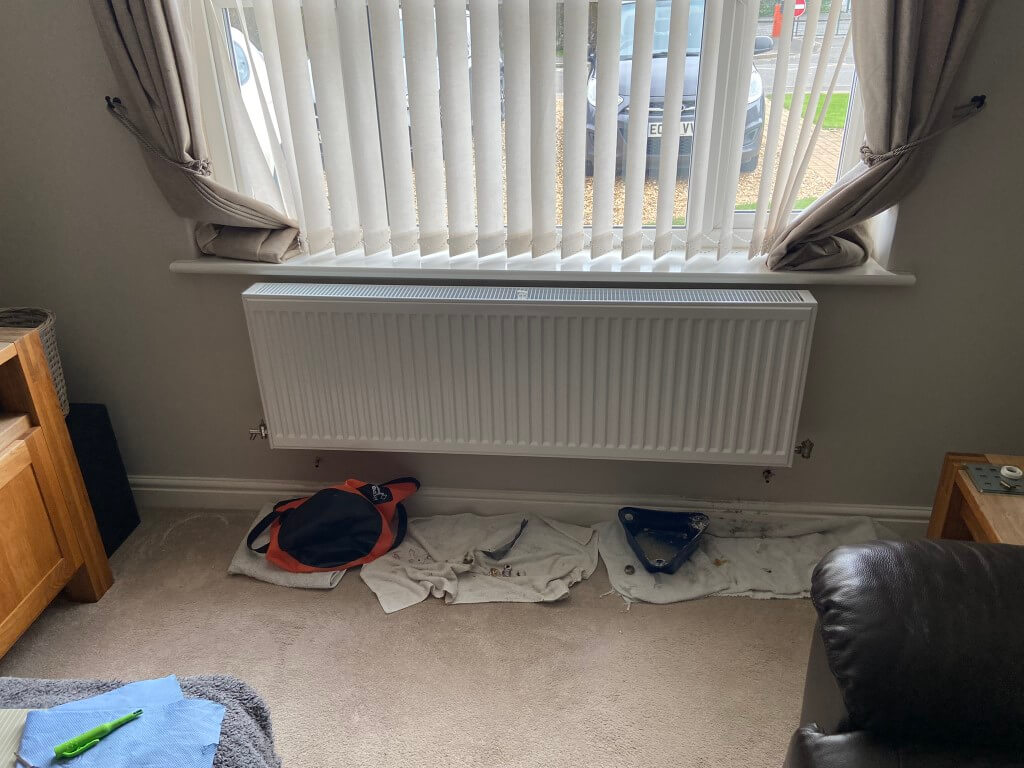
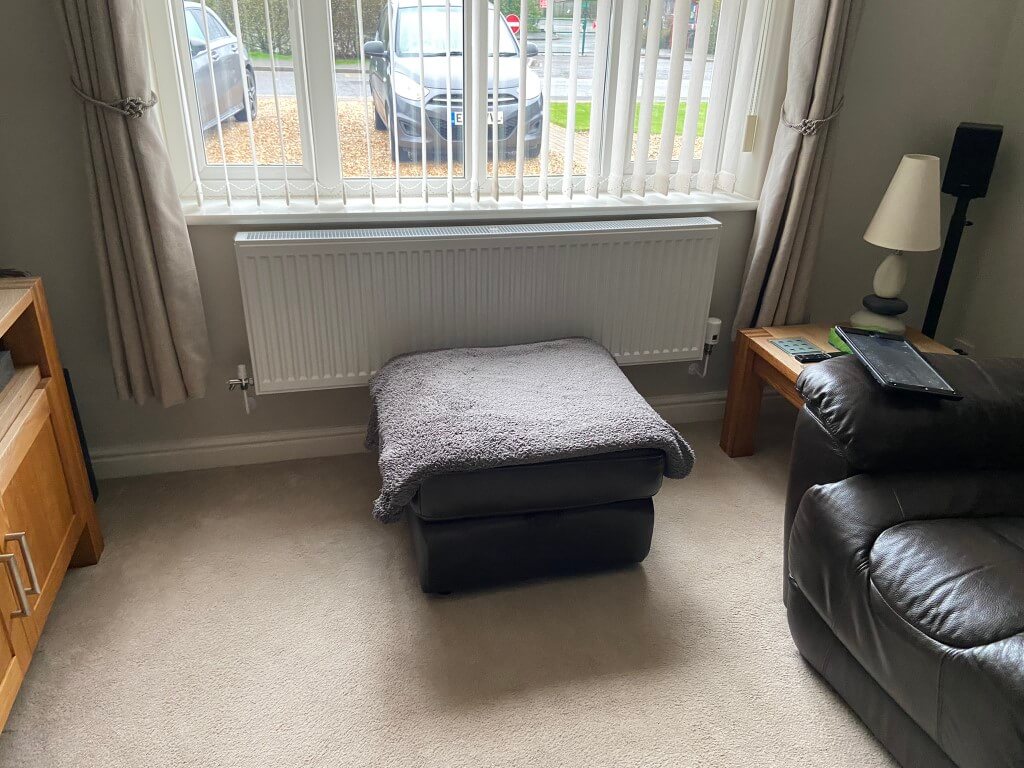
      New radiator mounted with insulated foil reflector behind it to try and conserve useful heat. Using the laser level line previously set up, I marked up 20mm from this which is to the bottom of the mounting brackets, I used a combination of Grip It (Brown) and Corefix fixings as this is a heavy radiator at 37 Kg.

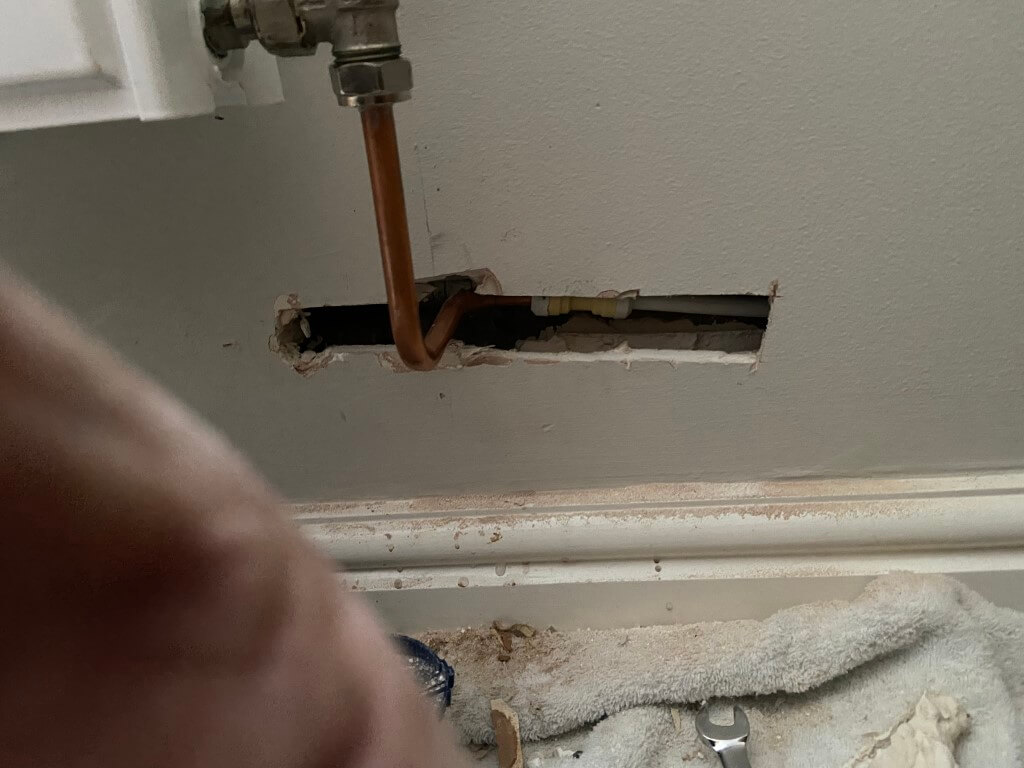
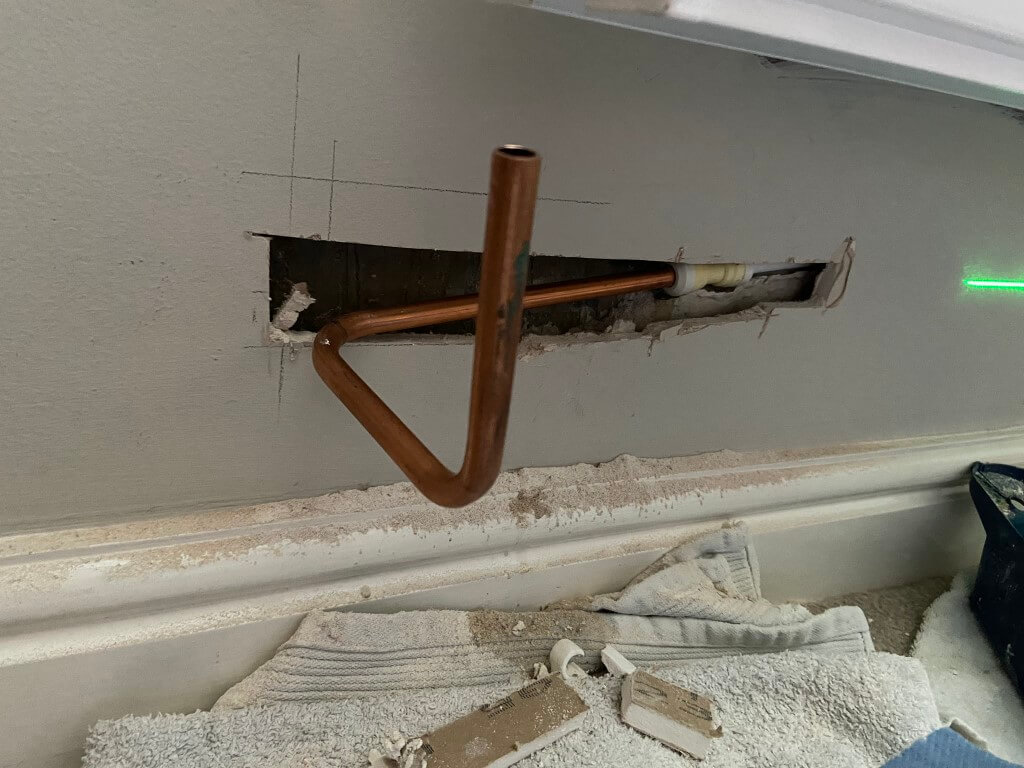
      As you can see the pipework will need adjusting to get the bend back where the vertical pencil line is.

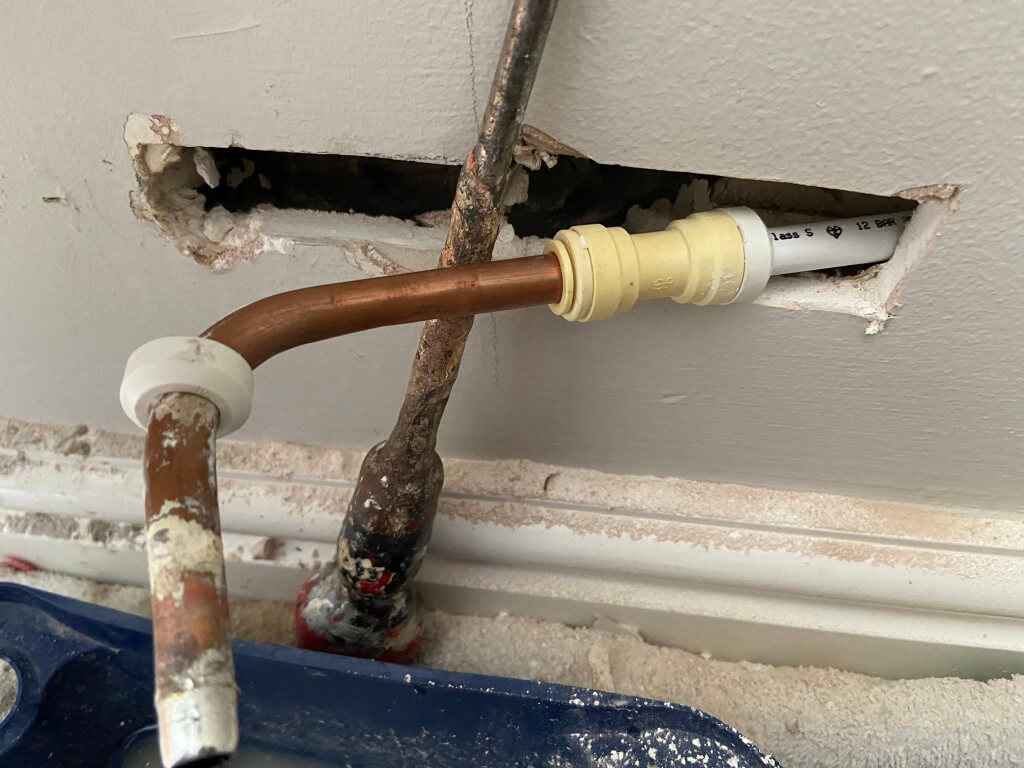
      Using a Multitool I exposed more of the pipework back to the plastic/copper coupling, but needed to cut the wall back even further so I could get the correct positioning in line with the pencil mark.

      The coupling come off the pipes by prizing the white end cap of and then pushing the collet towards the fitting, (I used a 10mm open ended spanner for this), and at the same time pull on the pipe.

      I needed to shorten the plastic pipe, so I used pipe shears to give me a neat edge, then I used a 10mm plastic pipe insert from Screwfix, before reassembly.

      Using 10mm copper pipe and a pipe bender, I formed the pipe to the radiator.

      The other side of the radiator only needed the copper pipe extending although it was a longer wall chase.

      Radiator all piped up and tested for leaks, now ready for hole filling.

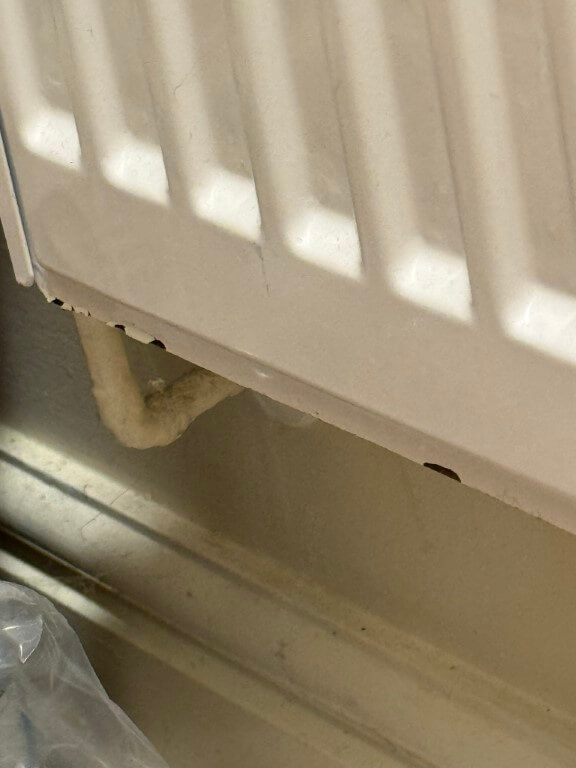
      Over the exposed pipes in the wall I used a foiled bubble wrap before applying a plaster bonding coat, once gone off I used a white filler and flattened this to a smooth surface.

      A few coats of sealer, then paint and a new collars at each end, and the job was done.

      Update: It has been 2 years since I updated the radiator in the WC at the same time as I did most of the others, the WC one was changed not because it was undersized, but because it was showing signs of rusting on the bottom.

      I bought a replacement radiator from UK Radiators and the paint is coming off the bottom, so the quality isn’t brilliant 🙁

      WC Rad

      External Sensor

      I bought the Ideal OS2 weather compensation sensor off eBay, fitting was straightforward on the external North Face of the house at a height equal to that of the upstairs floor.

      Only two 0.75mm2 wires are needed back to the boiler from the sensor for direct connection within the boiler.

      Airing Cupboard Works

      This is the location of my unvented cylinder and two existing normally closed motorised valves as I have a ‘S’ Plan system which needed modification into an X Plan.

      First job was the removal of my ESi electronic hot water cylinder temperature control unit which I blogged the installation of HERE, with all power isolated, the cabling was removed from the wiring centre.

      After removal of the ESi unit I blanked the 20mm hole with a plug.

      While the wiring centre was open and power off, I replaced the Normally Closed central heating motorised valve with a Normally Open version, this modification is required to enable the priority domestic hot water to operate.

      The wiring was then modified so that when Hot Water is called for, a switched live from the Hive Receiver operates both motorised valves at the same time, the live wire to the motors is in series with the unvented cylinders thermostat so that when the cylinders water is at the correct temperature, or there is and overtemperature, the thermostat will open, removing the live connection to the motors.

      This will cause both motorised valves to return to their default state of Central Heating – OPEN, Hot Water – CLOSED.

      In normal operation for hot water, the motorised valve will open and in so doing switch a live feed to S2 on the boiler, triggering a higher output water temperature.

      Jump to linked projects

      boiler
      Ideal Vogue Max 18kW System Boiler
      Ideal Filter
      Magnaclean Pro2
      Frost Protection
      Sulphidation Filter
      Spirovent RV2
      Opentherm Gateway
      Filling Loop with PRV
      Heat Meter

      January 2026 – Heating System interactive image added.

      ESi Electronic Hot Water Cylinder Thermostat – ESCTDE/B: Part 2 – Wiring Centre Modifications

      Updated 23 February 2023

      This is a comprehensive continuation of problem resolution of the ESi thermostat which can be found HERE.

      Update

      Due to the imminent installation of a new boiler with Priority Domestic Hot Water, I will be able to control the water temperature using the unvented cylinders integral thermostat making the ESCTDE/B redundant and therefore I have removed it.

      Problem

      After the cylinder thermostat was installed, I noticed that the boiler would fire up outside of any scheduled times, checking the programmer settings and wiring, I deduced that the supply to call for heat to the Hot Water Valve was being controlled by the ESCTEDE/B.

      I spoke to ESi technical and they confirmed this to be the case when the cylinder thermostat was configured for legionella mode. In this mode, the internal timer of the ESCTEDE/B will call for hot water, (irrespective of the time of day or programmer setting) until the measured water temperature is at or above 60 deg C for 1 hour in order to kill water borne bugs.

      As a result of this, I reluctantly disabled the legionella function.

      After I received the prompting comment from a blog reader, I thought I would look at a circuit which would only allow the hot water to call for heat based on the programmers scheduled time setting, however, should the legionella mode timer be internally activated, this would proceed as normal, but only within the programmers scheduled time slots.

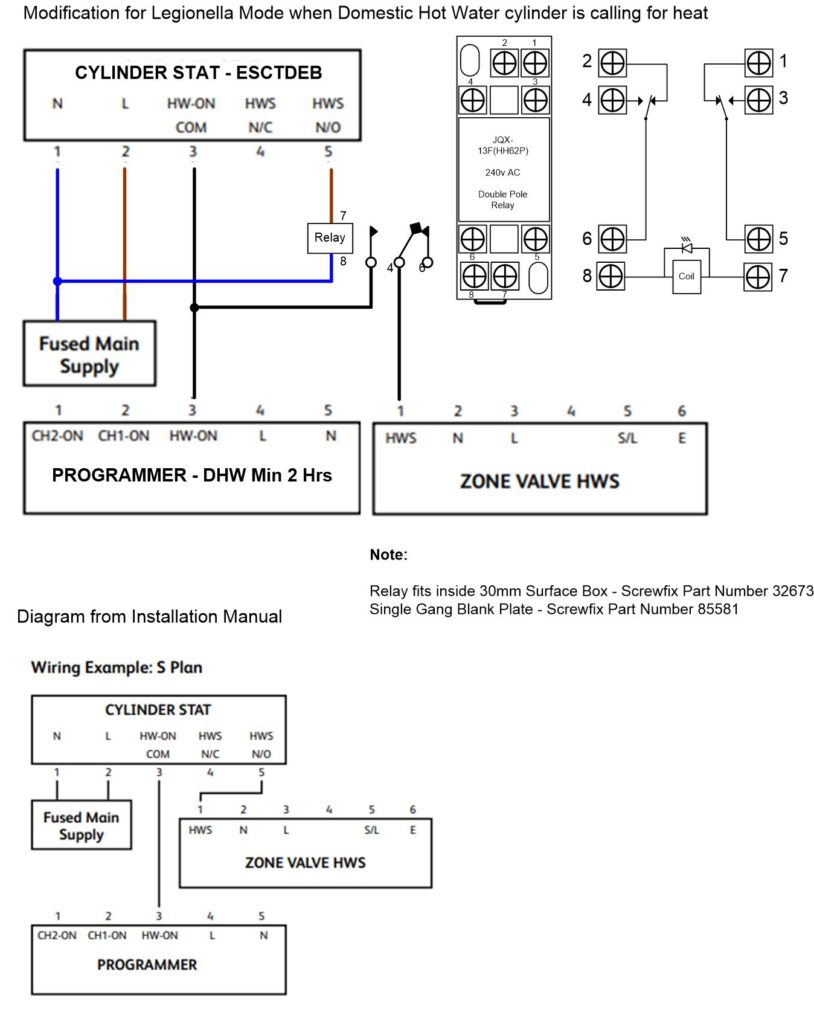
      The simplified schematic below shows this can be accomplished using an interposing relay as a switch for the motorised valve trigger.

      Solution – Method of Operation

      When the programmer calls for Hot Water, a switched live is sent to the ESi controller HW -ON -COM terminal and also to a Normally Open terminal of a 230v AC Relay contact, the common of the relay contact is connected to the motorised valve (Brown Wire).

      When the ESi receives a switched live to the HW-ON-COM, the ESi LED illuminates and an internal connection is made and a switched live appears on the HWS N/O terminal, this output is now wired directly to the relay coil, rather than the motorised valve.

      The result of this modification is that when the HW programmer calls for heat, the relay will energise and supply the motorised valve with a switched live from the programmer, should the ESI enter legionella mode, the relay will energise or remain energised depending on the programmers time setting, however, if the programmer is not calling for heat, the switched supply to the motorised valve will no longer be present and the valve will close turning off the boiler.

      The advantage of this arrangement is that the boiler firing is dependent on the programmers scheduled times set by the user, rather than the ESCTEDE/B doing this at random times.

      The main thing to note is that the legionella setting from the ESCTEDE/B will not reset unless the water, reaches and maintains, a temperature of 60 degrees for 1 hour, this means that the programmers time window must be greater than 2 hours making the assumption the tanks contents will reach temperature in the first hour and maintain this in the second hour.

      Obviously the boilers hot water temperature setting must be greater than 61 degrees for this to work.

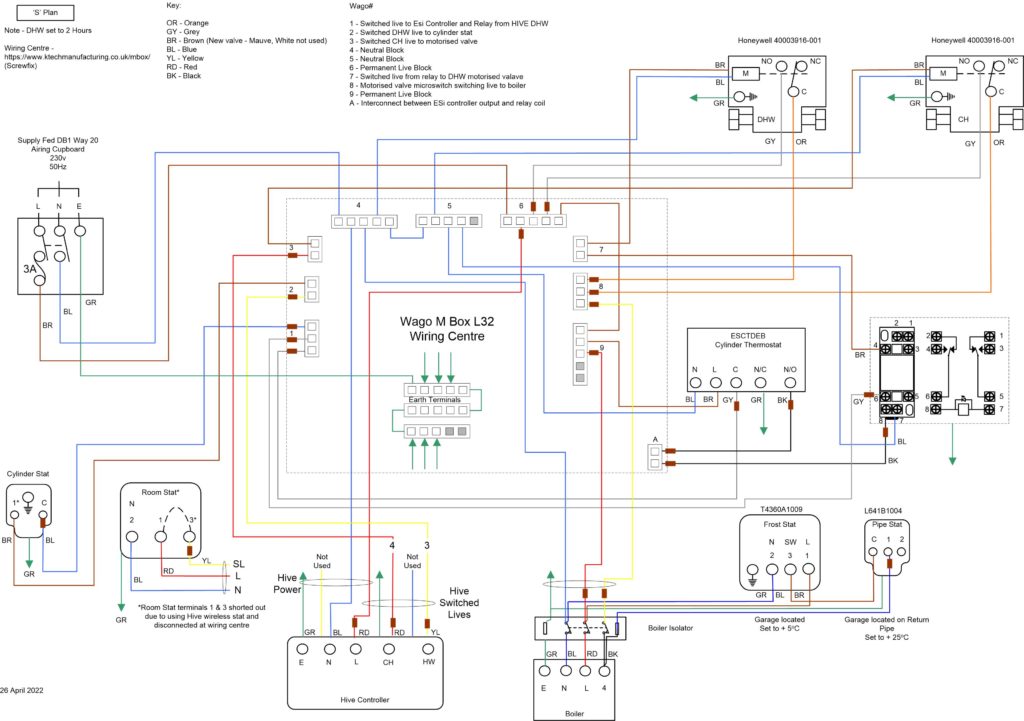
      Modified ‘S’ Plan Wiring Schematic to include Relay Control

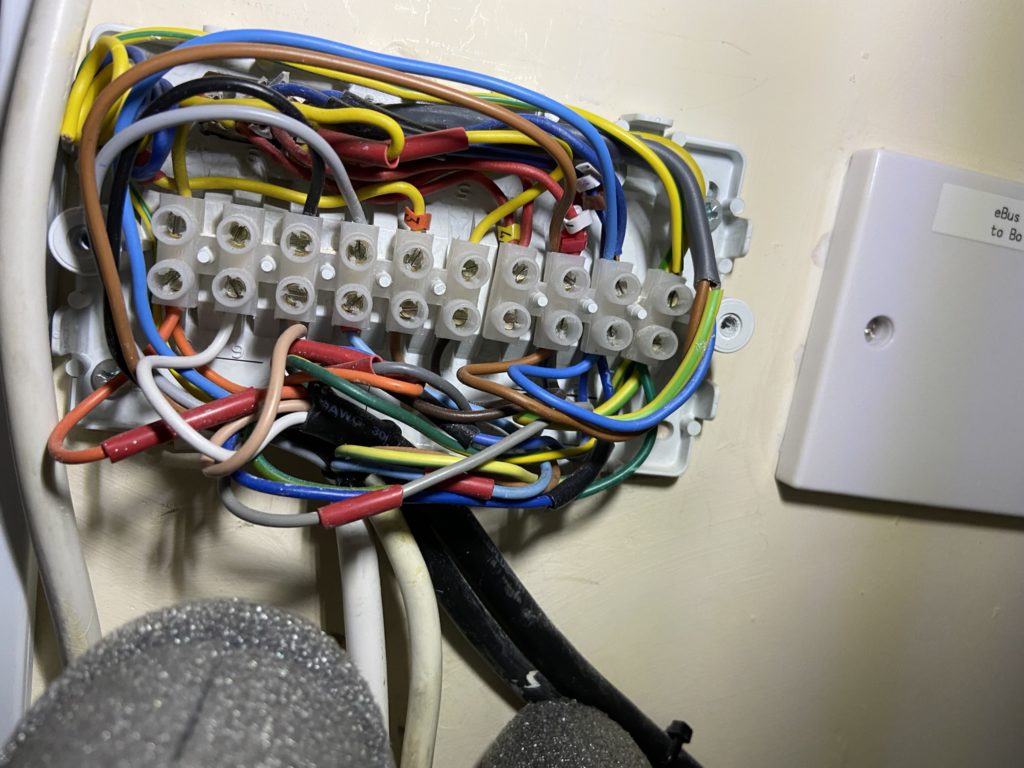
      My existing central heating wiring centre was the original one and modified when I fitted the ESi and as you can see it was a little bit ‘busy’ and desperately in need of a tidy up!

      Looking around for a replacement wiring centre, I saw that a local Screwfix had one in which uses Wago connections rather than traditional terminal strips, the main benefit of this is the tool less connection of wires and a greater number of connection terminals avoiding doubling up of wires which makes installation messy and fault finding difficult.

      The Screwfix part number is 621HV and the product is a Wago L32 Terminal Junction Box.

      Even though the L32 had a lot of connections, I still needed additional connections for the earth wires and a cross connect marked as connector ‘A’ in the schematic.

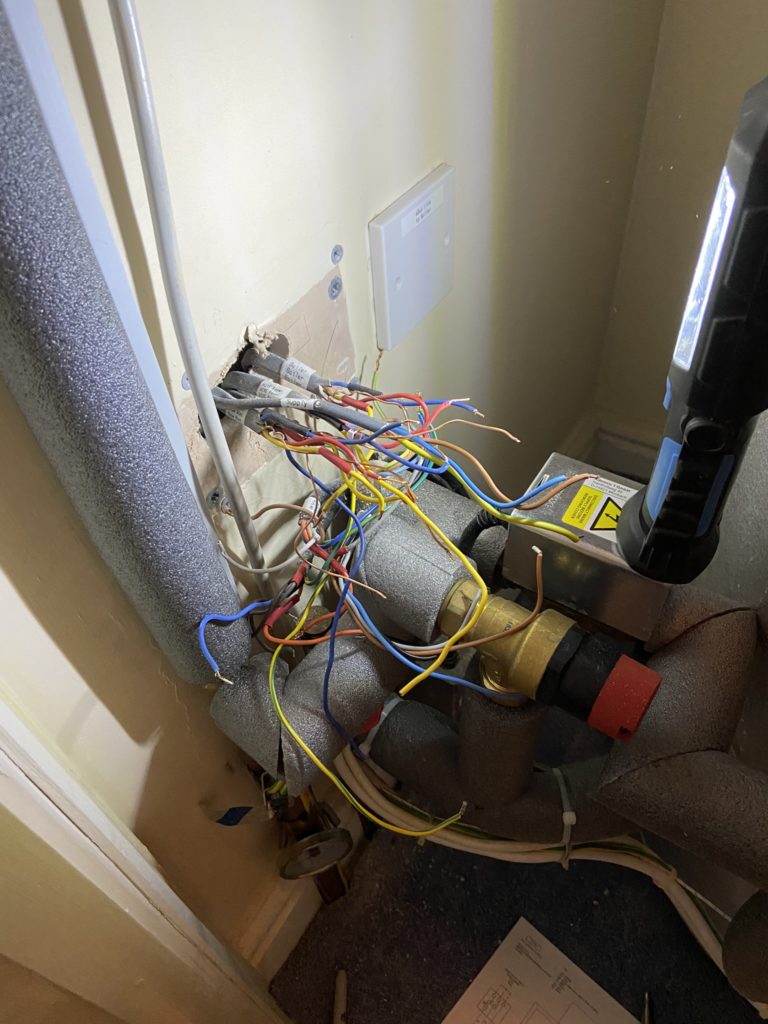
      Old wiring centre removed and cables marked up ready for re-termination.

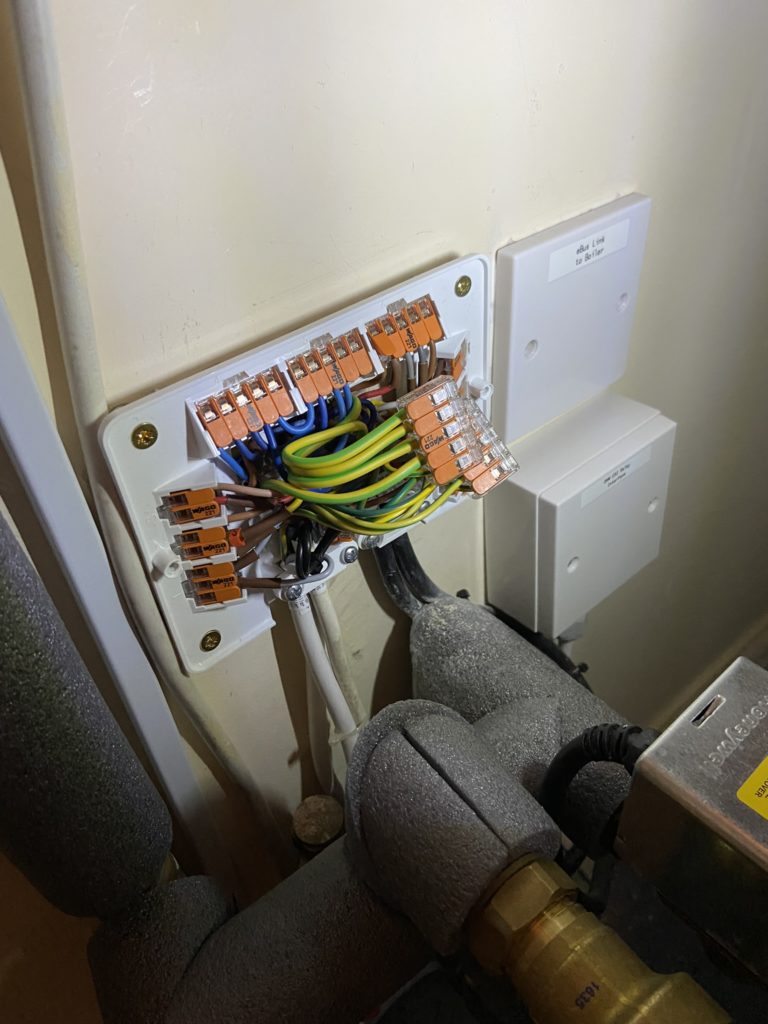
      The completed Wago L32 wiring centre is considerably neater than the one it replaced, the schematic terminal connections are faithfully recreated within the L32 to aid fault finding or future modifications if required.

      Once this was done I changed the legionella setting to operate every 7 days, the installation guide on how to set this up is HERE.

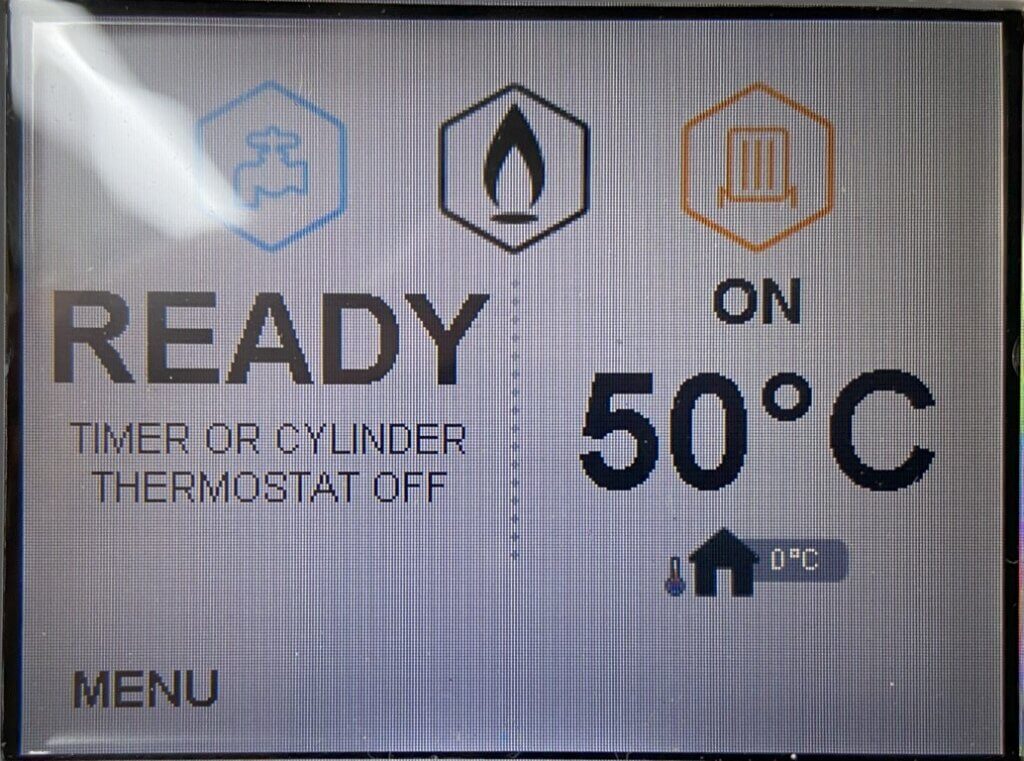
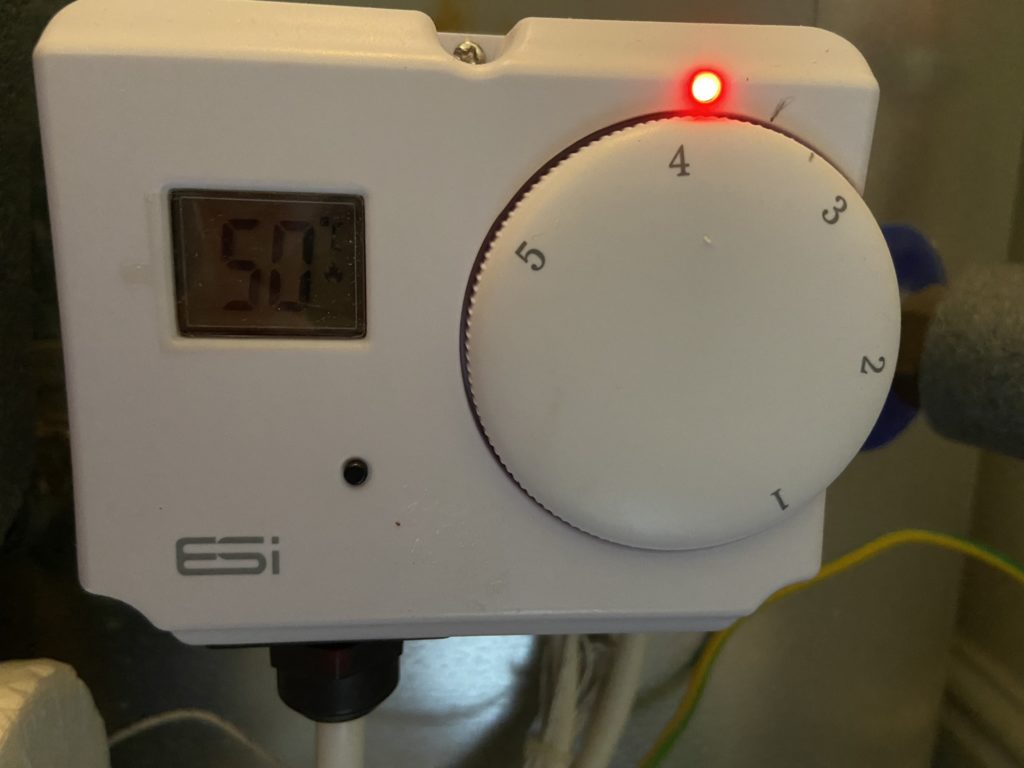
      ESi showing the cylinder water temperature of 50oC, the hot water is calling for heat as my setpoint is 55oC.