Updated 29 January 2026
Background
I have an Ideal Vogue Max 18kW System Boiler with Weather Compensation using a flow temperature of 50oC and using Hive to control the schedules and room temperature, I also have individual radiator Hive TRVs but these are set to 23oC to limit overtemperature, ideally the system is set to ‘open loop’ control with the Hall Thermostat controlling temperture.
As a Home Assistant user, I saw that a Smart Autotune Thermostat (SAT) integration was available which enabled Opentherm control of the boiler, rather than the Hive’s simple On/Off control.
The advantage of Opentherm control was predictive and tighter control leading to increased efficiencies when coupled with SAT.
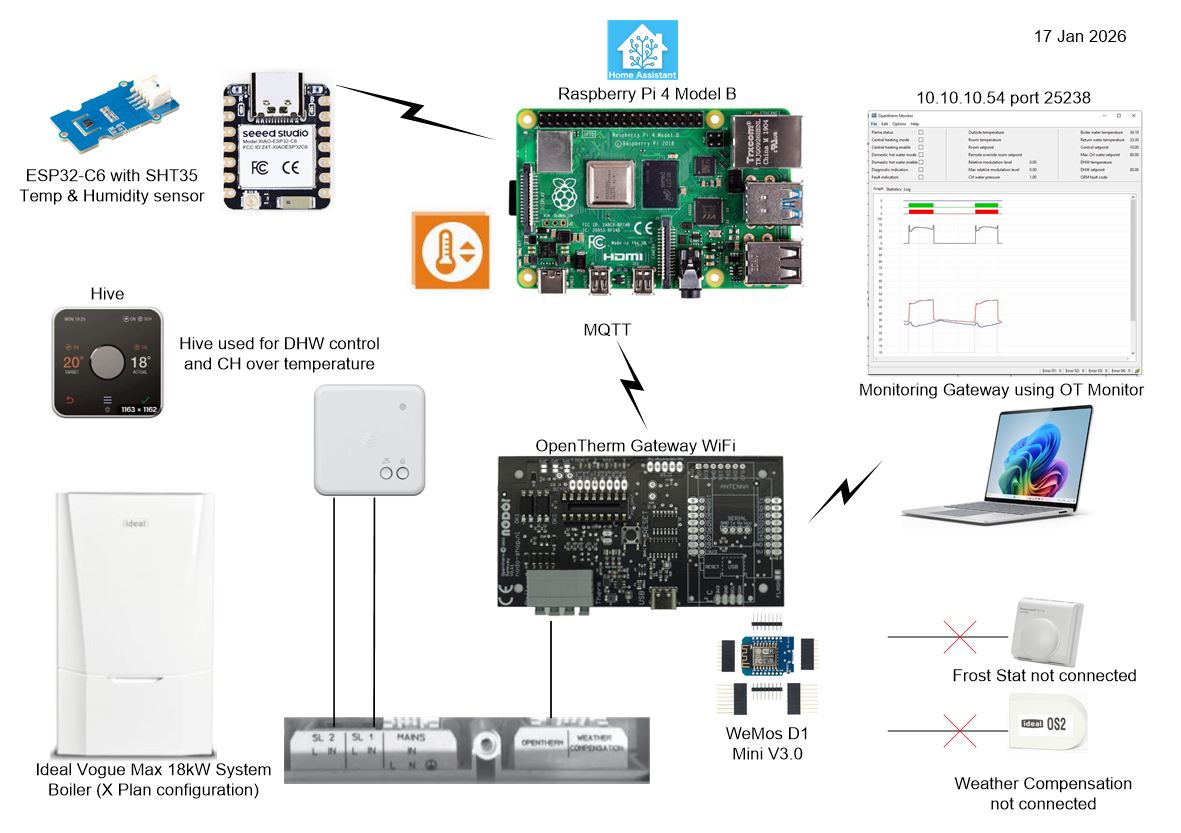
The above is a simple overview of the revised boiler control.
Opentherm Gateway (OTGW) – This build kit was bought from Nodo-Shop, I chose the Wi-Fi version and paid to have the WeMos D1 Mini Wi-Fi module pre-programmed, I also bought a case for the completed gateway.
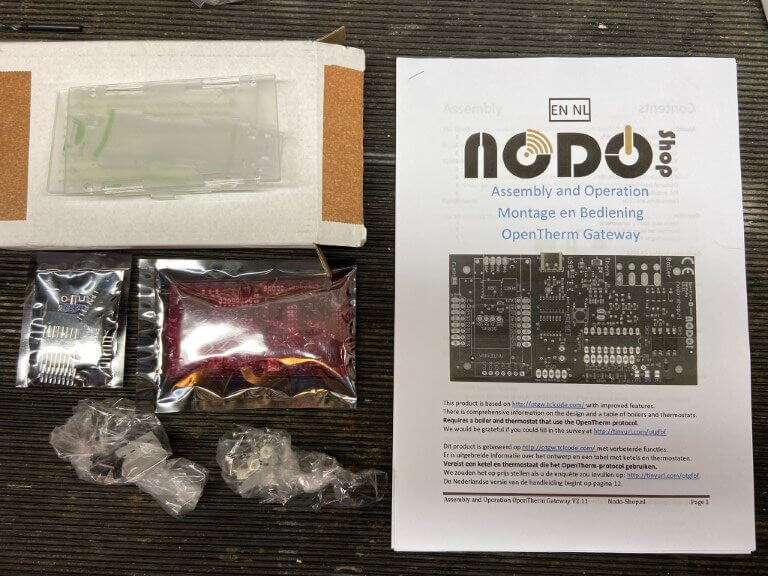
Project links and construction details are at the bottom of this blog.
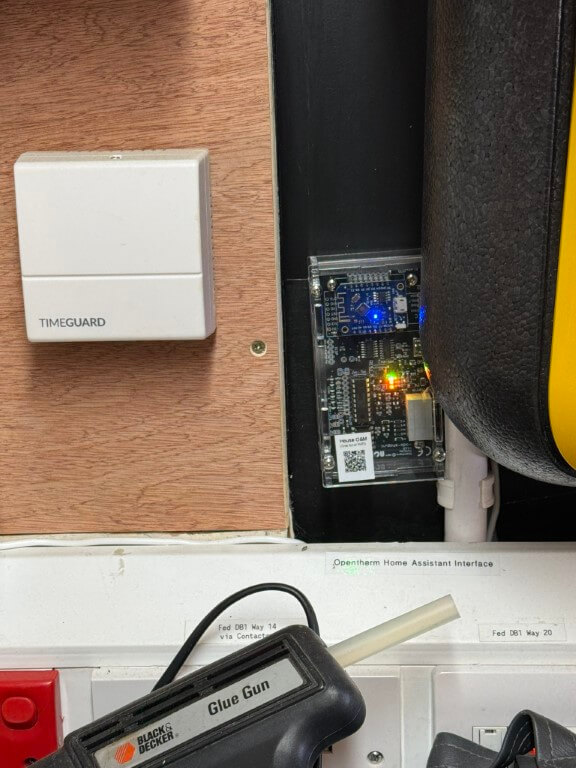
Completed NODO Opentherm/Home Assistant interface connected and working, I did initially have a problem with the build, in that I couldn’t get communications with the boiler, this was resolved with a new PIC chip.
The forum support and NODO shop were great, and had me up and running in no time.
Getting it to work –
On Home assistant I installed Mosquitto Broker Add-on to manage MQTT messages from the OTGW, to do this I followed tutorials on YouTube and set up additional Home Assistant (HA) user accounts for the MQTT broker and Client as directed.
The Smart Autotune Thermostat (SAT) integration was also downloaded and installed on HA.
As I bought a pre-programmed Wi-Fi module, all I had to do is power it up and use my mobile phone to find its Wi-Fi and set up the network details, after this I could find it on my network and add all the relevant MQTT details, once done, HA discovers it and everything worked magically for me.
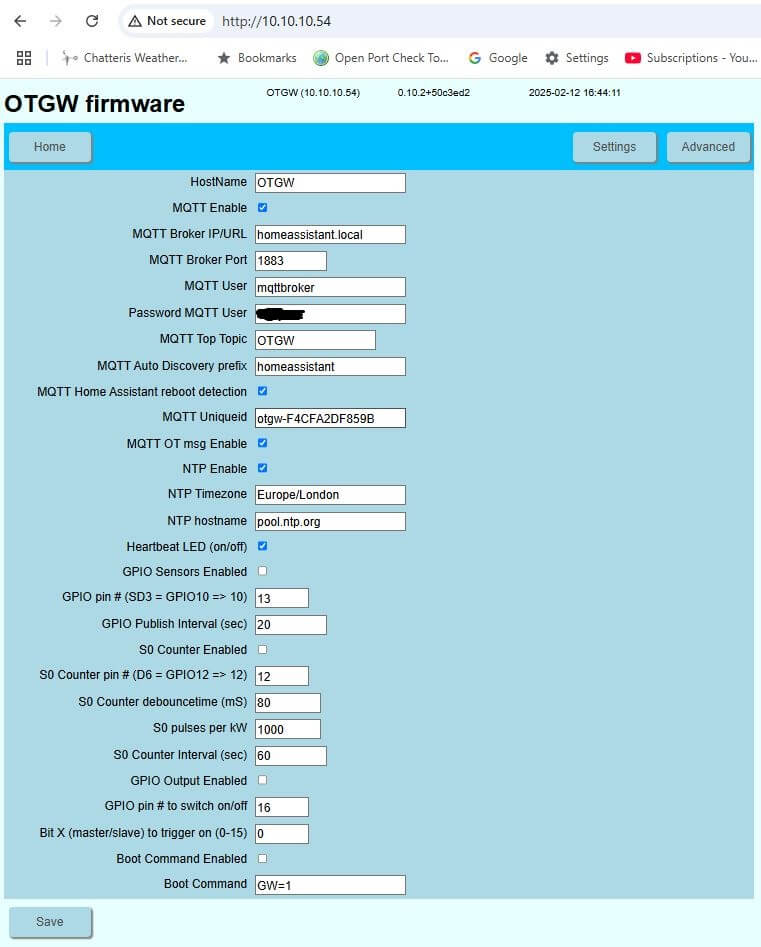
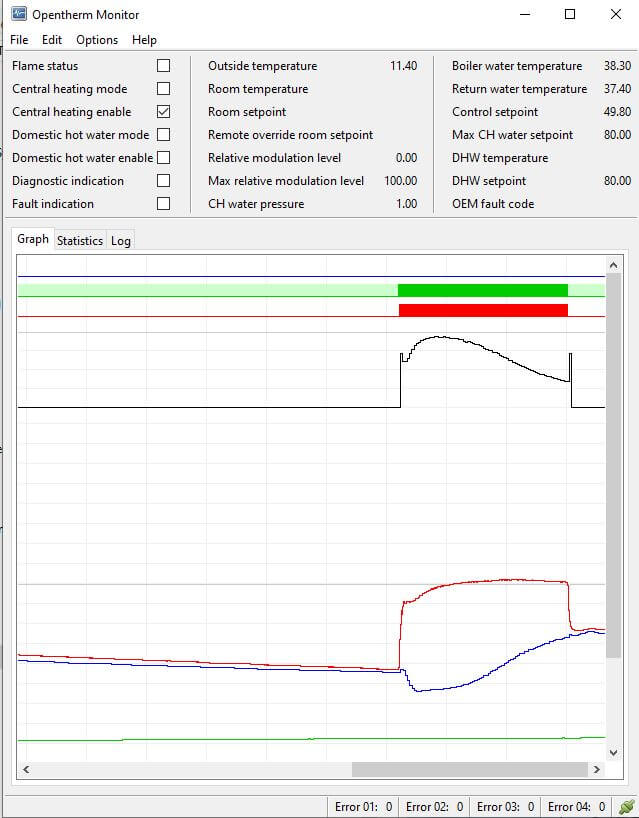
Now I knew the OTGW network IP address, I could connect to OM Monitor which reads the Opentherm traffic, in my case the boilers return water temperature was not being read for some reason, however, their are some real experts on the forums ever willing to share information and I was told to disconnect the Halo Lite thermostat which I had connected for testing purposes and miraculously all readings populated :-).
Hall Temperature Sensor
Hive is used for timing schedules for domestic hot water (DHW) with the central heating (CH) being left on 24hrs at 23oC, this is used as an overtemperature fallback control.
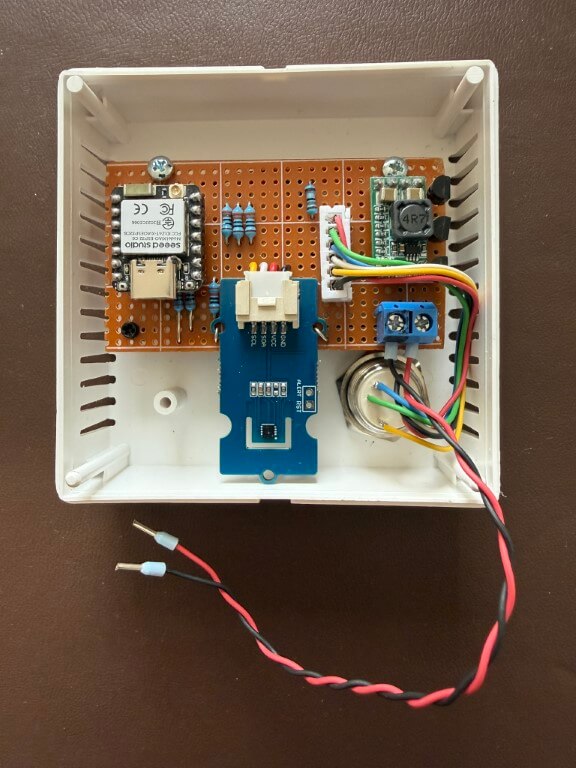
Home made replacement thermostat in a sensor housing from CPC is a SHT35 Temperature & Humidity sensor connected to an ESP32-C6, power is from a 12v PSU reduced to 5v with a buck converter.
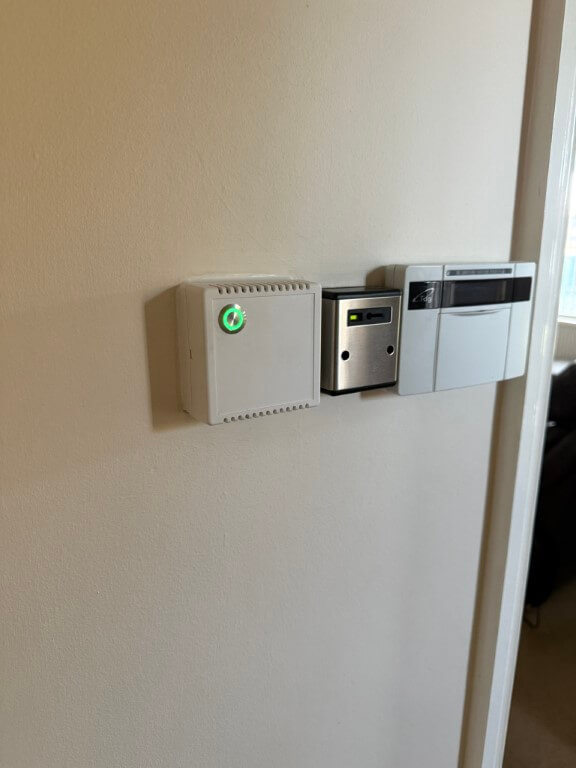
Temperature sensor mounted, the momentary push button has a RGB led, I have used green to indicate ‘Home’ setting, red for ‘Comfort’ setting and blue for ‘Away’ or setback.
Pressing the button will scroll through the options allowing for manual control, a further tweak is that the green led will flash if a non-preset temperature is selected on Home Assistant, also if the heating is off, no leds will be lit.
The leds also automatically dim at night.
Script used is at the bottom of the blog.
Home Assistant
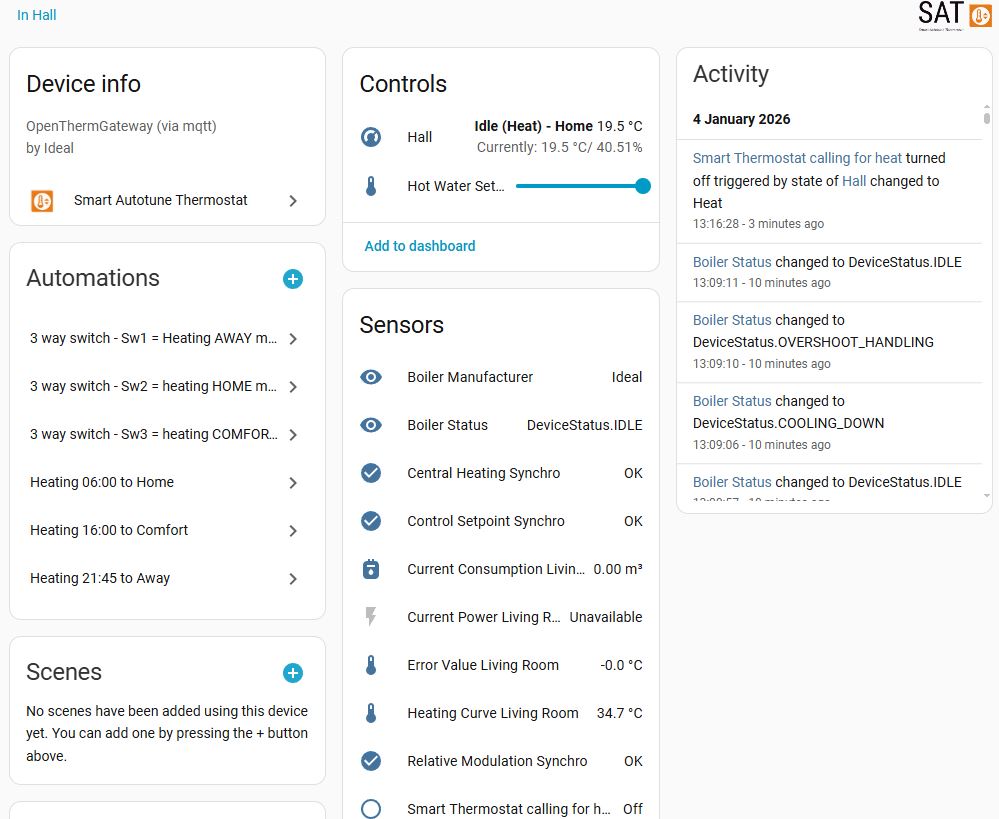
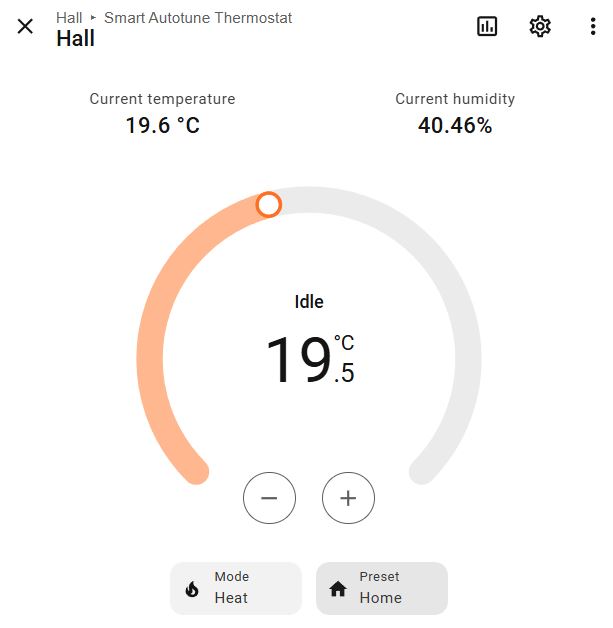
My SAT has three heating periods set up, these are ‘Away’, ‘Home’ and ‘Comfort’, and are time controlled within the application:
- Away – 21:45 to 06:00 setback temperature 17oC
- Home – 06:00 to 16:00 temperature 19.5oC
- Comfort – 16:00 to 21:45 temperature 21.5oC (sedentary)
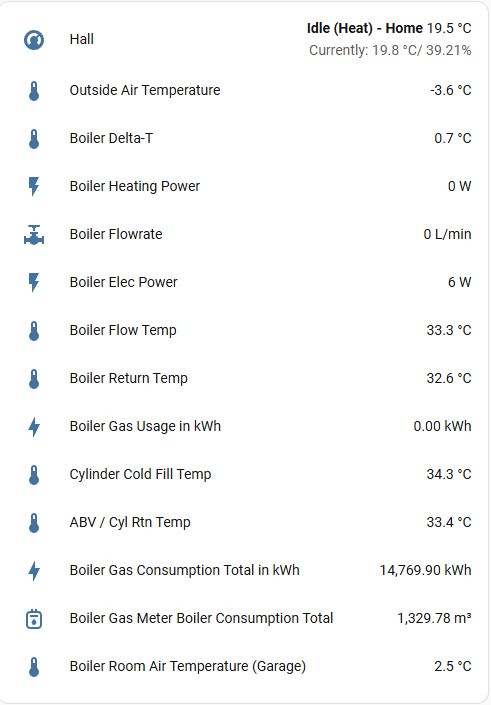
The dashboard displaying general details, this was screen grabbed when the external temperature was -3.6oC and the system is performing perfectly.
Performance
The graph above is live data from my system using Open Energy Monitor
Project Information Sources –
- Opentherm Gateway Project
- Opentherm Gateway Forum
- Smart Autotune Thermostat – Github
- Home Assistant – Custom Component Forum
- DIY Forum – Ideal System Boilers
- Link to Gateway Assembly Instructions
- Link to Enclosure Assembly Instructions
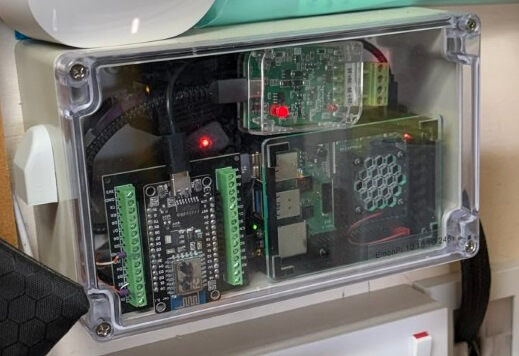

Raspberry Pi for Open Energy Monitor connectivity and also a ESP8266 for secondary gas meter measurement to boiler.
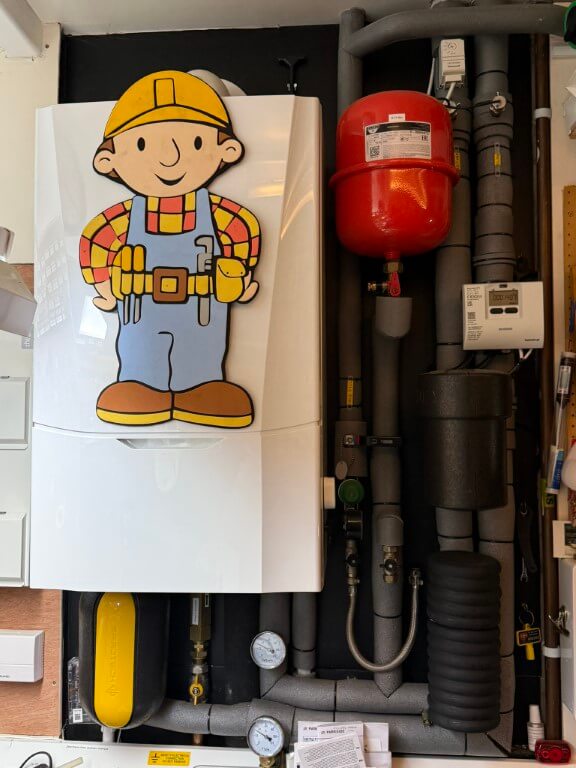
Interactive boiler layout.
Should it all go wrong
Hopefully it won’t, but if I ever need to revert back to conventional control, I simply need to remove the wires from boilers Opentherm connection and link the terminals, reconnect the weather sensor and thats it.
Learning-
The layout of the house lends itself to leaving all the internal doors open, therefore, the temperature is consistent throughout.
Ideal Halo Opentherm thermostat does not play nicely with the Opentherm Gateway.
The Timeguard frost stat is no longer connected to the boiler due to the fact that the central heating can only be brought on by the Opentherm gateway, therefore, I have to rely on the boilers inbuilt frost protection, this measures the boilers internal return pipe, if this falls to 5oC, the boiler will fire up until the return reaches above 19oC, however, the Timeguard is now connected to a Shelly Mini, so that I get notification of low temperature in the garage where the boiler is located.